
Marketing automation for small business: follow-up that runs while you work.
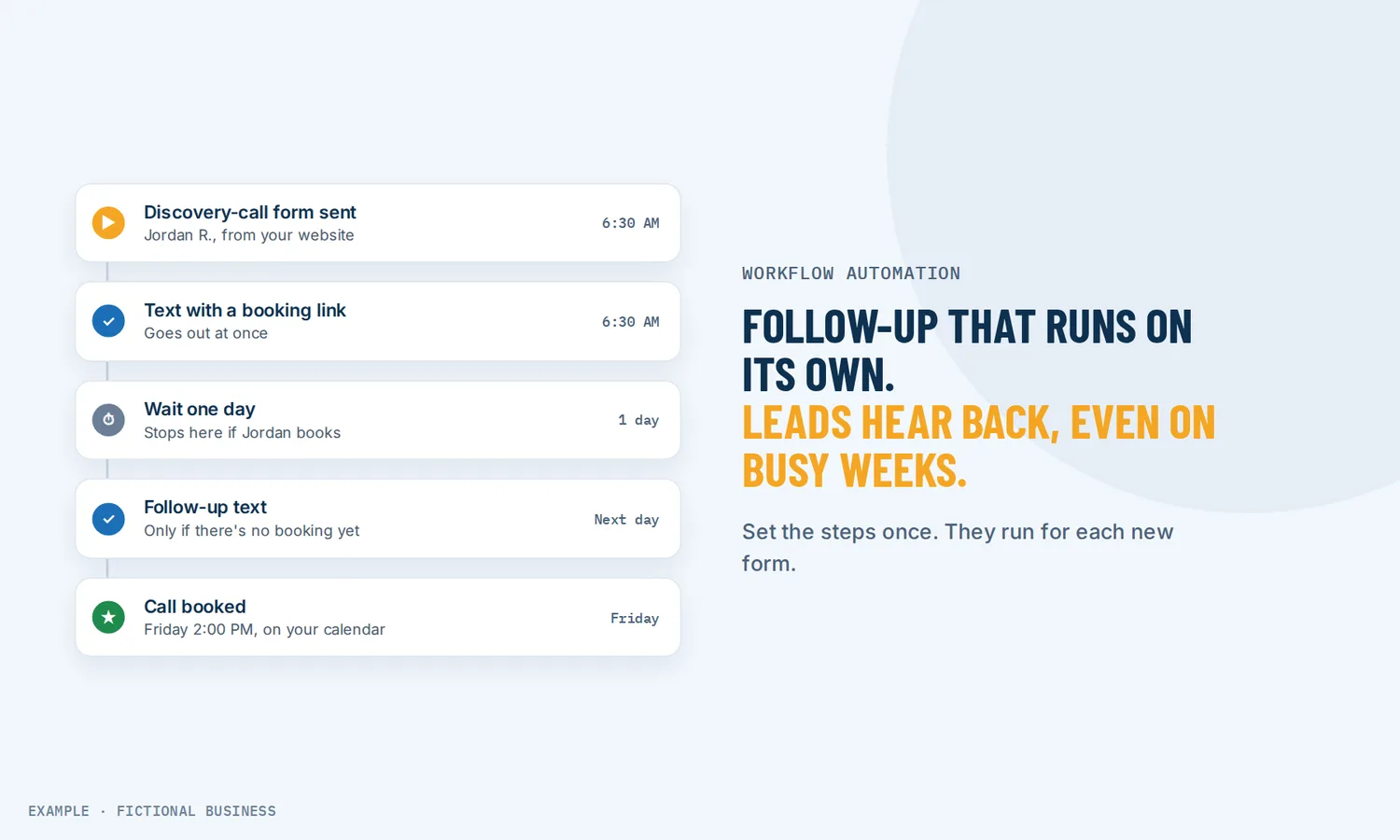
Marketing automation for small business is software that sends the right text, email or reminder, and sets the right task, the moment a customer does something: fills in a form, books, calls or pays. You decide the steps once; after that, routine follow-up runs without you, so fewer leads go cold while you are busy.
Get new-lead follow-up set up for you
What marketing automation is and how it works
Marketing automation turns "I should follow up with them" into steps that start on their own. On the Revenue Growth HQ platform, each set of steps is a workflow, and it follows rules you set.
How a workflow runs:
- Something happens. A trigger starts the workflow: a form is submitted, an appointment is booked, a call goes unanswered, a customer replies, a deal is marked won. One workflow can have several triggers.
- Steps run in order. Send an email or a text, tag the contact, update a field, create a task, add a deal to your pipeline, or notify your team on their phone.
- It waits when it should. Wait an hour, wait until two days before the appointment, or wait until the customer replies, with a time limit if they don't.
- It branches. If the customer has a tag, or answered a form question a certain way, they take one path; everyone else takes another.
- It stops when the job is done. Turn on "stop on response" and a customer who replies leaves the workflow, so automated nudges end once they talk to you.
What marketing automation changes for a small business
Faster first replies
Speed matters. An often-cited 2007 study of web leads at six companies, presented by InsideSales.com with an MIT researcher, found the odds of reaching a lead by phone were 100 times lower at 30 minutes than at 5. It measured sales calls, not texts, and it is old, so treat it as a direction, not a forecast. A workflow can text the lead and alert you within moments of the form arriving, even when you are with a customer.
Follow-up that doesn't depend on memory
Following up three or four times is easy to plan and hard to keep doing. A workflow sends each touch on the schedule you chose and can stop as soon as the person answers.
The same steps for each customer
Follow-up that lives in someone's head changes with their workload. A workflow sends the same welcome, reminder and thank-you to each person it reaches.
Your team knows what to do next
A workflow can create a task for a team member, move a deal to the next stage, or send a push alert to the mobile app.
How marketing automation plays out
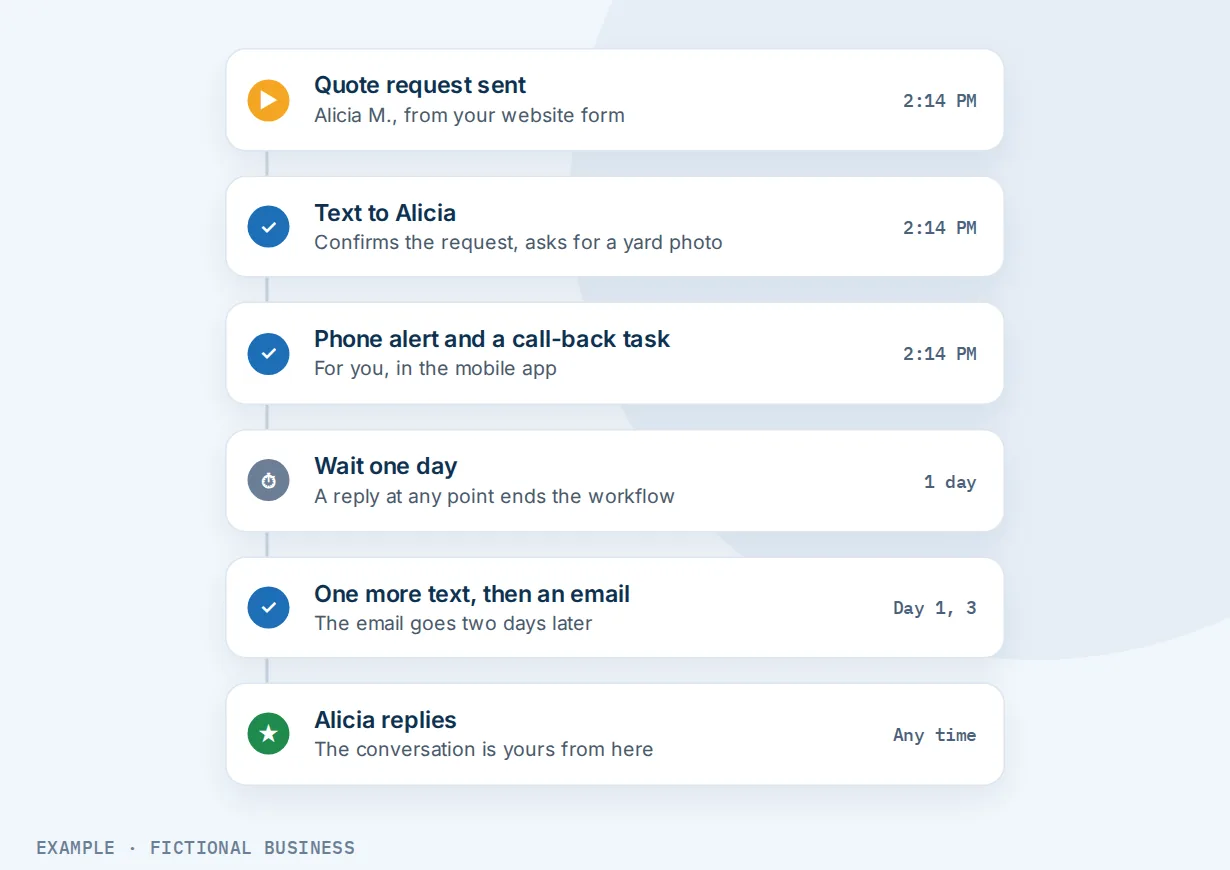
A home service business. Let's suppose you run a landscaping company and quote requests come in through your website. A workflow texts the customer within a minute to confirm and ask for a photo of the yard, sends you a phone alert, and creates a task to call back. No reply in a day brings one more text, then an email two days later. The moment they reply, they leave the workflow and the conversation is yours.
A coach or consultant. Let's suppose you offer a free guide on your website. A visitor downloads it, and a workflow sends a short series of emails over two weeks, each with one useful idea and a link to book a call. A goal step watches for a booking: when the person books, they skip the rest of the emails.
A salon or spa. Let's suppose you want to hear about a bad visit before the client stews on it. After each visit, a workflow texts "How was your visit today?" and an AI step reads the reply. A negative answer creates a task for you to call that day; a positive one gets a thank-you.
Describe the automation and AI drafts it
You don't have to build a workflow box by box. Type or speak what you want, such as "when someone fills in my quote form, text them, wait ten minutes, and if they haven't replied, create a call task for me," and AI drafts the trigger and steps, usually in under 30 seconds. Then ask for changes in plain words, point at a step and describe the change, or brainstorm in chat first. The platform's built-in AI assistant can start one the same way.
The AI builder is free within a daily limit. It drafts; it does not test. Before you publish, check each trigger, message and wait, and fill in anything it flags, such as which pipeline or form to use.
AI steps inside a workflow
AI steps add a little judgment inside a workflow you control:
- Decision maker: you describe the paths in plain English, such as "real inquiry" versus "spam," and the AI picks one for each contact, with a default path for anything unclear.
- Intent detection: sorts a reply as positive, negative or neither, and sends each to its own path.
- Summarize and translate: shorten a long message or transcript, or translate it, and save the result for your team.
AI steps are billed per run; you see the rates before setup. Steps that send plain messages or update records carry no per-run AI fee, though the texts and emails they send are billed by use.
What to look for in marketing automation for small business
- Does it cover texts as well as email? Many tools are email-first, and some customers would rather get a text.
- What can start an automation? Look beyond "new subscriber": a booking, a missed call, a reply, a payment or a won deal.
- Can it wait for a reply and stop when it gets one? Without this, customers get "just checking in" after they already said yes.
- Can it hold messages to sending hours, so texts don't go out at 2 a.m.?
- Can it branch on tags, form answers or what the customer did?
- Does it create tasks and alert your team, not only send marketing?
- Is it inside your customer records, or does it need a connector to see who booked, paid or replied?
- Can you see what happened? A history for each contact should show which steps ran, were skipped or failed.
- How is it billed? Some tools charge by contact count, some by message, some by run. Ask which grows with your list.
Marketing automation works better with forms, call follow-up, reviews and AI
Automation plus forms. Many workflows start with a form. Forms and multi-step surveys save answers straight to the contact record, so a workflow can branch on them: a large job goes to you, a small one gets a booking link.
Automation plus missed-call follow-up. A call that ends unanswered can start a workflow. Texting back callers you missed gives the caller a reply in moments instead of a voicemail they may never leave.
Automation plus review requests. A finished job or a deal marked won can start a workflow that thanks the customer and sends an automatic review request at a time you pick.
Automation plus AI. Workflows follow the rules you set; an AI agent that runs a task from a plain-words instruction handles jobs that need judgment. To decide where to start, read where AI and automation fit in a small business.
Workflows also connect the rest of the platform: online booking can start reminders before and after the appointment, an unpaid invoice a polite chase, a won deal on your pipeline board onboarding, a landing page with a form a lead series, and a saved list can bring back customers who stopped buying. All of it lands on the same contact record.
Marketing automation options: from free to done-for-you
Free plans and built-in autoresponders. Many email tools offer a free plan with a welcome email or a simple series, which may be enough for newsletter sign-ups. Check what it leaves out: texts, branching, team tasks or list size.
Standalone marketing automation software. Dedicated tools add branching, scoring and detailed email series. The catch: your bookings, calls, payments and texts often live elsewhere, and each integration is one more thing to maintain.
All-in-one platforms. Automation sits in the same system as your contacts, inbox, booking, payments and pipeline, so a workflow can react to any of them without a connector. The tradeoff is more to learn than a single-purpose tool.
Hiring someone. An assistant can follow up by hand, with a human touch, but costs wages and stops when their day ends. An agency or freelancer can build automations for you, which saves your time but leaves you dependent on them for changes.
Here's our solution
Revenue Growth HQ is an all-in-one platform with marketing automation built in, alongside your contacts, inbox, booking, payments, reviews and AI assistants. The plan is $97 a month (or $970 a year), and workflows are included. It comes with $30 of usage credit each month for your phone number, calls, texts, email and most AI features; use beyond that in a month is billed at the same rates as buying the software directly. Setup is a one-time $197: you choose 3 setups from our list for us to build in your account, and new-lead follow-up can be one of them. See what the $197 setup includes.
Limits to know
- Check what AI drafts. The AI builder can't test a workflow, and complex settings may need manual changes. Review it and run a test contact through before publishing.
- A draft does nothing. People who match a trigger while a workflow is still in draft are not added later when you publish it.
- Texts cost money and need registration. Business texting needs carrier registration before it can send, and each text is billed.
- One sending window for all days. You can't set different sending hours for weekdays and weekends in one workflow.
Marketing automation features included
- Workflows started by forms, bookings, calls, replies, payments, tags and deal changes
- Several triggers on one workflow, with filters
- Email, text, internal notification, task, tag, field and pipeline steps
- Waits by time, date, appointment, reply or action, with timeouts
- If/else branches and a goal step to skip ahead
- Stop on response, re-entry control, sending hours and contact time zones
- Template library to start from
- Workflow AI builder: describe it and AI drafts it
- AI steps to decide, sort replies, summarize and translate (billed per run)
- Webhooks to and from other software
- Add a saved list to a workflow at once, at a set time or in a drip
- Execution history for each contact
Frequently asked questions
What is marketing automation?
Marketing automation is software that runs follow-up steps on its own when a customer does something. A form, booking, call or payment starts steps you defined: texts, emails, tags, tasks or updates. It can stop when the customer replies.
Is marketing automation worth it for a small business?
It pays off when follow-up falls through the cracks: leads wait hours for a reply, or quotes go out with no second contact. Start with one job, such as replying to new inquiries, chasing unanswered quotes, or asking for reviews.
What are some marketing automation examples?
Text a new lead within a minute of a form; send reminders before an appointment and a thank-you after; chase a quote that got no reply; ask for a review after a finished job; check in with customers who haven't bought in a while; alert a team member when a high-value inquiry arrives.
Can AI build the automation for me?
AI can draft it. Describe what you want in plain words, and the workflow AI builder sets up the trigger and steps. It is free within a daily limit. You still review and test it before publishing, because the AI can't test a workflow and may need you to choose a form, pipeline or message.
Will automated texts and emails annoy my customers?
They can if they keep going after the customer answered, or arrive at odd hours. Turn on stop on response so a reply ends the sequence, set sending hours, and keep each workflow short.
How is this different from an AI agent?
A workflow follows rules you set: when this happens, do these steps. An AI agent takes a plain-words instruction and handles tasks that need judgment. You can use both: workflows for predictable follow-up, with AI steps inside them where a decision is needed.
What does marketing automation cost?
On Revenue Growth HQ, workflows are included in the $97-a-month platform. The texts, emails and calls a workflow sends are billed by use, and AI steps are billed per run; the plan includes $30 of usage credit a month. Setup is a one-time $197, and new-lead follow-up can be one of the 3 setups you choose. Some standalone tools charge by list size, which grows as your business does.
Get new-lead follow-up built for you
Pick new-lead follow-up as one of the 3 setups in your one-time $197 setup, and we build that workflow in your account. When it texts, we set up your business number and its texting registration too, and we build your knowledge base from your website. The plan is $97 a month after that.
Sources
- Elkington, D. and Oldroyd, J. "The InsideSales.com/MIT Lead Response Management Study." Presented at MarketingSherpa B2B Demand Generation Summit, October 2007. https://www.mortech.com/hs-fs/hub/25649/file-13535879-pdf/docs/mit_study.pdf (checked 2026-10-18)