
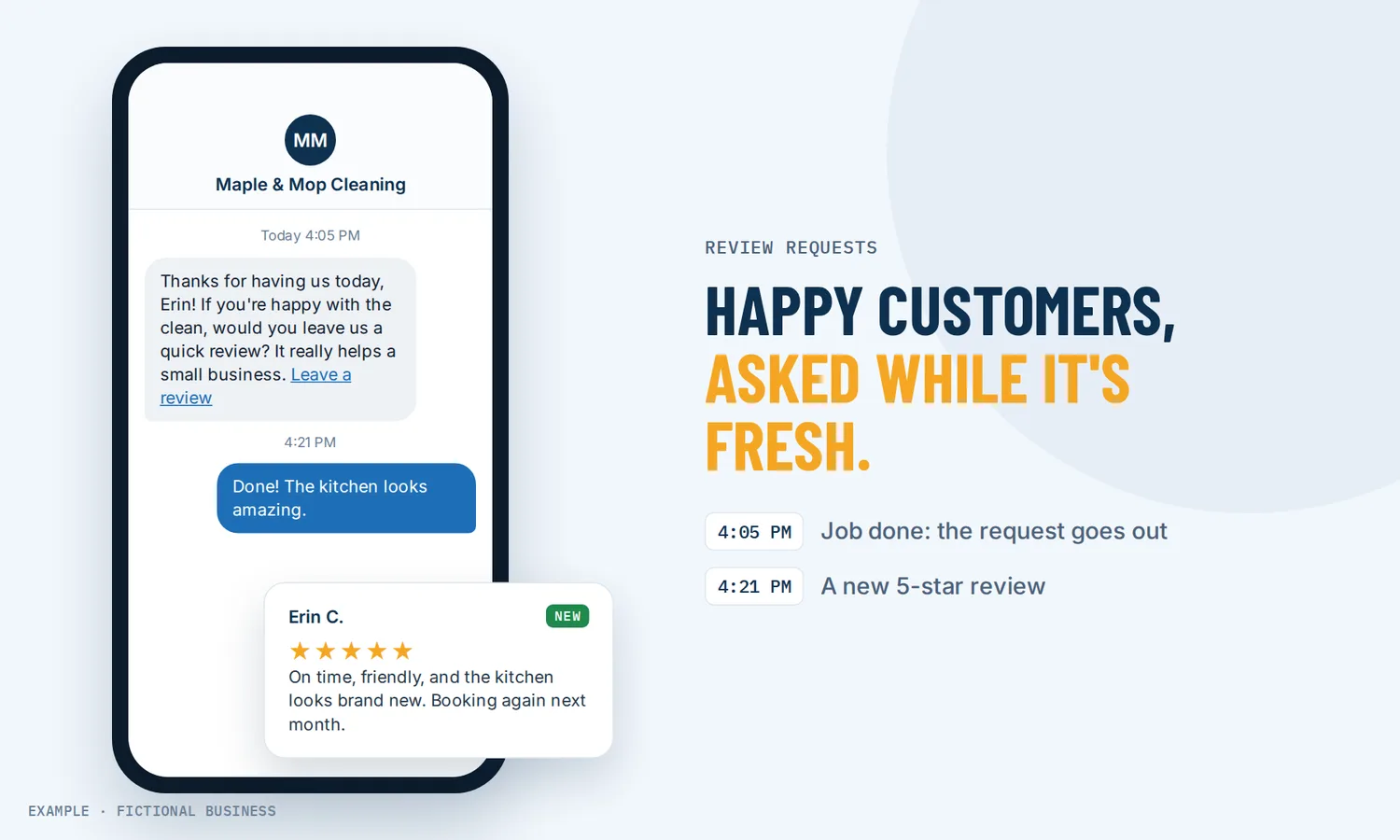
How to get more Google reviews: ask every customer, without having to remember.
The way to get more Google reviews is to ask every customer, soon after the job, with a link that opens your review form in one tap. Revenue Growth HQ sends that ask for you by text or email when a job is done, and follows up once or twice if the customer doesn't click.
Get review requests set up for you
What a review request is and how it works
A review request is a short text or email that thanks the customer and links straight to the place they can leave a review. Most businesses know they should ask; the asks don't happen because nobody remembers on a busy day. Automating it takes memory out of it.
Here is how it works on the Revenue Growth HQ platform:
- You connect your Google Business Profile. The review link in each request then opens your Google review form. You can also send people to another review site, or spread requests across several connected sites.
- You write the message once. A text template and an email template, with the customer's name and your review link filled in for each person.
- You choose what starts it. A job marked won, an appointment marked as showed, a tag you add by hand, or any other workflow trigger. You can also send a request by hand from a customer's record.
- You set the timing and the follow-up. Send right away or after a delay, then repeat every few days until the customer clicks, up to the number of follow-ups you choose.
- You see what happened. Each request shows as queued, sent, delivered (for texts) or failed, and the reviews themselves come into your dashboard for a reply.
What asking every customer changes for a small business
More of your happy customers actually post
Most customers will write a review if you ask. In BrightLocal's 2026 survey of 1,002 US adults, 78% of consumers had been asked to write a review in the last 12 months, and 65% of all respondents wrote one after being asked. Put another way, 83% of the people who were asked went on to leave a review.
More reviews can help your Google ranking
Google's help page says: "More reviews and positive ratings can help your business's local ranking." Reviews also show next to your listing in Search and Maps, where new customers compare you with competitors.
The ask goes out at the right moment
The best time to ask is while the job is fresh. A request sent the same day, or the day after, catches the customer while they still remember how it went. An ask that slips a week reaches someone who has moved on.
Nobody on your team has to chase it
Asking by hand means someone keeps a list, sends each message and remembers who to nudge. Automated requests take that job away. The follow-up stops for each customer once they click the link, so people who already responded don't keep getting asked.
How it plays out
A home cleaning business. Let's suppose you run a cleaning company and track each job as a deal. When a deal is marked won, a workflow sends the customer a thank-you email with a button to your Google review form, then sets a check-in date three months out for their next clean. If they don't click, a short text follows a few days later.
A salon or studio. Let's suppose you run a hair salon that already sends reminders before each appointment. When an appointment is marked as showed, the client gets a thank-you text that evening with the review link. You also print a review QR code at the front desk, so a client who mentions they loved their cut can scan it on the way out, with no pressure to do it on the spot.
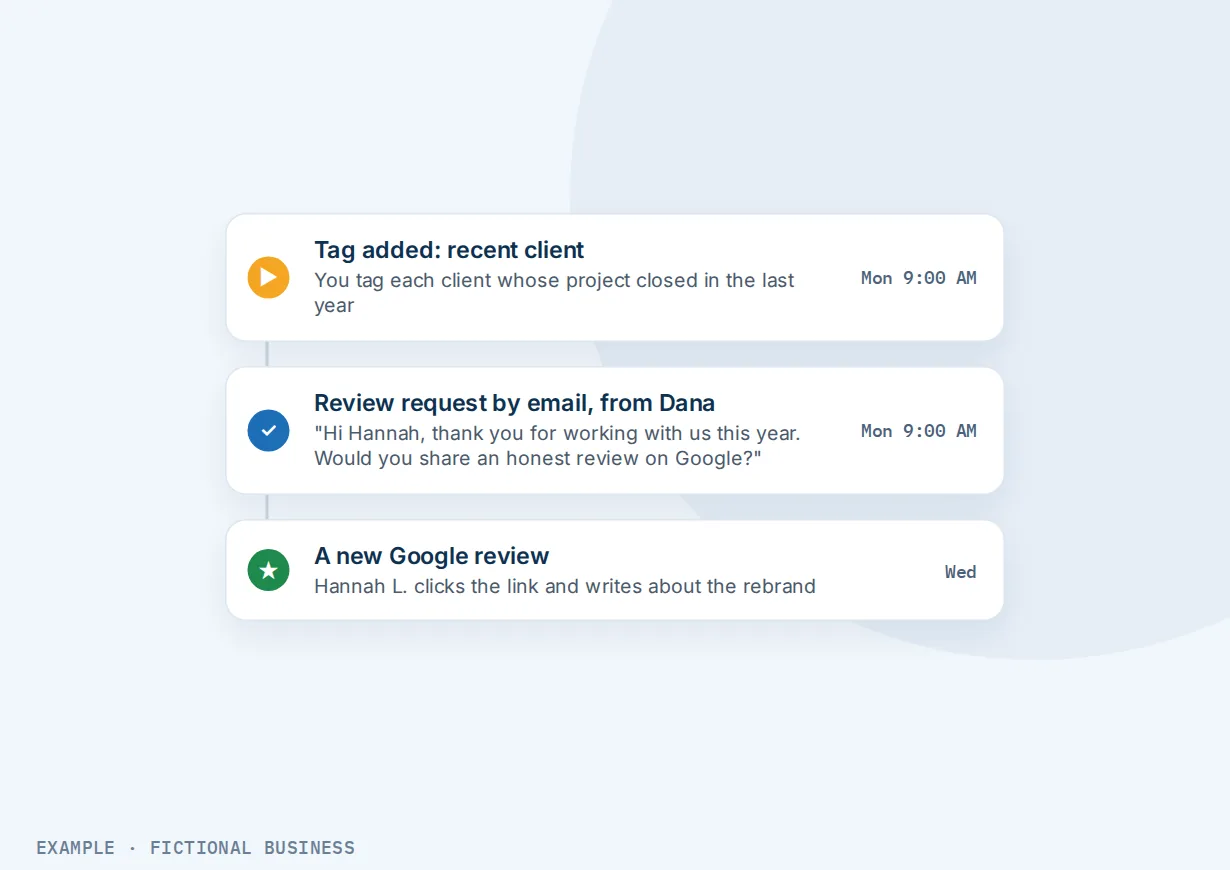
A consultant or agency. Let's suppose you sell projects to other businesses, and your Google listing has a handful of reviews from years ago. You tag every client whose project closed in the last year, and a workflow sends each one a personal email from you asking for an honest review.
What to look for in review request software
Questions to ask before you choose a tool:
- Does the link open your Google review form directly? Each extra step is a chance to give up. The link should land on the form, not on your profile page.
- Can it send by text and by email? Some customers answer texts and ignore email; others are the opposite. Text requests work best from a business number customers can text back.
- Can a real event start the request? A finished job, a paid invoice, a completed appointment. If you have to export a list every week, it will stop happening.
- Does it follow up, and stop when they respond? One or two reminders help. Reminders after someone has already clicked annoy people.
- Does the message come from a person rather than a no-reply address?
- Can you print a QR code for receipts, invoices and the counter, for customers you see face to face?
- Do the reviews come back to you in one place where you can reply, including help drafting replies?
- Does it ask everyone the same way? Walk away from any tool or agency that sorts happy customers to Google and unhappy ones to a private form. That is review gating, and Google prohibits it (see the rules further down).
Review requests work better with automation, AI replies and your Google listing
Review requests plus workflow automation. The request becomes one step in the follow-up that already runs after a sale: a thank-you, a review request, a check-in date for the next visit, a note to your team. Each trigger can be narrowed, so a free consultation and a paid job start different follow-up. See automating your follow-up.
Review requests plus AI review replies. More reviews means more replies to write, and in BrightLocal's 2026 survey 89% of consumers said they expect business owners to respond. With all your reviews in one place, you reply from one dashboard, and AI drafts a reply for you to check and post.
Review requests plus your Google Business Profile. The Google review link comes from a connected profile, so the two go together. With the profile connected, Google reviews come into your inbox for a reply. See managing your Google listing.
Review requests plus a reviews widget on your website. A widget that shows your latest reviews updates itself as new ones arrive, so the proof is current without you copying anything across.
The rules: what Google and the FTC allow
Asking for reviews is allowed and encouraged. Google's policy says a business may "solicit or encourage the posting of content that does represent a genuine experience, without offering incentives." Three things are not allowed:
- Paying or rewarding for reviews. Google removes reviews that were paid for "directly or in kind," and bans offering incentives such as payment, discounts or free goods and services for a review, even for an honest one. The FTC's rule on consumer reviews, in effect since October 21, 2024, bans fake reviews, buying them, and rewards tied to a review saying something positive or negative.
- Review gating. Google prohibits businesses from trying to "selectively solicit positive reviews from customers." That includes asking customers how happy they are first and sending only the happy ones to Google. The FTC's rule has no specific ban on gating, but the FTC says it could still break the FTC Act.
- Pressure. Google says not to require or pressure customers to write reviews while they are on your premises.
Courts can impose civil penalties for knowing violations of the FTC rule. The safe approach is also the simple one: ask every customer the same way.
How to get more Google reviews: your options, from free to done-for-you
Asking by hand with Google's own link. Google gives your Business Profile a review link and a QR code. You can text or email the link yourself, add it to your email signature and print the code on receipts. It costs nothing, but it depends on someone remembering each time.
Review request software. Standalone review tools automate the ask by text and email, often with reply tools and a website widget, for a monthly fee plus text costs. The catch is that they sit apart from your calendar, sales records and inbox, so the trigger comes through an integration or an uploaded list.
All-in-one platforms. Review requests sit in the same system as your contacts, bookings, deals, inbox and automation. A finished job or an appointment marked as showed starts the request with no connector, and the review replies land next to the customer's other messages. The tradeoff: more to set up than a business that only wants reviews may need.
Hiring someone. An assistant or a marketing agency can run your review requests for wages or fees. Be careful with any service that promises a number of reviews or offers to write them: fake or paid reviews break Google's policy, and the FTC's rule bans buying fake reviews.
Here's our solution
Revenue Growth HQ is an all-in-one platform with review requests built in, alongside your Google listing, reviews dashboard, inbox, booking, payments, automation and AI assistants. The plan is $97 a month (or $970 a year), after a one-time $197 setup. It comes with $30 of usage credit each month for your phone number, calls, texts, email and most AI features; use beyond that in a month is billed at the same rates as buying the software directly. Texting US numbers needs carrier registration. For the setup, you choose 3 setups from our list for us to build in your account, and review requests can be one of them. See what the $197 setup includes.
Limits to know
- Google links need a connected Google Business Profile. The platform connects to a profile you already own and have verified. It cannot create or verify one for you.
- Texts cost money and need registration. Each text is billed, picture texts cost more, and texting US mobiles waits on carrier registration. Email requests do not need it.
- Follow-ups stop on a click, not on a review. The platform sees when the link is clicked. A customer who clicks and doesn't post won't be asked again by the follow-up.
- Email shows sent, not delivered. Only text requests report delivery.
Review request features included
- Review requests by text and by email
- Send by hand from a customer's record or the requests list
- Automatic requests from any workflow trigger: a deal won, an appointment showed, a tag added
- Timing after the trigger, repeat follow-ups and a maximum number of retries
- Follow-ups stop when the customer clicks the link
- Direct link to your Google review form, another review site, or a link of your choice
- Printable review QR codes with your logo, with scan counts
- Status for each request: queued, sent, delivered, failed
- Reviews in one dashboard, with AI-drafted replies
Frequently asked questions
How do I get more Google reviews?
Ask every customer, soon after the job, with a direct link to your Google review form. Send it by text or email, follow up once or twice if they don't click, and print a QR code for customers you see in person. Don't offer rewards and don't pick who gets asked; both break Google's policy.
Is it OK to ask customers for Google reviews?
Yes. Google's policy allows businesses to ask for reviews of genuine experiences, as long as no incentive is offered. What it prohibits is selectively asking only customers you expect to be happy, discouraging negative reviews, and pressuring customers to review while they are on your premises.
Can I offer a discount or a prize draw for a review?
Not for Google reviews. Google bans incentives such as free or discounted goods or services in exchange for a review, and removes reviews posted because of one. Separately, the FTC's rule bans fake reviews and rewards tied to a review being positive or negative. Thank people instead.
What is review gating, and why should I avoid it?
Review gating means asking customers how their experience was first, then sending only the happy ones to Google and the rest to a private form. Google prohibits it as selectively soliciting positive reviews. Our platform can send requests anywhere, so the rule is ours to keep: we set up requests that ask every customer the same way.
When is the best time to ask for a review?
Soon after the customer has had the result: the same day as the appointment or the day after a job is finished. Start the request from the event itself, such as an appointment marked as showed or a job marked won, so timing doesn't depend on memory. A follow-up a few days later catches people who were busy.
Should I ask by text or by email?
Both work, and different customers answer different channels. A short text from a named person gets read quickly; an email has room for a bigger button. On Revenue Growth HQ each request can go by text, email or both. Texts are billed by use and need carrier registration; email requests do not.
What does a review request system cost?
Google's own review link is free if you send it yourself. Standalone review tools charge monthly, plus text costs. On Revenue Growth HQ, review requests are included in the $97-a-month plan, which comes with $30 of usage credit a month; texts and emails beyond that are billed by use, and texting needs carrier registration. Setup is a one-time $197, and review requests can be one of the 3 setups you choose.
Get review requests set up for you.
Pick review requests as one of the 3 setups in your one-time $197 setup, and we build them in your account: the text and email ask, the event that sends it, and the follow-ups. When your requests go by text, we set up your business number and its texting registration too. The plan is $97 a month after that.
Sources
- BrightLocal. "Local Consumer Review Survey 2026." February 2026. https://www.brightlocal.com/research/local-consumer-review-survey/ (checked 2026-10-18)
- Google. "Tips to improve your local ranking on Google." Google Business Profile Help. https://support.google.com/business/answer/7091 (checked 2026-10-18)
- Google. "Prohibited & restricted content." Maps User Generated Content Policy Help. https://support.google.com/contributionpolicy/answer/7400114 (checked 2026-10-18)
- Google. "Tips to get more reviews." Google Business Profile Help. https://support.google.com/business/answer/3474122 (checked 2026-10-18)
- Federal Trade Commission. "Federal Trade Commission Announces Final Rule Banning Fake Reviews and Testimonials." August 14, 2024. https://www.ftc.gov/news-events/news/press-releases/2024/08/federal-trade-commission-announces-final-rule-banning-fake-reviews-testimonials (checked 2026-10-18)
- Federal Trade Commission. "The Consumer Reviews and Testimonials Rule: Questions and Answers." https://www.ftc.gov/business-guidance/resources/consumer-reviews-testimonials-rule-questions-answers (checked 2026-10-18)