
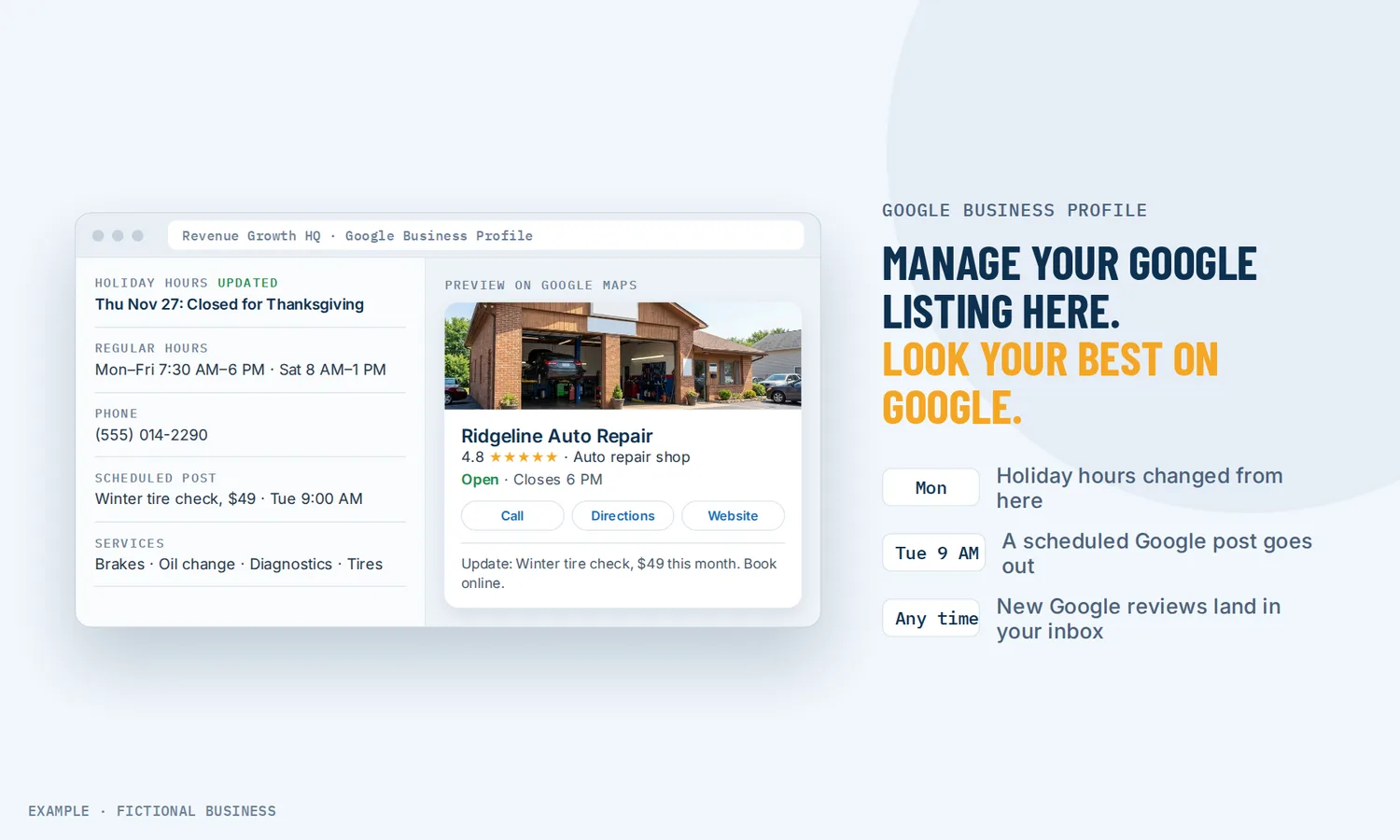
Google Business Profile for small business: a listing that stays current, without logging in to Google every week.
A Google Business Profile is the free listing that shows your business on Google Search and Maps, with your hours, phone number, photos and reviews. Revenue Growth HQ connects to it, so small business owners can update the listing, schedule posts, see new reviews and track calls from the same place they run the rest of the business.
Book a free Revenue Leak Audit
What Google Business Profile management is and how it works
For many local searches, your Google listing is the first thing a customer sees, before your website. Managing it means keeping it accurate and active, and acting on what comes through it: reviews, calls and bookings.
Here is how it works on the Revenue Growth HQ platform:
- You connect your existing profile. Sign in with the Google account that owns or manages your listing. The profile must already be verified with Google. Several locations can each be connected.
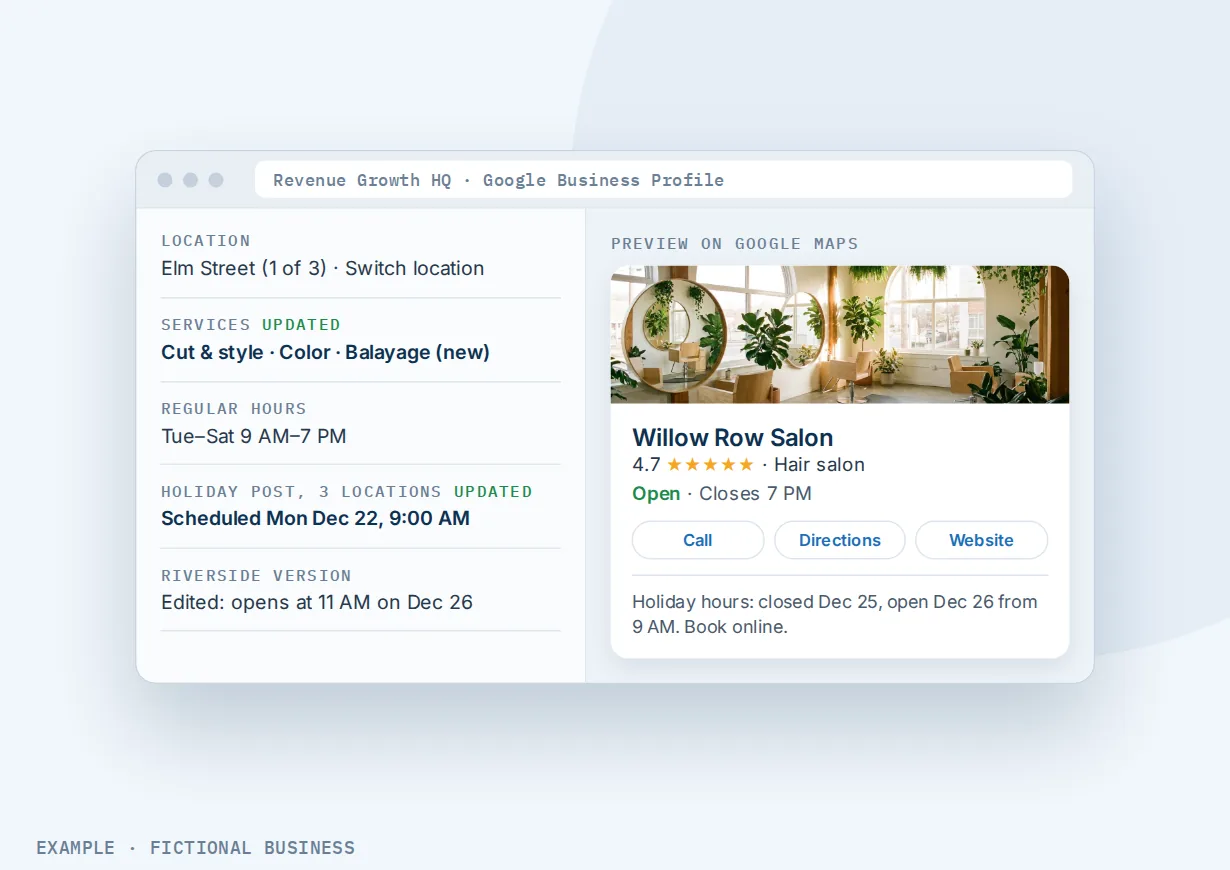
- You edit the listing in one editor. Name, description, category, services, attributes, address, hours, phone number, photos and social links, with a live preview of how it will look on Google Maps and a score for how complete it is.
- You post to it on a schedule. Plan updates, offers and events ahead of time, for one location or several.
- Reviews come to you. New Google reviews arrive in your inbox alongside your texts and emails, and in a reviews dashboard.
- Calls from the listing are tracked. Turn on call tracking and calls that come from your Google listing are logged.
What managing your Google Business Profile changes for a small business
More people choose you when the listing is complete
Google says customers are 70% more likely to visit and 50% more likely to consider purchasing from businesses with a complete Business Profile, and 2.7 times more likely to consider a business reputable when they find one. Google does not say how it measured this, so read it as direction rather than a promise. The underlying point is plain: a listing with wrong hours, no photos and an old phone number gives a customer a reason to pick the next result.
Google also says businesses with complete and accurate information are more likely to show up in local results at all. Google says local results rest mainly on relevance, distance and prominence, meaning how well known the business is. You can't move your shop closer to a customer, but you can make the listing match what they search for.
Updates take minutes, not a separate login
A profile that is set up once and left alone drifts. Holiday hours go stale, a new service never gets added, and the photos are from opening week. When the editor sits inside the platform you already use for messages and bookings, a change to your hours is a two-minute job. Most edits reach Google within a few minutes; Google can take up to 24 hours to review some changes, such as a new address.
Reviews reach someone who can act on them
Many customers check Google before they call. In BrightLocal's Local Consumer Review Survey 2023, 87% of the 1,117 US consumers surveyed said they used Google to evaluate local businesses in 2022. A new review that sits unseen for a month is a missed chance to thank a happy customer or fix a problem with an unhappy one. When new reviews land in your inbox, the person who answers your messages can see them the same day.
You can see which calls came from Google
Without tracking, a call from your Google listing looks like any other call. With it, you can see how many calls the listing brings in and who made them, which tells you whether the time you put into the profile is paying off.
How it plays out
A home service business. Let's suppose you run a plumbing company with one office. Your Google listing says you close at 5 p.m., but you now take emergency calls until 9. You change the hours in the editor, check the preview, and the listing updates. You schedule a post for the winter offer on pipe inspections, written with AI help and edited by you. Over the next month, call tracking shows how many calls came from the listing, and a call you miss can get an automatic text back.
A multi-location business. Let's suppose you run three salons. Each location has its own Google profile, and each one is connected. When you add a new service, you update each listing from one place instead of signing in to three Google accounts. A holiday-hours post goes out to every location on the same day, with a small edit for the location that opens late.
A consultant or professional firm. Let's suppose you run an accounting practice and most new clients find you by searching your town's name plus "tax preparer". Before tax season, you refresh the description and services, add recent team photos and post an update about appointment availability. When a new review comes in, you see it in your inbox and reply that afternoon. Your booking calendar is in Google's booking feed, approved by Google, so a searcher can book a consultation from Google search without phoning.
What to look for in Google Business Profile management
Questions to ask before you pick a tool or a person to manage your listing:
- Can you edit the whole listing, not only reviews? Hours, services, categories, attributes, photos and description are where completeness comes from.
- Does it show you what's missing? A completeness score or checklist saves you from guessing which fields Google wants.
- Can you preview changes before they go live?
- Can you schedule posts for updates, offers and events, and send the same post to several locations?
- Do new reviews reach the person who answers customers, or do they sit in a separate dashboard nobody opens?
- Can you track calls from the listing without losing your own number from the profile?
- Can customers book from Google, and does the booking land on the same calendar you use for everything else?
- Does it handle several locations without a separate login for each?
- Is it honest about what Google no longer offers? Google ended Business Profile chat in July 2024. A tool that still sells "Google messaging" is out of date.
A business with one location and little change from month to month can manage the listing in Google's own tools. The more of this list you need, the more it pays to manage the profile from the same system as your calls, messages and bookings.
Google Business Profile works better with review requests, review management, call tracking and booking
Google Business Profile plus automatic review requests. Reviews feed the "prominence" part of local ranking, and Google says more reviews and positive ratings can help. Asking customers for reviews by text or email can be done by hand or sent automatically after a job, so the request goes out while the visit is fresh.
Google Business Profile plus review management with AI replies. New reviews arriving in your inbox is the start. Managing reviews from Google, Facebook and other sites in one dashboard lets you reply to Google and Facebook reviews from one place, with AI-drafted replies you can edit, older reviews included.
Google Business Profile plus call tracking. The listing's call tracking is one piece of a bigger picture. Tracking calls by where each caller found you shows different numbers to visitors from different sources and credits each call, so you can compare your Google listing with your ads, website and social posts.
Google Business Profile plus online booking. Some searchers are ready to book on the spot. For US businesses, booking calendars customers use from your website or a link can also be sent to Google's booking feed, so people can book from Google search once Google approves it. The first approval usually takes one to two weeks.
Your options: from free to done-for-you
The right choice depends on how many locations you have, how often the listing changes, and how much of the upkeep you want to do yourself.
Google's own free tools. The profile itself is free, and you can edit it in Google Search, Google Maps or the Google app. For one location with steady hours, that may be all you need. The catch: it is one more place to check, apart from your customer records, and it is easy to go months without looking.
Listing management software. Paid tools focused on local listings add multi-location editing, scheduling and reports, often priced per location. They do one job well. Your texts, emails, bookings and customer records still live in other apps.
All-in-one platforms. Here, the profile sits in the same system as your inbox, phone, calendar and automation. New reviews show up next to customer messages, calls from the listing are logged in the same system, and a booking from Google lands on the same calendar. The tradeoff: more to set up, and more features than a business that only wants its hours fixed may need.
Hiring someone. A local SEO agency or a freelancer can manage the listing for a monthly fee. That saves your time, and a good one knows Google's rules well. You depend on them for changes, and you may only find out what happened from their report.
Here's our solution
Revenue Growth HQ is an all-in-one platform with Google Business Profile management built in, alongside your inbox, phone, booking, reviews, automation and AI assistants. Related tools include a website for your business and showing your Google reviews on your website. The platform is $97 a month. Usage such as text messages, calls, email sending and AI is billed separately, by use, and you see the rates before setup. Setup is priced by how much you want done: we can connect your profile and set up posting, review alerts and call tracking for you, or show you how and let you do more of it yourself.
The first step is a free 20-minute Revenue Leak Audit.
Limits to know
- You need a verified profile first. The platform connects to an existing Google Business Profile. Creating and verifying a profile is done with Google, by the business owner.
- Google chat is gone. Google removed Business Profile chat in July 2024, so customers can't message you through the listing. They can call, visit your website or book.
- Call tracking puts a tracking number on your listing. Your own number moves to the second phone slot. Calls on the tracking number are billed by use, and the account needs a platform phone number first.
- Posts are images and text only. Google's connection does not accept video posts, and a post is limited to 1,500 characters.
Google Business Profile features included
- Connect one or several verified Google profiles
- Edit name, description, category, services, attributes, address, hours and phone
- Upload profile, cover and additional photos
- Listing completeness score with prompts for missing details
- Live preview of the listing before you save
- Schedule updates, offers and events, or post now
- Send one post to several locations
- Send posts for approval before they publish
- AI help writing posts and making images sized for Google
- New Google reviews in your inbox and reviews dashboard
- Call tracking for calls from your Google listing
- Text back callers you miss from the listing, when turned on
- Booking from Google search for US businesses, once Google approves it
Frequently asked questions
Is a Google Business Profile free?
Yes. Google does not charge for creating or keeping a Business Profile. What costs money is the time to keep it current, and any tool or person you pay to help. On Revenue Growth HQ, managing your Google listing is included in the $97-a-month plan; calls on a tracking number and AI writing help are billed by use, and you see the rates before setup.
Can you create or verify my Google Business Profile for me?
The platform connects to a profile that already exists and is verified with Google. Creating and verifying a profile happens with Google, and only the business owner or someone they authorize can complete it. If you don't have a profile yet, that comes first.
How do I update my Google Business Profile hours?
Open the profile editor, change your regular or opening hours, check the live preview and save. Most changes reach Google within a few minutes. Google can take up to 24 hours to review some changes, such as an address edit, before they show.
Can customers message my business through Google?
Not anymore. Google stopped new Business Profile chats on July 15, 2024 and removed the feature on July 31, 2024. Customers can still call the number on your listing, visit your website, or book if you add a booking link. Calls from the listing can be tracked, and a missed call can get an automatic text back.
Will call tracking hurt my Google ranking?
Call tracking puts a tracking number in your listing's main phone slot and moves your own number to the second slot, so your number stays on the profile. In the documentation we checked, this swap has not been found to lower rankings.
How often should I post on my Google Business Profile?
Google does not set a required schedule. Post when you have something a customer would care about: a seasonal offer, an event, new hours or a new service. Scheduling a few posts at once, with AI help on the first draft, keeps the listing active without a weekly chore.
Can I manage several locations?
Yes. Each location's profile is connected separately, then you can edit each listing and send the same post to several locations at once, with location-specific changes where they matter.
See what your Google listing is costing you.
Book a free 20-minute Revenue Leak Audit. We'll look at your Google listing alongside how you answer calls, follow up and collect reviews, and show you where customers slip away.
Sources
- Google. "Complete your Business Profile on Google." Google Business Profile Help. https://support.google.com/business/answer/10515606?hl=en (checked 2026-10-18)
- Google. "Tips to improve your local ranking on Google." Google Business Profile Help. https://support.google.com/business/answer/7091 (checked 2026-10-18)
- BrightLocal. "Local Consumer Review Survey 2023." Published February 7, 2023. https://www.brightlocal.com/research/local-consumer-review-survey/2026/ (checked 2026-10-18)
- 9to5Google. "Google Business Messages in Maps and Search shutting down." May 28, 2024. https://9to5google.com/2024/05/28/google-business-messages-shutting-down/ (checked 2026-10-18)