
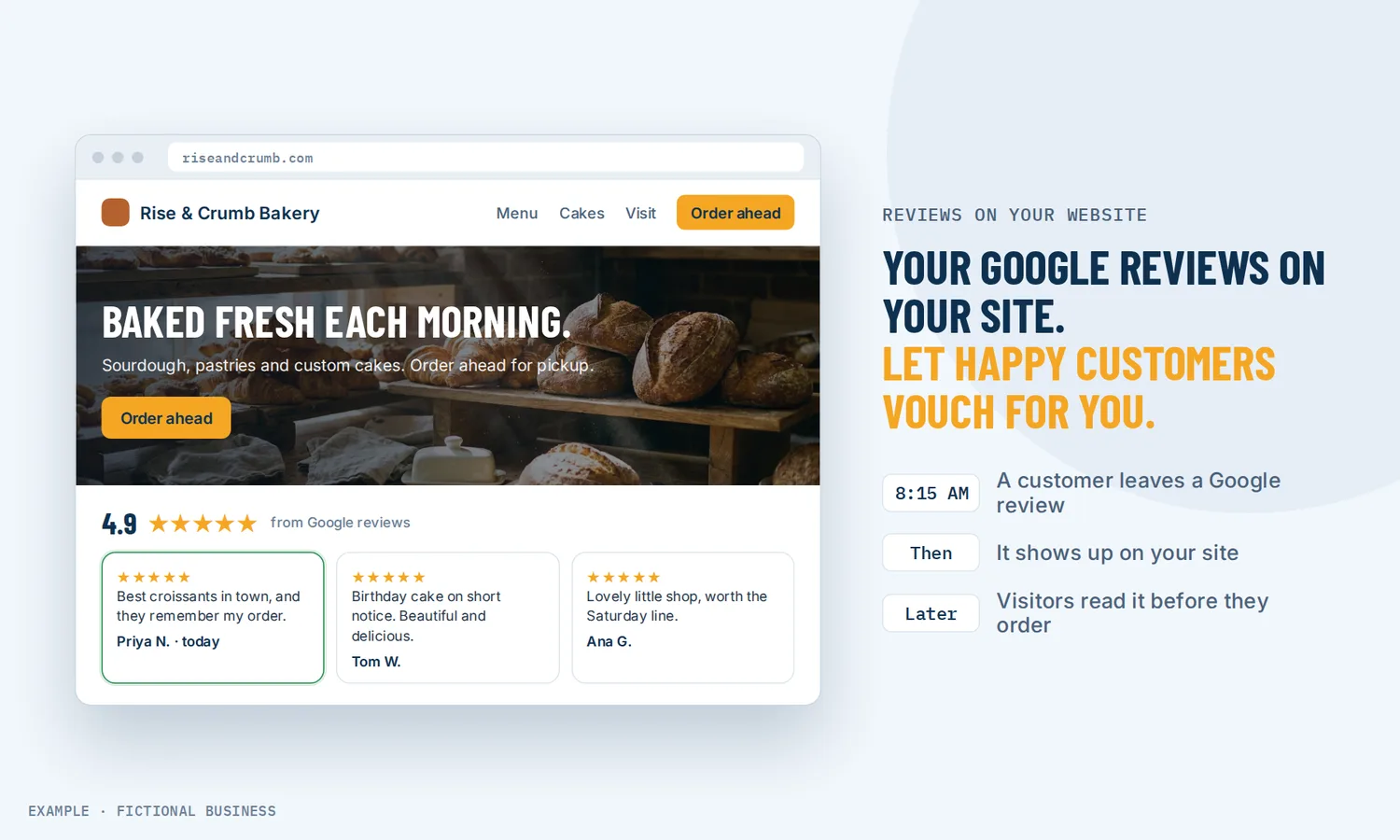
Google reviews widget for your website: let your customers make the case for you.
A Google reviews widget for website pages shows the reviews customers left you on Google and Facebook right on your own site, and it updates as new reviews come in. For small business owners, that means a visitor sees proof from real customers at the moment they decide whether to call, book or buy, without you copying and pasting testimonials.
Book a free Revenue Leak Audit
What a review widget is and how it works
A review widget is a block on your web page that pulls in reviews from the sites where customers left them. Unlike a hand-typed testimonials page or a static testimonial widget that goes stale, it shows your current reviews in the layout you choose.
Here is how it works on the Revenue Growth HQ platform:
- You connect your review sources. Connect your Google Business Profile and your Facebook page. Google needs a verified profile and a Google account with Owner or Manager access.
- You design the widget. Pick a layout (grid, list, masonry, carousel, slider, or a small floating badge), a light, dark or custom theme, your fonts and colors, and whether to show dates and reviewer photos.
- You choose which reviews show. Filter by review site, set a minimum star rating, leave out ratings with no written comment, and cap how many appear.
- You put it on your site. On a site built on the platform, drag the reviews block onto the page; it shows your default widget, and any other widget goes in by embed code. To embed Google reviews on a website built elsewhere, paste the embed code. WordPress has a plugin block.
- It keeps itself current. New reviews appear on their own, within the filters you set. Change the design later and the version on your site updates when you save.
What a review widget changes for a small business
Proof where the decision happens
Most people check reviews before they choose a business. In BrightLocal's 2025 survey of 1,026 US adults, just 4% said they never read online business reviews. The catch is where they read them. A visitor who has to leave your site to look you up on Google may come back, or may click a competitor's listing on the way. A widget puts the same reviews on your service page, next to your phone number and booking button.
Reviews that look real, because they are
People have grown warier of reviews. In the same BrightLocal research, the share of consumers who trust reviews as much as a personal recommendation fell from 79% in 2020 to 42% in 2025. A testimonials page you typed yourself asks the visitor to take your word for it. A widget that pulls reviews straight from Google and Facebook, with dates and reviewer photos if you choose to show them, is easier to believe, and a visitor who looks you up on Google finds the same reviews there.
More visitors who act
Research on online shopping shows how much displaying reviews can matter. Northwestern's Spiegel Research Center found that the purchase likelihood for a product with five reviews was 270% greater than for one with none. When reviews were displayed, conversion rose 190% for a lower-priced product and 380% for a higher-priced one. That is product research, not local service data, but the pattern fits a small business: the bigger the decision, the more a stranger wants to hear from someone who has already paid you.
No more copy and paste
A testimonials page is one more thing to update by hand, which usually means it doesn't get updated. A widget lets you show customer reviews on your website as customers leave them, with no copying. The work moves from updating the website to asking for reviews, which can be automated too.
How a review widget plays out
A home service business. Let's suppose you install water heaters and most of your work comes from search. You put a grid of Google reviews on each service page, set to four stars and up, with written comments only, and the average rating in the header. A homeowner comparing three companies reads reviews that mention your crew by name and your cleanup, on the page with your quote form. They don't have to open another tab to check you out.
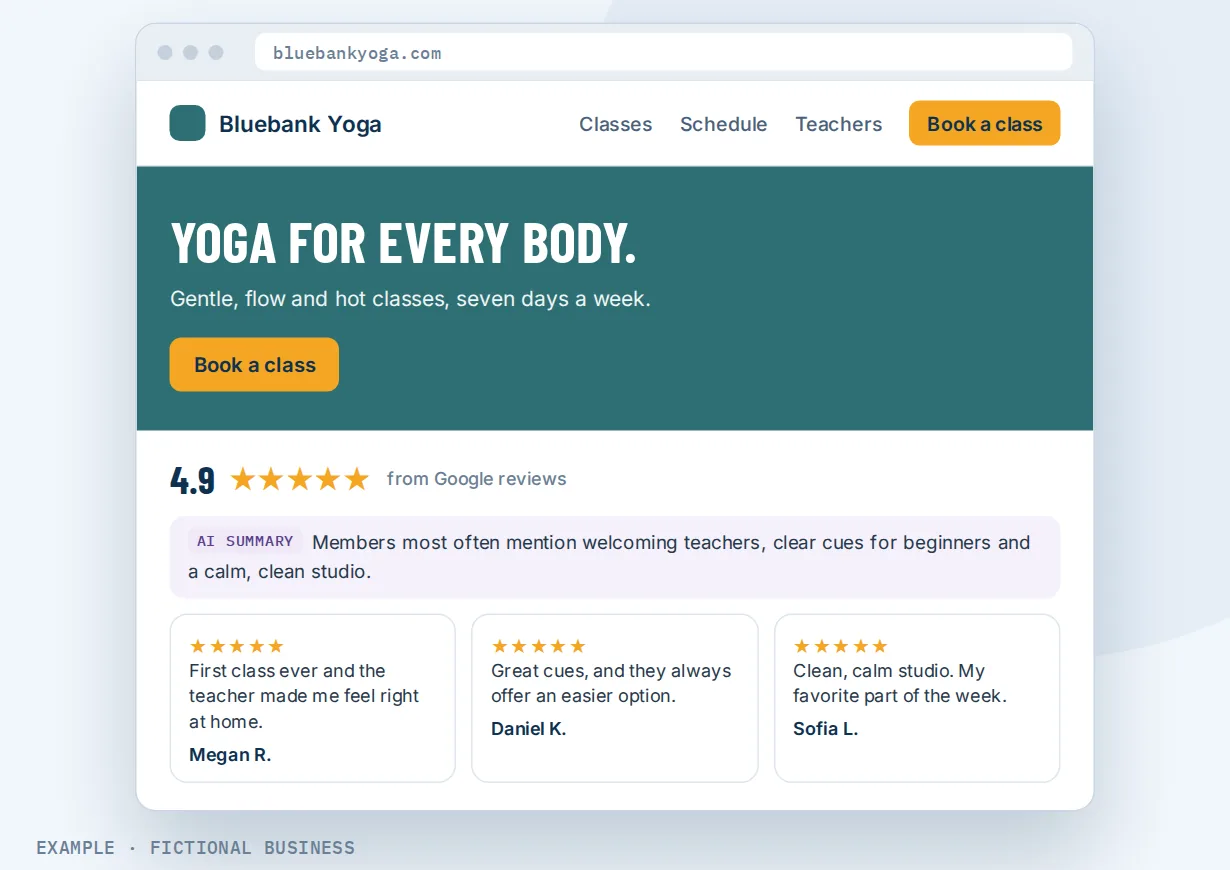
A clinic or studio. Let's suppose you run a physical therapy clinic or a yoga studio. You add a floating badge that rotates through your best reviews in the corner of each page, and a slider on the homepage. A short AI summary at the top of the slider sums up what patients or members say most often, so a visitor gets the gist before reading individual reviews.
A consultant or agency. Let's suppose you sell a higher-priced service and many of your clients praise you on Facebook or by email rather than on Google. You add the reviews clients sent you directly, with their permission, as manual reviews, and show them alongside your Google reviews in one widget. A prospect reading your pricing page sees all of it in one place.
What to look for in a Google reviews widget for website use
Questions to ask before you pick a tool:
- Does it update on its own? A widget that needs you to re-import reviews by hand is a testimonials page with extra steps.
- Which review sites can it show? Google at minimum, and Facebook if your customers use it. Check whether you can add reviews that arrived some other way.
- Can you filter? A minimum star rating, a choice of review sites, hiding ratings with no comment, and a cap on how many show.
- Does it look like your site? Your colors and fonts, a choice of layouts, and an option to remove the vendor's branding line.
- Does it work on your website platform? Embed code for any site, and ideally a plugin for WordPress or a block in your site builder.
- Does it work on phones? Many visitors will see it on a small screen.
- Where do the reviews come from? A widget is only as good as the reviews feeding it. A tool that sits next to your review requests and replies is easier to keep full.
A review widget works better with review requests, review management and your website
The widget is the display case. What fills it, and where it sits, decide how much it does for you.
Review widget plus automatic review requests. A widget with six reviews from 2021 tells visitors more about your follow-up than your service. Asking happy customers for reviews automatically sends a review link by text or email after a job, by hand or on its own. New reviews then land in the widget without anyone touching the website. This is where automation does most of the work.
Review widget plus review management with AI replies. Showing reviews is half the job; answering them is the other half. Online review management brings reviews from Google, Facebook and other sites into one dashboard. You can reply to Google and Facebook reviews there, with AI-drafted replies, including for older reviews you never answered. The widget shows the review; the dashboard is where you respond to it.
Review widget plus a website for your business. On a website built on the platform, the reviews block drops into any page, so you can put reviews on each service page, not only the homepage. If your site lives somewhere else, the embed code works there too.
Review widget plus an AI summary. The widget can add a short AI-written summary of what reviewers say, in one or two sentences, a longer three-to-four-sentence version, or a list of action points. It adjusts when reviews change, and it is optional.
Review widget options: from free to done-for-you
The right choice depends on how many reviews you have, what website you run, and how much else you want connected to it.
The manual route. You can paste quotes into a testimonials page by hand, or embed a Google map of your business listing. It costs nothing, but the quotes are copied one at a time, and nothing on the testimonials page updates on its own.
Free widget tools. Several review widget apps offer a free plan. For a business with a handful of Google reviews and a simple site, that can be enough. Check the limits: free plans often cap reviews, sources or widgets, and add their own branding. The widget also sits apart from how you ask for reviews and reply to them.
Paid widget apps. Paid plans lift those caps, add more layouts and review sites, and remove the branding, for a monthly fee. The tradeoff is one more subscription and login, and your review requests, replies and customer records still live elsewhere.
All-in-one platforms. The widget sits in the same system as your review requests, review replies, website and customer records. A finished job can trigger a review request, and the review that comes back appears on your site. The tradeoffs: more to set up, and more features than you may need if a widget is all you want.
Hiring someone. A web designer or agency can set up any of the above. That saves your time, but you depend on them for changes, and the widget is still only as current as your review flow.
Here's our solution
Revenue Growth HQ is an all-in-one platform with review widgets built in, alongside review requests, a review dashboard with AI-drafted replies, your website, your inbox and automation. The platform is $97 a month. Usage such as text messages, calls, email sending and AI is billed by use; you see the rates before setup. Setup is priced by how much you want done: we can connect your review sites, build the widgets and set up automatic review requests for you, or show you how and let you do more of it yourself.
The first step is a free 20-minute Revenue Leak Audit.
Limits to know
- No review stars in Google search from the widget. Google's guidelines say reviews a business shows about itself, including through an embedded Google or Facebook reviews widget, are not eligible for star ratings in search results.
- It shows reviews; it doesn't create them. A thin review profile makes a thin widget. Pair it with review requests.
- Filters are rules, not hand-picking. You choose sites, a minimum rating, comments-only and a count. There is no switch to hide one particular Google or Facebook review.
- Google needs a verified profile and a Google account with Owner or Manager access to connect.
Review widget features included
- Google and Facebook reviews, updated automatically
- Reviews you add yourself, one by one or by CSV (early access feature)
- Video testimonials that customers record from a link
- Layouts: list, grid, masonry, carousel, slider and floating badge
- Filters by review site, minimum star rating and comments-only
- Maximum number of reviews to show
- Header with average rating, review count and a "Write a Review" button
- Optional AI summary of your reviews, in three lengths
- Light, dark or custom theme, your fonts and colors, ready-made templates
- Show or hide dates, reviewer photos and the "Powered by" line
- Works on phones, tablets and desktops
- Drag-in block for platform websites; embed code for other sites; WordPress plugin
- Several widgets per account, and more than one per page
Frequently asked questions
How do I add Google reviews to my website?
Connect your Google Business Profile, design a widget, and place it on your site. On Revenue Growth HQ, a site built on the platform takes a drag-in reviews block. For WordPress, use the plugin block or shortcode; for other website builders, paste the embed code into an HTML or custom code block. New reviews then appear without further work.
Is there a free Google reviews widget?
Yes. Several widget apps have free plans, and you can paste quotes in by hand at no cost. Free plans tend to cap how many reviews or sources you can show and add the vendor's branding. They suit a business that only needs a simple display. If you also want review requests and replies in one place, an all-in-one platform covers more.
Can I show only my 4- and 5-star reviews?
Yes. Set a minimum star rating, and lower-rated reviews stay off the widget. It is worth not filtering too hard. Spiegel Research Center found that, for products, purchase likelihood typically peaks at ratings from 4.0 to 4.7 and drops as ratings approach a perfect 5.0. A wall of only five-star reviews can look too good to be true.
Does a review widget help my SEO?
Not through review stars. Google's guidelines say reviews a business shows about itself, including through a Google or Facebook reviews widget, are not eligible for star ratings in search results. The widget's job is to persuade the visitors who are already on your page. For search, your Google Business Profile and your reviews on Google itself matter more.
Can I show Facebook reviews and reviews from other sites?
Yes. Google and Facebook reviews come in from the connected accounts. Reviews from other places, such as a trade directory or an email from a happy client, can be added by hand or uploaded from a spreadsheet, with the client's permission, and shown in the same widget or in their own. Manual reviews are an early access feature you switch on.
Will the widget update when I get new reviews?
Yes. The widget syncs with your connected review sites, and new reviews appear on their own, as long as they pass the filters you set. If you change the widget's design or layout later, the version on your website updates after you save.
What does a review widget cost?
Free widget tools exist, and paid widget apps charge monthly. On Revenue Growth HQ, review widgets are included in the $97-a-month platform. Review requests sent by text are billed by use; you see the rates before setup. Setup is priced by how much you want done.
Find out how many visitors leave before they see your reviews.
Book a free 20-minute Revenue Leak Audit. We'll look at where your reviews show today, how you ask for new ones, and whether visitors see that proof before they decide.
Sources
- BrightLocal. "Local Consumer Review Survey 2025." 2025. https://www.brightlocal.com/research/local-consumer-review-survey-2025/ (checked 2026-10-18)
- Spiegel Research Center, Northwestern University. "How Online Reviews Influence Sales." https://spiegel.medill.northwestern.edu/how-online-reviews-influence-sales/ (checked 2026-10-18)
- Google Search Central. "Review snippet structured data: self-serving reviews." https://developers.google.com/search/docs/appearance/structured-data/review-snippet (checked 2026-10-18)