
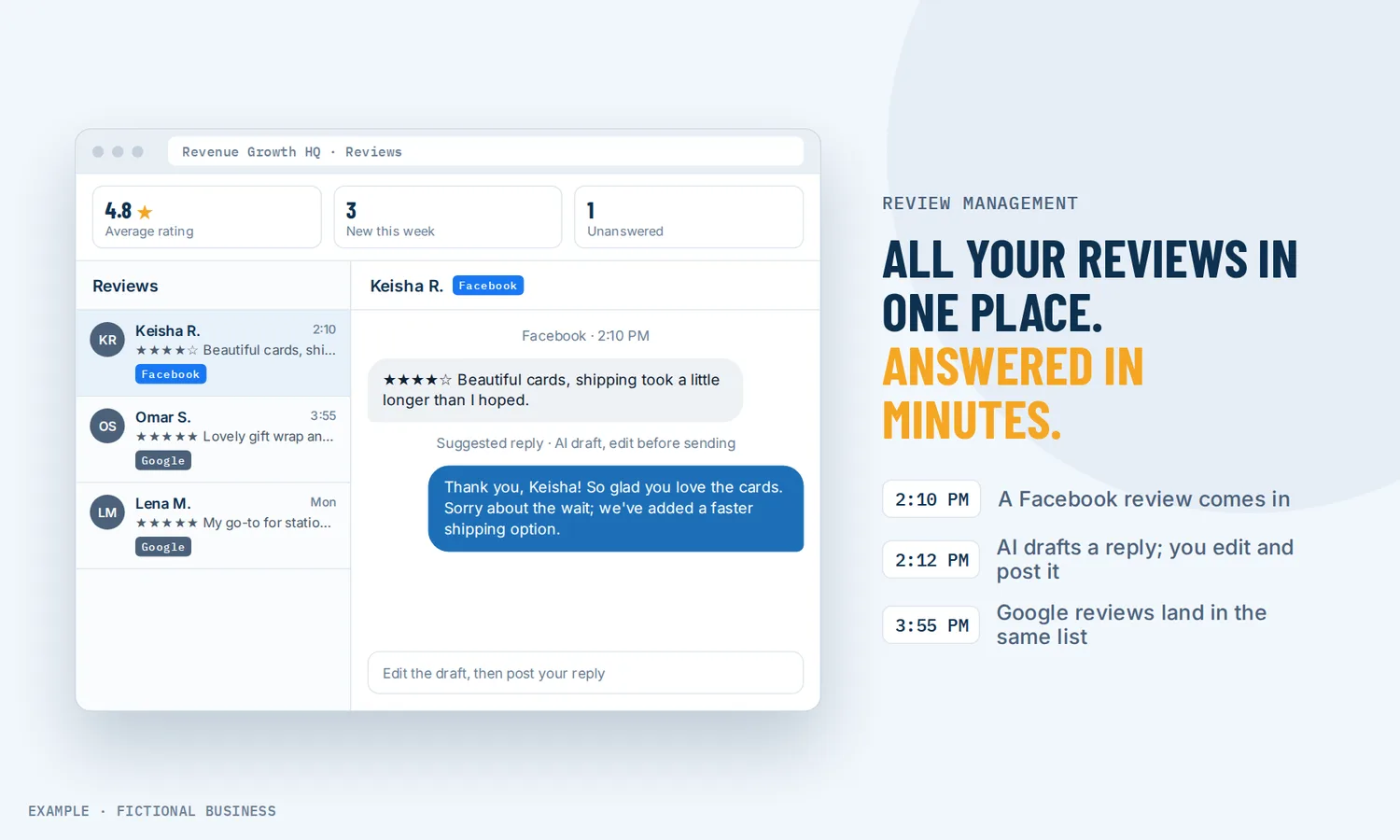
Online review management for small businesses: your review sites on one screen, with replies that take minutes.
Online review management means watching what customers say about you on review sites, replying to them, and learning from the pattern. Revenue Growth HQ brings your Google, Facebook and other reviews into one dashboard, drafts replies with AI for you to approve, and can work through the old reviews nobody answered.
Get review requests set up for you
What online review management is and how it works
Without a tool, review management is a round of logins: the Google app, Facebook, Yelp, whatever site your industry uses. Reviews get missed, and the ones that sting wait longest for an answer. A review dashboard puts them in one list so you can see what came in and what still needs a reply.
Here is how it works on the Revenue Growth HQ platform:
- Connect your review sites. Link your Google listing and Facebook page, and add other sites such as Yelp, Trustpilot or TripAdvisor by pasting your public review page address.
- Reviews arrive in one list. New and older reviews sync into the dashboard, with star rating, source and a positive, neutral or negative label.
- AI drafts a reply. For a Google or Facebook review, the AI writes a reply that fits the review. You read it, edit it if you like, and send it.
- Old reviews get answered too. A drip campaign can reply to past reviews that never got an answer, a few a day, so a backlog clears without a sudden burst.
- You see the pattern. An AI summary pulls out what customers keep praising or complaining about, and the overview tracks your average rating and review count over time.
What online review management changes for a small business
One screen instead of five logins
Small business owners rarely have time to check each review site each day. With every connected site feeding one list, you can work through new reviews in one sitting and filter to a single site when you need to.
Replies that take minutes, in your voice
Most people know they should answer reviews. The hard part is writing the fortieth thank-you that does not sound like the thirty-ninth, or finding calm words for an unfair one-star review at the end of a long day. AI drafts take the blank page away. You set the tone (warm for praise, calm and solution-focused for complaints), and you approve what goes out.
Answering reviews may change the reviews you get
Replying can do more than show good manners. A study of hotel reviews, published in Marketing Science in 2017, found a 0.12-star increase in ratings for hotels that began responding to reviews. Once they started responding, they got fewer negative reviews, though the ones that came in were longer. The researchers' explanation: unhappy guests are less likely to leave a short, unfair review when they expect the owner to read it and answer. The study covers hotels, so treat it as a signal for your business rather than a promise.
Ratings tied to revenue
Your rating is often the first thing a new customer sees. A Harvard Business School study of Seattle restaurants from 2003 to 2009 found that a one-star increase in Yelp rating led to a 5 to 9 percent increase in revenue. The effect showed up for independent restaurants, not chains, which matters for a small business: without a famous name, your reviews carry more of the weight.
How online review management plays out
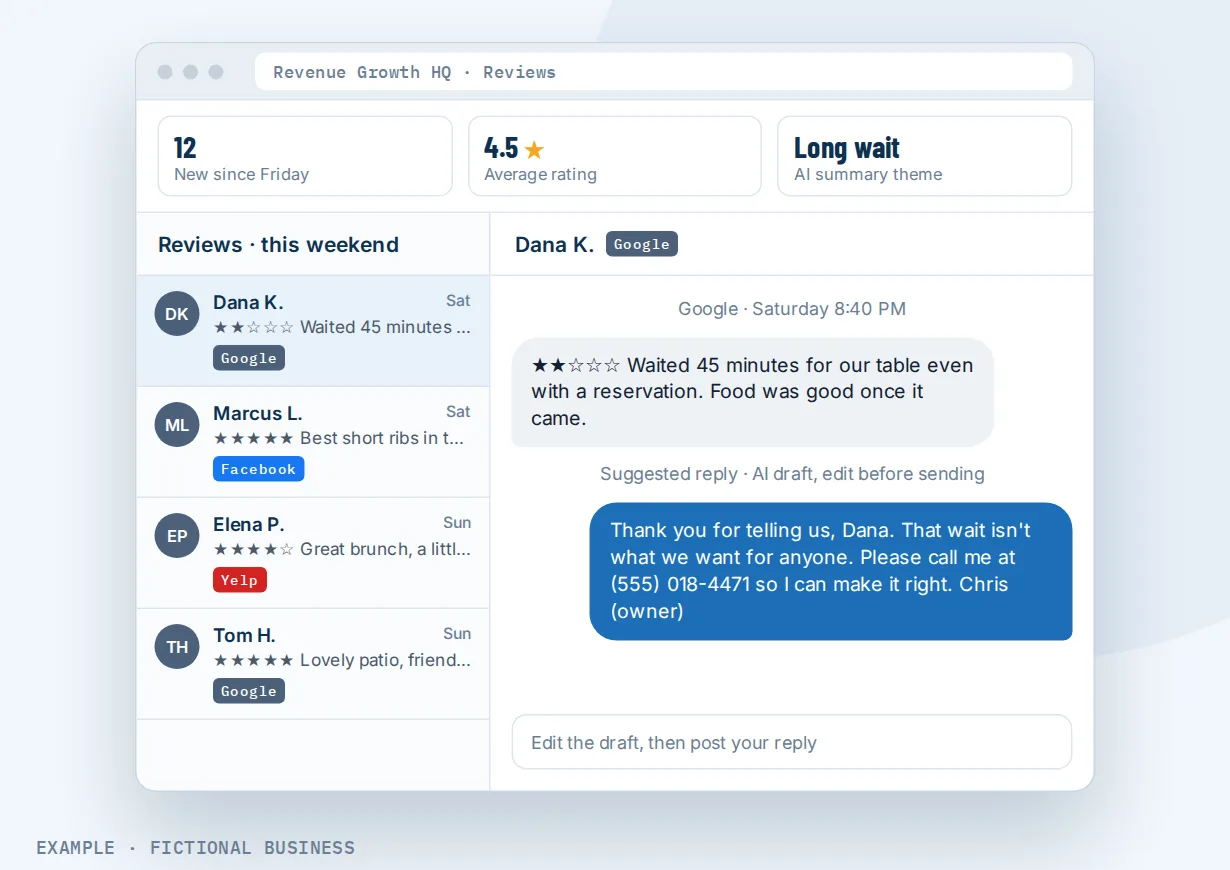
A restaurant. Let's suppose you own a busy independent restaurant with reviews on Google, Facebook and Yelp. On Monday morning you open the dashboard and see twelve new reviews from the weekend. The AI has drafted replies for the Google and Facebook ones; you change a word here and there, add the server's name to two of them, and send. A two-star review about a long wait gets a calm reply and a phone number. The AI summary for the past month lists "long wait" among the common themes, which tells you something about Saturday staffing. Yelp reviews show in the same list, and you answer those on Yelp.
A home service company with a backlog. Let's suppose you run a plumbing company with a few hundred Google reviews, most of them never answered because nobody had time. You set up a reply agent with a friendly tone, test it on a handful of reviews, and start a drip campaign that answers a small number of old reviews each day during business hours. Over the following weeks the backlog clears. New reviews keep coming in as usual, and you approve each new reply yourself.
An accounting firm. Let's suppose you run a small accounting practice where a bad review can cost a lot of trust. You keep AI replies in suggestion mode so nothing goes out without your approval. When a new review arrives with one or two stars, it starts a workflow that alerts you by text so you can call the client before you reply in public. Five-star reviews start a different workflow that thanks the team.
What to look for in review management software for small business
Questions to ask before you commit:
- Which review sites does it pull in? Google and Facebook at a minimum, plus the sites your customers use in your industry.
- Which sites can you reply to from the dashboard? Many tools show reviews from lots of sites but can post replies to only a few. Ask which ones.
- Do AI replies wait for your approval? You want the choice between drafts you approve and automatic replies, with different tones for good and bad reviews.
- Can it handle old reviews? A way to answer a backlog slowly, with a daily limit, beats posting hundreds of replies in one afternoon.
- Does it catch spam? Fake or irrelevant reviews should be flagged and skipped by the AI.
- Can a new review start an action? An alert for low ratings, a thank-you for high ones.
- Does it help you get new reviews? Sending review requests from the same system keeps the whole loop in one place.
- Can you show your best reviews on your website without copying them by hand?
- How is the AI billed? A flat monthly fee, an allowance, or a charge per reply. Know before you switch it on.
A tool that only shows reviews suits a business with a handful a month.
Online review management works better with requests, your Google listing and automation
The dashboard handles reviews once they exist. These features decide how many you get, where people see them and what happens next.
Review management plus review requests. The surest way to improve a rating is more reviews from happy customers. Asking happy customers for reviews automatically sends a review link by text or email after a job, and the reviews that come in land in this dashboard.
Review management plus your Google listing. For most local searches, your Google reviews are the ones new customers read first. Connecting your Google listing brings those reviews into the dashboard and into your inbox for replies.
Review management plus a review display on your website. A good review does more work when visitors see it on your site. Showing your best reviews on your website displays reviews from Google, Facebook and other connected sites and updates as new ones arrive, so you are not copying quotes by hand.
Review management plus automation and AI. A new review can start a workflow, filtered by star rating and source: alert the owner about a one-star review, thank the team for a five-star one, or send the details to another system. With AI replies in suggestion mode, the follow-up stays automatic while the public words stay yours. See automating your follow-up.
Your options for online review management: from free to done-for-you
The right choice depends on how many reviews you get, how many sites they come from, and how much time you want to spend on them.
Doing it yourself, free. Google, Facebook and Yelp each let you reply from their own app at no cost. For a business with a few reviews a month on one or two sites, that works. The cost is your time and memory: you need to check each site, and nothing reminds you about the review that came in on a busy Friday.
A standalone review tool. Review management apps and AI reply tools gather reviews and draft replies for a monthly fee. Some cover only Google. The catch is that your review requests, customer list, messages and website live somewhere else, and you connect them with integrations or copy-paste.
An all-in-one platform. Here, reviews sit in the same system as your contacts, inbox, review requests, website and automation. A finished job can send a review request, the review lands in the dashboard, and a low rating can start a follow-up, without a connector. The tradeoff is more to set up, and more features than a business with three reviews a year needs.
Hiring someone. A marketing agency or an assistant can watch your reviews and write replies. That has value, but it costs fees or wages, and someone else is speaking for your business in public.
Here's our solution
Revenue Growth HQ is an all-in-one platform with online review management built in, alongside review requests, a review display for your website, your inbox, payments and automation. The plan is $97 a month (or $970 a year), and the review dashboard is included. It comes with $30 of usage credit each month for your phone number, calls, texts, email and most AI features; use beyond that in a month is billed at the same rates as buying the software directly. AI-written replies are billed by use, per reply sent; drafting suggestions is free. We set AI replies to wait for your approval by default. Setup is a one-time $197: you choose 3 setups from our list for us to build in your account. Review requests, which bring new reviews into this dashboard, can be one of them. See what the $197 setup includes.
Limits to know
- Replies from the dashboard are for Google and Facebook reviews. Reviews from other connected sites show for tracking and filtering; plan to reply to those on the site itself.
- You need a Google listing to connect. The platform links to an existing Google listing; it does not create one.
- The backlog drip posts on its schedule. It does not wait for your approval on each old review, so test the agent's tone on a few reviews and start with a low daily limit.
- The review alert is not tied to a customer record. A workflow started by a new review knows the review, not which contact wrote it.
Online review management features included
- One dashboard for Google, Facebook and other connected review sites
- Several pages per site, for businesses with more than one location
- Filters by review site, plus a spam filter
- AI-drafted replies you approve, or automatic replies by star rating
- Reply agents with their own tone for positive, neutral and negative reviews
- Drip campaigns that answer old unreplied reviews a few at a time
- Positive, neutral and negative labels on each review
- AI summary of common praise and complaints
- Spam flagging, with no AI replies to spam
- New-review workflow trigger, filtered by site and star rating
- Rating and review count comparison with up to three competitors
- Review requests and a website review display in the same system
Frequently asked questions
What is online review management?
It is the routine of watching reviews about your business across sites, replying to them, and using what they say. A review management tool gathers reviews into one place, helps you reply, and often helps you ask for new ones. For a small business, the goal is simple: no review goes unseen, and the replies sound like you.
How should I respond to Google reviews?
Reply to good and bad ones. Thank happy customers by name and mention something specific. For a complaint, stay calm, acknowledge the problem, avoid arguing in public, and offer a way to talk it through offline. On Revenue Growth HQ, the AI drafts a reply in the tone you set and you approve it before it posts.
How do I respond to negative reviews?
Wait until you are calm, then reply briefly: thank them for the feedback, acknowledge what went wrong without blaming, and give a direct way to reach you. Do not share private details in public. A reply agent set to a calm, solution-focused tone gives you a starting draft, and a workflow can alert you to low ratings so you can call the customer first.
Should I respond to old reviews?
Yes, if you can do it carefully. An old unanswered review still sits on your profile, and a late reply shows new readers you pay attention. Pace it so you are not posting hundreds of replies at once. Revenue Growth HQ's drip campaign answers old unreplied reviews a set number per day, within hours you choose.
Are AI review responses safe to use?
They are a draft, not a decision. The risk with AI replies is a generic or wrong answer posted in your name, so we set AI replies to wait for your approval by default. You can switch good reviews to automatic replies later if you like the results. Reviews flagged as spam get no AI reply.
Can I reply to Yelp reviews from the dashboard?
Yelp and other connected sites show in the dashboard so you can track them with the rest. Replying from the dashboard is set up for Google and Facebook reviews; for Yelp and other sites, reply on the site itself.
What does online review management cost?
Replying in each site's own app is free. Standalone review tools usually charge monthly. On Revenue Growth HQ, the review dashboard is included in the $97-a-month platform; AI-written replies are billed by use, per reply sent, and drafting suggestions is free. The plan includes $30 of usage credit a month, and setup is a one-time $197.
Fill the dashboard: have us set up review requests.
The dashboard shows the reviews you get; review requests decide how many arrive. Pick review requests as one of the 3 setups in your one-time $197 setup, and we build the text and email ask, the event that sends it, and the follow-ups in your account. The plan is $97 a month after that.
Sources
- Proserpio, D. and Zervas, G. "Online Reputation Management: Estimating the Impact of Management Responses on Consumer Reviews." Marketing Science 36, no. 5 (2017): 645-665. https://doi.org/10.1287/mksc.2017.1043 (checked 2026-10-18)
- Luca, M. "Reviews, Reputation, and Revenue: The Case of Yelp.com." Harvard Business School Working Paper 12-016, 2011 (revised 2016). https://www.hbs.edu/ris/Publication%20Files/12-016_a7e4a5a2-03f9-490d-b093-8f951238dba2.pdf (checked 2026-10-18)