
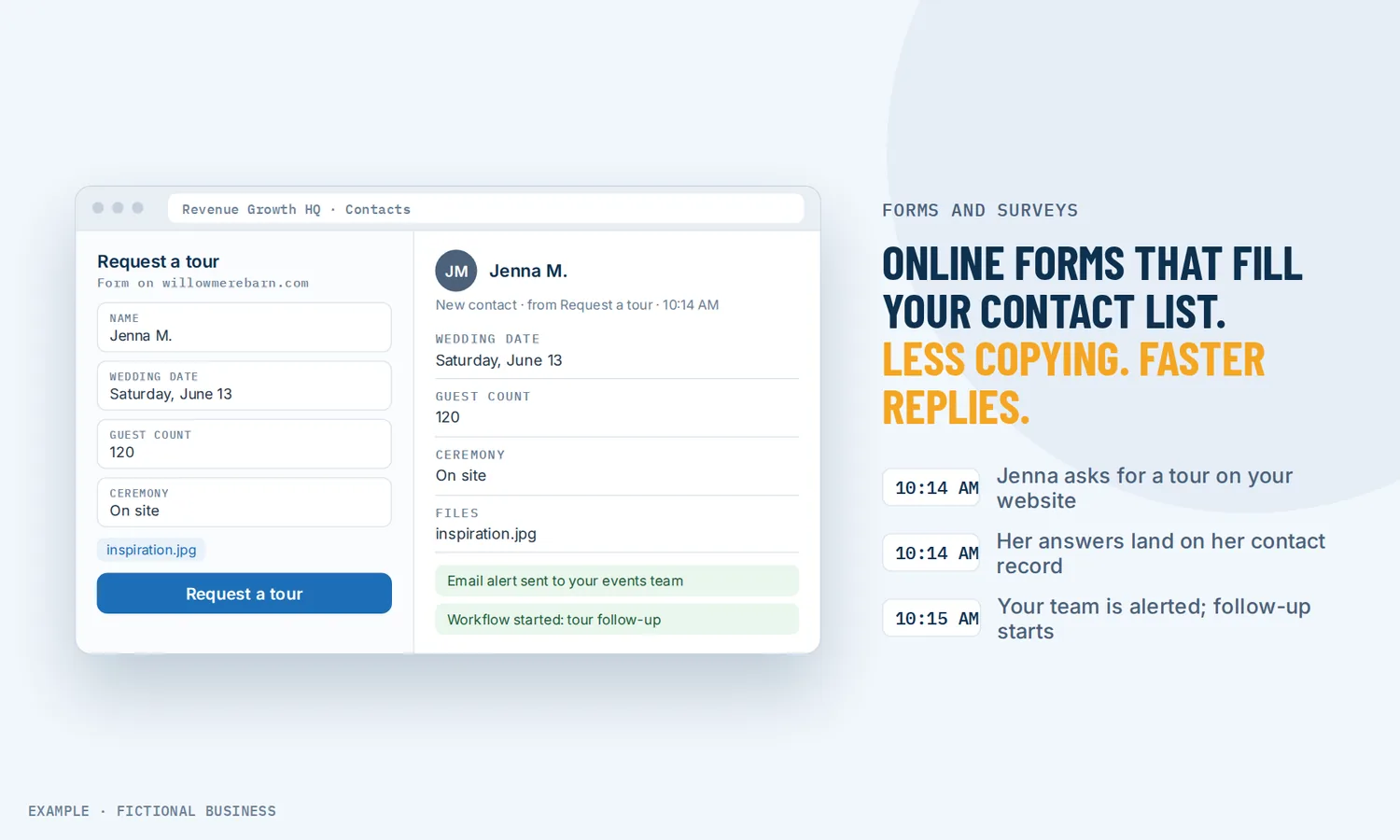
Online forms for small business: answers on the contact record, ready for follow-up.
Online forms for small business collect a name, a request and the details you need, on your website or from a link, and save the answers straight to that person's contact record. For small business owners, that means no copying form emails into a spreadsheet and fewer leads sitting unread in an inbox.
Get form follow-up set up for you
What an online form is and how it works
A form is the page element that asks your questions. A survey asks them across several short screens, one step at a time. A quiz is a survey that scores the answers. On the Revenue Growth HQ platform all three are built in the same place, and all three write to your contact list.
Here is how it works:
- You build it. Start from a template (contact, request, application, registration, order and others) or a blank form, and drag in the fields you need: text, drop-downs, checkboxes, dates, numbers, money amounts and file uploads.
- You add the rules. Mark fields required, show or hide questions based on earlier answers, and choose what happens after submit: a thank-you message, a redirect, or a polite "not a fit" for people you can't serve.
- You put it in front of people. Drop it into a page on your site, share a direct link, or embed it on another site as an inline form, a popup, a slide-in or a sticky sidebar.
- Someone fills it in. A CAPTCHA and email and phone checks screen out bots and fake details.
- The answers go to work. The submission creates or updates the contact record, your team gets an alert, the person can get an automatic reply, and the submission can start a follow-up workflow.
What an online form changes for a small business
No more copying answers by hand
A basic website form sends you an email, and someone has to copy it into a list and remember to reply. Here, the form saves straight to the contact record. If the person is already on your list, matching by email or phone updates their record instead of creating a second one.
Faster replies to new leads
Speed matters most in the first minutes after someone asks. The Lead Response Management study (InsideSales.com and MIT, three years of data from six companies, over fifteen thousand web leads and over one hundred thousand call attempts) found that the odds of reaching a web lead called within 5 minutes, rather than 30, were 100 times higher, and the odds of qualifying them 21 times higher. It is an older study of call teams, not small businesses, but the direction is plain: a form that alerts you and starts a reply right away beats one that waits in an inbox.
Better information before the first call
A good form asks what you would otherwise ask on the phone: the job, the location, the timeline, the budget, a photo. Address fields fill in as the person types, and file upload fields take photos and documents, saved to the contact. You start the conversation already knowing what they need.
Fewer poor-fit leads on your calendar
Conditional logic lets a form or survey react to answers. Someone outside your service area, below your minimum job size, or asking for something you don't offer can see a clear message and be marked as disqualified, instead of booking a call you will cancel. When the form is attached to a booking calendar, a disqualified answer stops the appointment before it is made.
How an online form plays out
A remodeling contractor. Let's suppose you run a remodeling business and most jobs start with a quote request. Your quote request form asks for the room, the rough size, the timeline, the ZIP code and up to a few photos. A ZIP code outside your area gets a short message with a referral suggestion, and the contact is marked disqualified. An in-area request creates the contact with the photos attached, alerts your estimator, and starts a workflow that texts the customer a link to pick an estimate time.
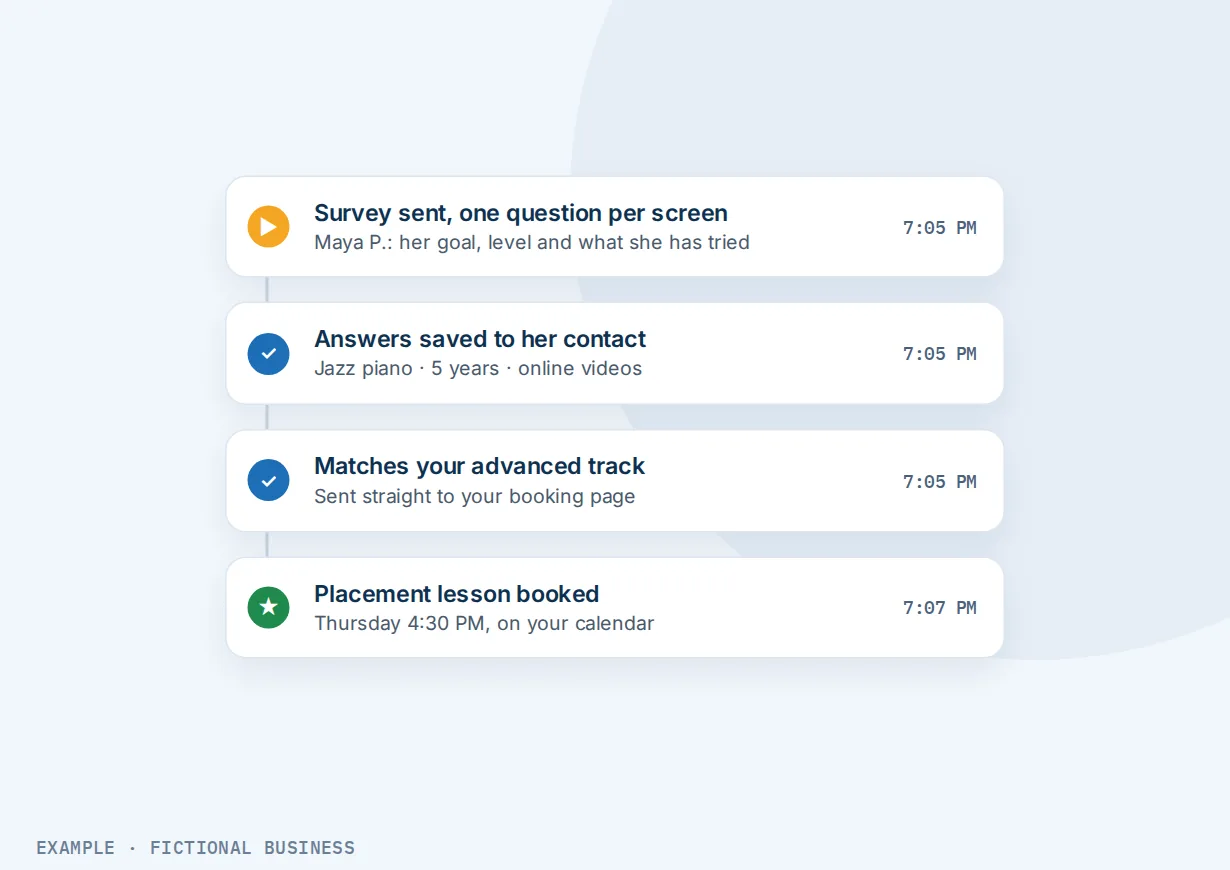
An online coach or consultant. Let's suppose you sell coaching programs at a few price points. Instead of a plain contact form, you use a short survey, one question per screen, that asks about the person's goal, their stage and what they have tried. Answers save to custom fields on the contact. People who match your higher-level program see a redirect to your booking page; people who are early on see a message pointing them to your free guide and get a welcome email series.
A clinic or wellness practice. Let's suppose new clients need to fill in an intake form before their first visit. You send the link after they book. The form is long, so you split it into steps and turn on save progress; people can leave and come back without losing answers. Their responses land on the contact record, where staff read them before the appointment, and a PDF of the submission is available from the submissions list.
What to look for in online forms for small business
Questions to ask before you choose a form tool:
- Where do the answers go? To an email, a spreadsheet, or straight onto the customer's record where your follow-up and history live?
- Does it avoid duplicates? A returning customer should update their record, not create a second one.
- Can it ask follow-up questions based on answers, and turn away people you can't serve before they take a slot?
- Can it run as a multi-step survey for longer questionnaires, with progress saved if someone leaves?
- Can people upload photos and documents, and where are the files kept?
- Can it start your follow-up? An alert to you, an automatic reply to them, a tag, a task, a text.
- Can you put it anywhere? On your own site, on a single-offer page, as a popup or as a direct link in a text or social bio.
- Does it keep spam out? CAPTCHA and checks for fake email addresses and phone numbers.
- Does it record where the lead came from, so you know which ad or page produced it?
- Can it take payment for an order, a deposit or a donation, when you need that?
A free form tool that does the first two items well can suit a business that gets a handful of inquiries a week. The more of the list you need, the more it pays to have forms in the same system as your contacts and messages.
Online forms work better with automation, AI and your customer records
A form collects the answers. What happens next decides whether the lead hears back in five minutes or five days.
Forms plus workflow automation. A submission can start a workflow, filtered to that one form or survey. The workflow can tag the contact, add them to your sales pipeline, text a thank-you with a booking link, alert the right team member on their phone, and follow up a few days later if nothing happened. In one of our own live tests, a form submission produced a tag and a pipeline entry within 11 seconds and a confirmation email within 16. See automating your follow-up.
Forms plus AI. A workflow can include an AI decision step that reads the submission and sends it down one branch or another based on instructions you write in plain English, such as separating real inquiries from junk before your team sees them. AI steps are billed per run.
Forms plus your customer records. Each question can save to a field on the contact, so it shows up when you open their record, can be used to filter your list, and can personalize later messages. See keeping customer records in one place.
Forms plus your website and pages. Forms are built inside the site builder and dropped onto any page, so a business website can carry a quote form on its service pages while single-offer pages for ads and promotions carry one short form each. A popup or sticky sidebar can show after someone scrolls part way down a page, and stop showing once they have filled it in.
Form tool options: from free to done-for-you
The right choice depends on how many inquiries you get, what has to happen after one arrives, and how much setup you want to do yourself.
Free form and survey tools. Free plans from general form and survey apps will build a decent contact form or survey. They often limit monthly submissions, add the tool's branding, or keep features like file uploads and logic for paid plans. The answers usually arrive as an email or a row in a spreadsheet, and someone still has to move them into your customer list.
Paid form builders. A paid form app adds logic, payments, uploads and integrations, often priced by submissions or users. It does the form well, but it is one more app. Connecting it to your email tool, texting and customer records takes integrations that need setting up and watching.
All-in-one platforms. Here the form sits in the same system as your contacts, inbox, pipeline and automation. A submission updates the record and starts your follow-up without a connector. The tradeoff: more to set up, and more features than a business with a simple contact form may want.
Hiring someone. An assistant can read form emails and enter them into your system, and a freelancer can build forms in any of the options above. That saves your time but costs wages or fees, and leaves you dependent on them for changes.
Here's our solution
Revenue Growth HQ is an all-in-one platform with forms, surveys and quizzes built in, alongside your website, contact records, inbox, pipeline, automation and AI. The plan is $97 a month (or $970 a year) after a $197 one-time setup. Each month includes $30 of usage credit for your phone number, calls, texts, email and most AI features; use beyond that is billed by use, at the same rates as buying the software directly. For the setup, you choose 3 setups from our list for us to build in your account, and new-lead follow-up, the replies that go out after a form arrives, can be one of them. See them all and choose your setups below.
Limits to know
- Forms and surveys are separate types. You can't convert one into the other; you duplicate and rebuild.
- The built-in team alert is a notice, not the full answers. It can attach a PDF of the submission, but it goes to fixed addresses for all submissions alike. Sending different leads to different people takes a workflow.
- Alert and auto-reply emails use email credits, billed by use. If credits run out, they don't send.
- Popup and slide-in embed codes are fixed once placed. Change the form's layout settings and you paste a new code on the other site.
Forms and surveys features included
- Form, survey and quiz builders with drag-and-drop fields and templates
- Text, choice, date, number, money and file upload fields
- Conditional logic: show or hide questions, redirect, custom messages, disqualify
- Multi-step surveys, one question at a time, with save progress
- Quizzes with scores and result pages
- Answers saved to the contact record, matched by email or phone
- Team email alerts and automatic replies, with an optional PDF
- Inline, popup, slide-in and sticky sidebar embeds, or a direct link
- CAPTCHA plus email and phone validation
- Address autocomplete and returning-visitor prefill
- Lead source and UTM capture
- Payments, products and donations in forms
- Submissions list with CSV export and analytics
- Capture from forms already on another website
- Form and survey triggers for workflows
Frequently asked questions
What should a small business use online forms for?
The common ones are contact and quote request forms, booking intake questions, new client intake, job applications, event registration, customer feedback surveys and simple order forms. The most useful forms ask what you would otherwise ask on the first call, so you can reply with something specific instead of starting from scratch.
What is the difference between a form and a survey?
A form shows its questions together on one page. A survey spreads them across several short screens, often one question at a time, which suits longer questionnaires and phones. Surveys can also jump ahead to a different screen based on an answer. A quiz is a survey that scores the answers and shows a result.
Do form answers go into my contact list automatically?
Yes. A submission creates a contact record, or updates the existing one when the email or phone matches, depending on your duplicate settings. Each question can map to a field on the contact, so answers show up on the record and can be used to filter your list and personalize later messages.
Can I use these forms on my existing website?
Yes. Each form has a direct link and embed code that works on common site builders such as WordPress, Wix, Squarespace, Shopify and Duda. If your current site already has forms you want to keep, a tracking script can also capture submissions from many standard website forms, as long as they are not loaded inside an iframe.
How do I stop spam form submissions?
Add a CAPTCHA field and turn on email and phone validation, which blocks temporary and fake details. Submissions are also checked against signals such as IP address and location. Spam matters more when a form starts automatic texts or emails, because fake entries would run up message costs. A workflow can also use an AI step to sort junk from real inquiries.
Can a form turn away people who aren't a good fit?
Yes. Conditional logic can show a custom message, redirect, or mark a lead as disqualified based on their answers, for example a ZIP code outside your area. On a booking calendar that uses a custom form, a disqualified answer stops the booking, so no appointment is made and no payment is taken.
What do online forms cost?
Free form tools suit simple needs, and paid form builders charge monthly, often by submissions or users. On Revenue Growth HQ, forms, surveys and quizzes are included in the $97-a-month platform, which comes with $30 of usage credit each month. Emails, texts and AI steps beyond that are billed by use, and payments carry the processor's fee. Setup is $197 one time, and you choose 3 setups for us to build in your account.
Get new-lead follow-up set up behind your forms
For a $197 one-time setup, we build 3 setups in your account, and new-lead follow-up arrives already ticked, so a form answer gets a reply. You can swap it for any other on the list. We also build your knowledge base from your website, and set up your business phone number and its texting registration when a setup calls or texts. Then the plan is $97 a month.
Sources
- Elkington, D. and Oldroyd, J. "The InsideSales.com/MIT Lead Response Management Study." Presented at MarketingSherpa B2B Demand Generation Summit, October 2007. https://www.mortech.com/hs-fs/hub/25649/file-13535879-pdf/docs/mit_study.pdf (checked 2026-10-18)