
AI automation for small business: where to start, and what it costs to run
AI automation for small business means handing routine jobs to software: answering new messages, booking appointments, following up, asking for reviews and drafting content. This guide covers which jobs to hand off first, what each costs to run, and the order we set them up in.
Choose 3 setups for us to build
What AI automation is and how it works
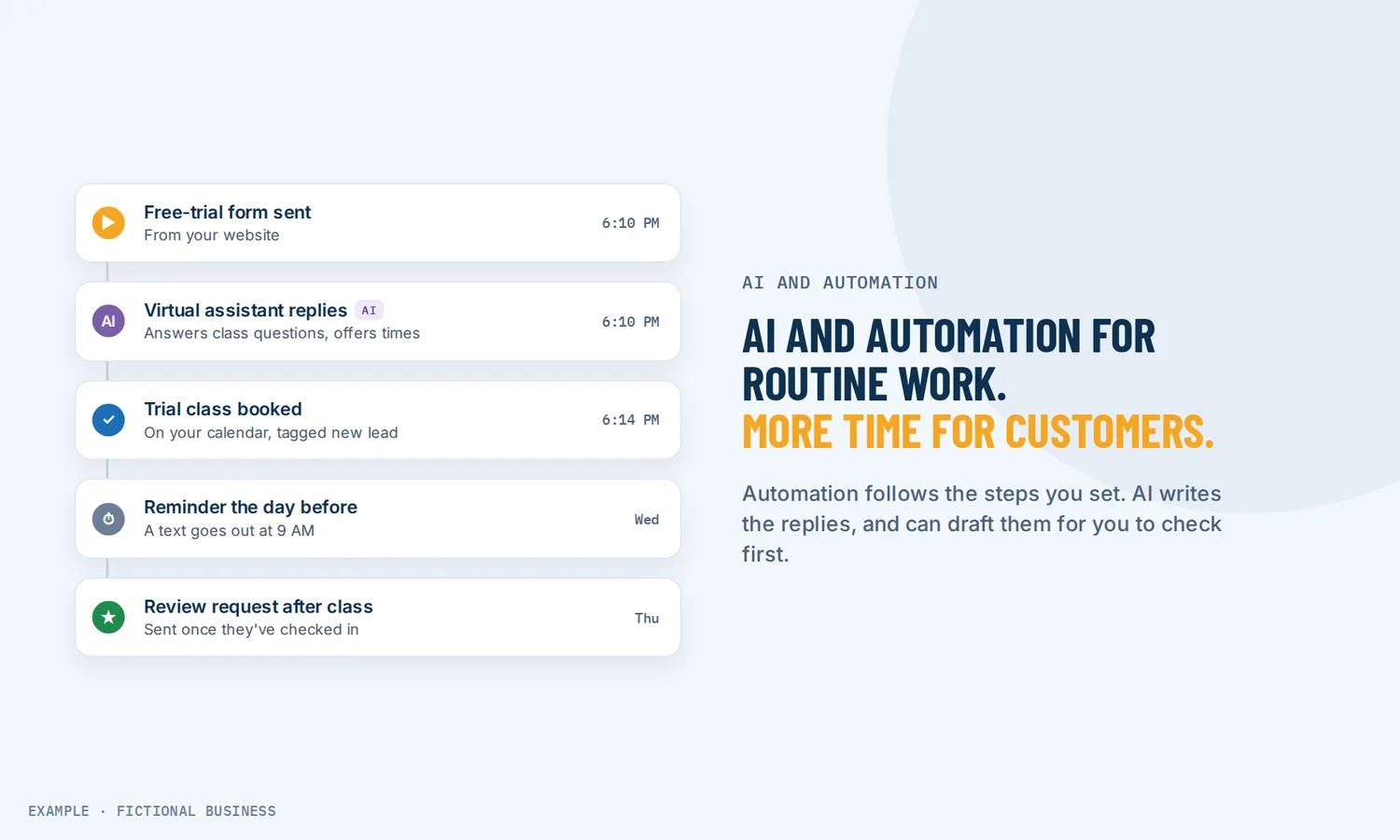
Automation follows rules you set. "When someone fills in the contact form, text them a thank-you, tag them as a new lead, and remind me tomorrow if they haven't booked." The same event gets the same result each time. On the Revenue Growth HQ platform these rule sets are called workflows.
AI handles the parts that need judgment. Replying to a customer's message, spotting a spam form, answering a call, drafting a social post. Its output varies, so most AI tools on the platform can draft for you to review first.
Most useful setups use both. A typical one runs like this:
- Something happens. A form is submitted, a call goes unanswered, an appointment is booked, a job is marked won.
- A workflow starts. It sends a text or email, updates the customer's record, alerts you or a team member, or waits a set time before the next step.
- AI steps in where words or judgment are needed. An AI assistant answers the customer's question, an AI step sorts a reply as positive or negative, or an AI voice agent picks up the call.
- A person takes over when it matters. You can step into any conversation, and a workflow can route complaints to you.
- You check what ran. Each workflow keeps a log of what it did, what it skipped and what failed.
What AI automation changes for a small business
Five routine jobs AI and automation take off your plate, and what each costs to run.
Replies to new messages
Customers text, message you on social media, use your website chat box, or email. An AI chat assistant that answers and books reads the message, answers from what you have taught it about your business (website pages, FAQs, files), collects the customer's details and offers open times. It can draft replies for you to approve, or send them itself. When you miss a call, a rule can text back callers you missed from the number they dialed.
Cost to run: the text-back rule is included; its texts and AI replies are billed by use.
Booking and reminders
Customers can book online from your website or a link, and the AI chat assistant can book, cancel and reschedule inside a conversation. Each calendar can send appointment reminders by text and email at the times you choose, with a link to reschedule.
Cost to run: booking and reminders are included; reminder texts are billed by use.
Follow-up
Follow-up is the job that slips when you are busy. A workflow can keep in touch with a lead who asked for a quote and hasn't booked, stopping the moment they reply. When an appointment is marked as a no-show, another workflow can offer a new time. AI steps inside a workflow can read a reply and send it down the right path.
Cost to run: workflows are included; the texts, emails and calls they send are billed by use; AI steps are billed per run.
Reviews
When a job is marked won, a workflow can send a thank-you and a request for a review. When reviews come in, AI can suggest a reply for you to approve or post replies itself, including on older reviews that never got an answer.
Cost to run: the request is a rule, and its texts are billed by use. For AI review replies, you pay only for the replies actually sent; suggestions you don't use cost nothing.
Content
An AI writer for posts, blogs and emails drafts text and images from a short description, and you edit before anything is published. The platform can also build pages from a description, but that builder is still marked experimental, so treat its output as a first draft.
Cost to run: AI writing is billed by use, by the words and images it produces.
How AI automation plays out
A home service business. Let's suppose you run a plumbing company and you're under a sink when a new customer calls. The call goes unanswered, so the caller gets a text from your business number. They reply with the problem, and the AI assistant asks for their address and offers two open times. They book, and the day before, a reminder goes out with a reschedule link. When you mark the job won, a workflow asks for a review, and AI suggests a reply when it comes in.
A clinic or salon. Let's suppose your front desk can't answer the phone while checking someone in. An AI voice agent answers common questions on calls the desk can't reach and books into the staff calendar. When a client is marked as a no-show, a workflow texts them an offer to rebook.
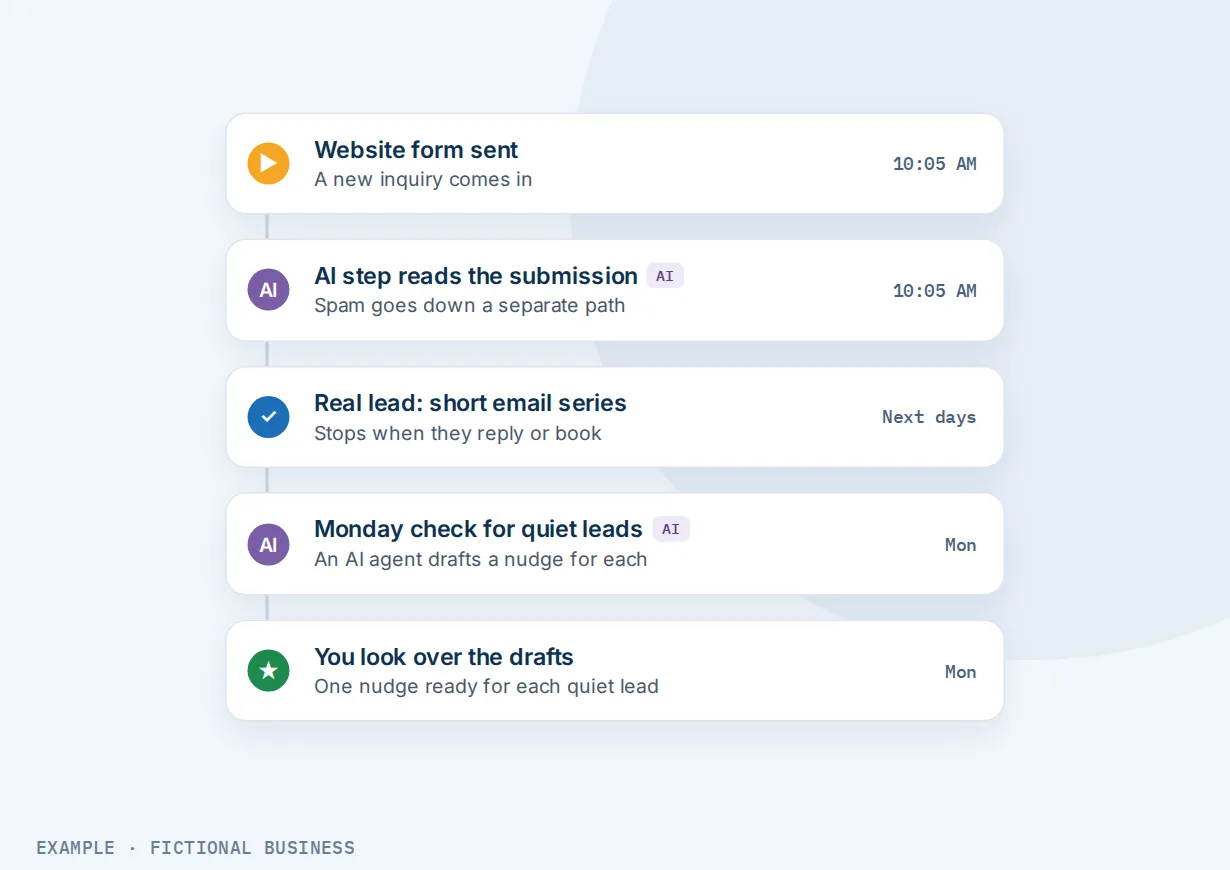
A consulting or B2B firm. Let's suppose leads come in through a website form, and some are spam. An AI step reads each submission and sends the junk down a separate path. Real leads get a short email series that stops when they reply or book. Each Monday, an AI agent checks which new leads have gone quiet and drafts a nudge for each, for you to look over.
Where to start: what to set up first
Two rules first: start with a job that happens often and follows the same steps each time, and fix a broken process before you automate it, because automation only makes a bad process faster. Here is the order we use with small business owners:
- Catch what's already coming in. Text back missed calls and answer website chat. These are simple rules, and they cover leads you are already paying to get.
- Make booking easy and send reminders. Online booking plus a reminder the day before cuts the back-and-forth over times.
- Follow up on leads and no-shows. One workflow for leads who didn't book, one for missed appointments.
- Ask for reviews after each job. A rule tied to marking the job won.
- Then add AI where the volume is. An AI assistant once messages pile up, an AI voice agent once calls do, the AI writer when content keeps slipping, and agents for routine tasks that need judgment.
Start AI in suggest mode, where it drafts and you send, and let it reply on its own once you trust its answers. Add one piece at a time, and check the logs for the first week.
What to look for in AI automation for small business
- Rules and AI on one customer record. Separate chatbot, booking, review and email tools each keep their own copy of the customer.
- A review step for AI. Can AI draft for you to approve, not just send?
- A way for a person to step in. You can take over any conversation, and a workflow can send complaints to a person.
- Respectful sending. Sending hours, stop-on-reply and opt-outs.
- Clear billing. What is included, what is billed by use, and the rates before you commit. Be wary of "unlimited" AI without a fair-use limit spelled out.
- AI disclosure. A chat box that tells visitors they are talking to an AI.
- Honest labels. Experimental features should be marked as experimental.
AI automation works better with these tools
Marketing automation that follows up for you. Workflows are the rules behind most of this guide: a trigger, then texts, emails, tasks, waits and branches. Describe the automation in plain words, and AI drafts it for you to review and publish. See workflows that follow up for you.
An AI chatbot that answers and books. It replies over website chat, text, Facebook, Instagram, WhatsApp and email, and books into your calendar. See the AI chat assistant.
An AI receptionist that answers your phone. It picks up incoming calls, asks your qualifying questions, books the caller and can transfer the call to you. A workflow can also have it call customers back, within set calling hours and only with their consent, which is yours to collect. See an AI voice agent for your calls.
AI agents for routine tasks. Where a workflow follows fixed rules, an agent takes a task written as an instruction, such as "each Monday, find leads who haven't replied and draft a follow-up," and runs it on a schedule or when something happens. See AI agents that run routine tasks.
Your options: from free to done-for-you
Free tools and connectors. Free chat, scheduling and email tools joined with a connector app. Cheap to start, but you maintain each link, and when one breaks, a lead can drop out unnoticed.
A separate paid app for each job. Chatbot, booking, reviews, AI writing. Each does its job, but the costs add up and your customer's history splits across systems.
An all-in-one platform. Messages, booking, follow-up, reviews and AI in one system, on one customer record. Less to connect, more to learn at first.
Hiring someone. A virtual assistant, receptionist or agency does the routine work by hand. People bring judgment and warmth, but they cost wages or fees, and coverage ends with their shift.
Here's our solution
Revenue Growth HQ is an all-in-one platform with automation and AI built in, alongside your inbox, booking, payments and reviews. Workflows and AI come with the plan. The plan is $97 a month (or $970 a year) and includes $30 of usage credit each month for your phone number, calls, texts, email and most AI features. Use beyond $30 in a month is billed by use, at the same rates as buying the software directly, and you see the rates before setup. AI is not unlimited: a busy month costs more than a quiet one.
Setup is a one-time $197. You choose 3 jobs from our list for us to build, such as an AI phone receptionist, website chat, or new-lead follow-up, and you can follow the order above or skip ahead. With any choice we build your knowledge base from your website, and when a choice calls or texts, we set up your business phone number and its texting registration. See the setups and choose your 3.
Limits to know
- AI makes mistakes. Its answers are only as good as what you teach it, and outdated pages lead to wrong answers.
- An AI-drafted workflow needs a check before you publish it; the AI cannot test it for you.
- Texting needs carrier registration first. Business texting in the US needs your number registered, which carries one-time and monthly fees and takes time to approve.
- Some AI tools are experimental, including building pages from a description. We don't promise them as finished.
AI and automation tools on the platform
- Workflows with triggers, waits, branches, goals and sending hours
- Describe-it-and-AI-drafts-it workflow builder
- AI steps that sort, summarize and translate inside a workflow
- AI chat assistant on website chat, text, social messages and email
- Knowledge base from your website, FAQs and files
- AI voice agent for incoming calls, and outgoing calls from a workflow
- Text back after a missed call
- Online booking, with booking inside AI conversations
- Appointment reminders and no-show follow-up
- Review requests and AI-suggested review replies
- AI writing for posts, blogs and emails
- AI agents that run tasks on a schedule or when something happens
Frequently asked questions
What is AI automation?
Two things working together. Automation runs steps you define, such as "when a form arrives, send a text and create a task." AI handles steps that need judgment or writing, such as replying to a question or sorting a message. The useful version for a small business has both working on the same customer record.
What should a small business automate first?
The jobs that happen most often and cost you customers when they slip: replying to new inquiries, texting back missed calls, booking and reminders. Follow-up and review requests come next, and AI once message or call volume justifies it.
How much does AI automation cost for a small business?
It depends on volume. On Revenue Growth HQ, the platform is $97 a month, workflows are included, and the plan carries $30 of usage credit each month for texts, calls, email and most AI features. Beyond that, the texts, emails and calls are billed by use, and so is AI, by how much it reads, writes or talks. You see the rates before setup. Setup is a one-time $197 for 3 jobs of your choice.
Will AI replace my staff?
It takes routine work off their plate: repeated questions, reminders, the follow-up nobody has time for. Complaints, money questions and anything that needs a relationship are better left to a person.
Do I need technical skills?
Not for the basics. Describe a workflow in plain words and AI drafts it for you to review. AI assistants learn from plain-English instructions and your own pages. Testing still takes time, which is what our $197 setup is for.
Do I have to tell customers they're talking to AI?
Rules vary by place, and some require clear disclosure when a bot is used to sell. Check the rules where your customers are. The simplest path is to say so in the chat window's opening line.
Is my business too small for AI automation?
No. The first steps (texting back missed calls, reminders, follow-up) are rules included in the plan; you pay only for the texts and emails they send. And most small firms haven't started using AI: in the US Census Bureau's survey period ending May 3, 2026, 19.8% of businesses reported using it, and less than 20% of firms with four or fewer employees.
Hand off your first 3 jobs
Workflows and AI come with your Revenue Growth HQ plan. For a one-time $197 setup, we build the 3 jobs you choose below, such as an AI phone receptionist, website chat, or follow-up for new leads. With any choice we build your knowledge base from your website, so AI answers start from your own pages. The plan is then $97 a month.
Sources
- Grundy, A., Breaux, C. and Khatiwoda, D. "Large Firms With at Least 20 Employees Biggest AI Users." U.S. Census Bureau, May 26, 2026. https://census.gov/library/stories/2026/05/ai-use-businesses.html (checked 2026-10-18)