
An AI receptionist for small business that answers, qualifies and books
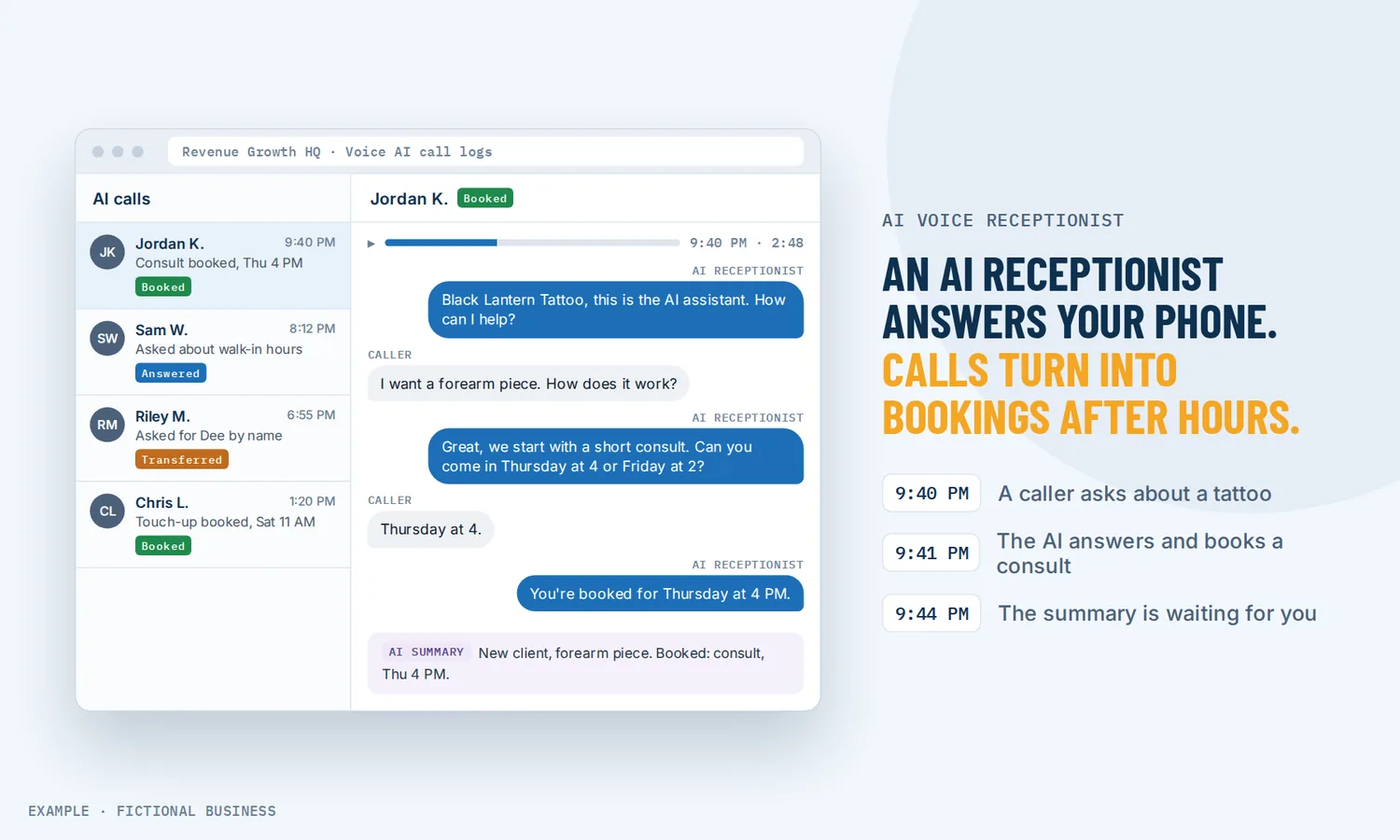
An AI receptionist for small business is a voice assistant that answers your business phone, talks with the caller, asks your questions and books an appointment into your calendar while you are busy with a customer. If you would rather not have AI on the phone, a text sent automatically after a missed call is the lighter option.
Get an AI phone receptionist set up for you
What an AI receptionist is and how it works
It picks up the calls you can't, answers from information you give it, and takes the next step a good front desk would: book, take details, or put the call through to you. On the Revenue Growth HQ platform:
- You teach it your business. A knowledge base holds your hours, prices, service area and policies, and the agent answers questions from it. You also tell it what to ask and when to stop guessing and pass the call on.
- You connect a calendar. The agent offers open times from your booking calendar, following its hours, buffers and minimum notice. Several calendars work too, and the agent picks one based on what the caller needs.
- You choose when it answers. All hours, a custom schedule such as evenings and weekends, or as a backup when a forwarded call is not picked up within a few seconds.
- It handles the call. It answers, asks your qualifying questions, books the caller in, and can text them, update their contact record or start a follow-up workflow.
- You get the record. Each call has a recording, a transcript and a summary in the call log, and a summary email can go to you after the call.
What an AI receptionist changes for a small business
Calls answered while you work
Plenty of calls to businesses go unanswered. In a 2026 benchmark of 70 million calls to businesses in 10 industries, 56% were answered by a person. A plumber under a sink or a stylist mid-cut can't pick up. An AI receptionist answers in those moments, so the caller gets help instead of voicemail.
Bookings outside business hours
The agent can take calls in the evening, on weekends and on holidays. A caller who wants an appointment at 9 p.m. hears your open times and can leave with a confirmed booking.
Your questions asked the same way on every call
You write the questions once: what the job is, where it is, how soon they need it. The agent asks them and saves the answers to the caller's contact record. It can route callers to different calendars based on those answers, so a free consultation and a paid visit land in the right place.
Fewer interruptions, with urgent calls still reaching you
Routine questions about hours, prices and directions get answered from your knowledge base. Calls that need you are transferred to your phone when conditions you set are met, such as an emergency or a client asking for you by name.
Try it as your customer would
Revenue Growth HQ's own number is answered by an AI receptionist built on this platform. Call (307) 200-4971 and ask it a question about what we do, or ask it to book a 20-minute call. It introduces itself as an AI assistant, and the call is real.
How an AI receptionist plays out
A home service business. Let's suppose you run a two-van HVAC company, and on a hot afternoon both technicians are on jobs. The AI receptionist answers each call, asks whether the system is down or needs a tune-up, and gets the address. Tune-ups go into next week's maintenance calendar. When a caller says the house has no cooling and a baby at home, the agent transfers the call to your cell, as you instructed it to.
A professional practice. Let's suppose you run a small accounting firm, and in tax season the phone rings faster than your office manager can answer. You set the agent as a backup: if the front desk does not pick up within a few seconds, it answers. It books new clients into a consultation calendar and returning clients into a review calendar, and texts a document checklist after the call.
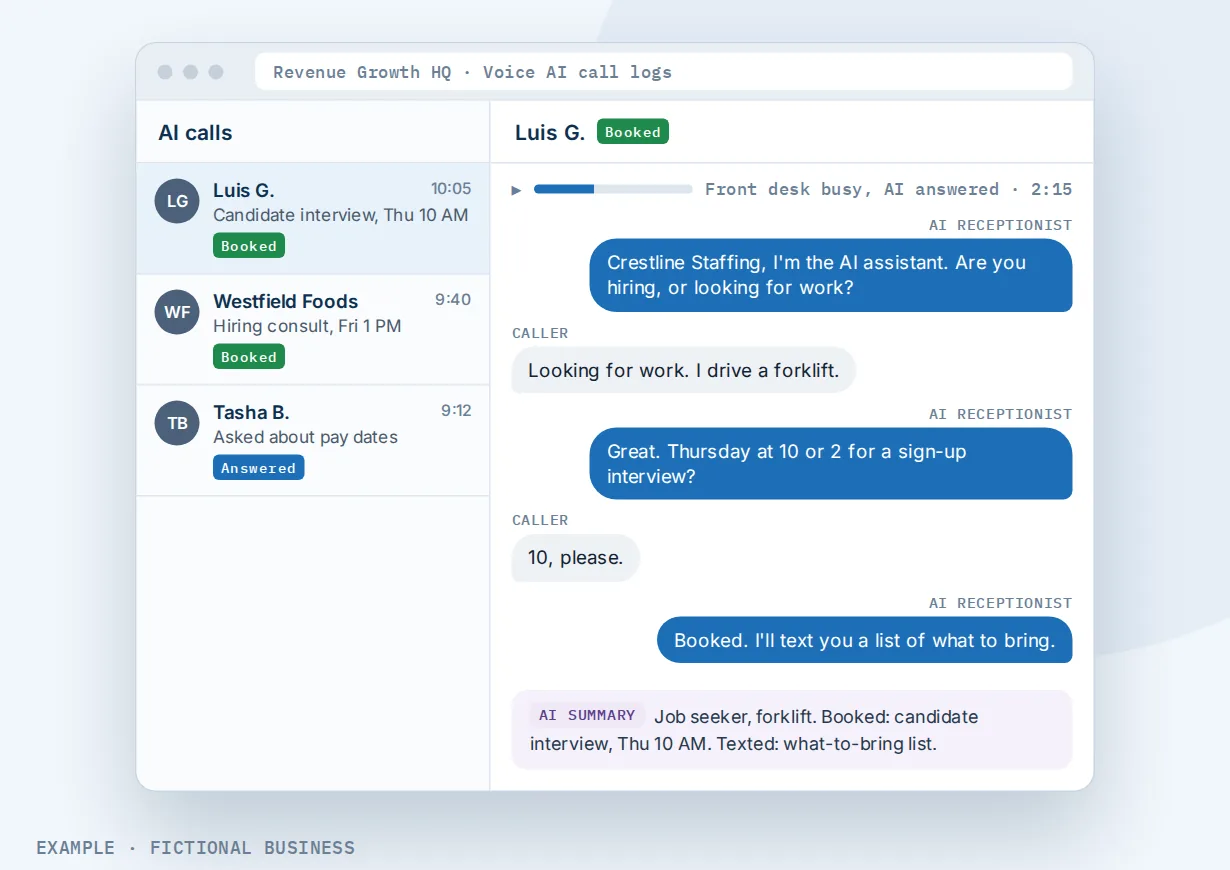
A clinic or studio with Spanish-speaking callers. Let's suppose you run a physical therapy clinic where many callers prefer Spanish. You set the agent to talk with callers in more than one language. Transcripts and summaries can be translated into English, so your front desk can read each call the next morning.
It can also call customers back
The same agent can make calls. A workflow step has it call a contact when something happens: a form is filled in, an appointment is coming up, or a quote has gone quiet. Uses include following up a new lead, confirming an appointment or checking in with a lapsed customer. Outgoing calls come with firm limits:
- Calling hours. Calls go out only between 8 a.m. and 8 p.m. in the contact's time zone, based on their phone number.
- How often. Each number can be called at most once a day and 14 times in any 14-day period.
- Where. Only numbers in the same country as your business number.
- Approval first. Your account accepts the calling terms and completes an identity check before the first call. The agent's outgoing settings include a statement that it is AI and a spoken way to opt out.
- Consent is yours to get. The platform does not check whether a contact agreed to be called. In February 2024 the FCC ruled that AI-generated voices count as "artificial" voices under the Telephone Consumer Protection Act. Calls using them need the called person's prior express consent unless an emergency or an exemption applies. If the call advertises or sells, the consent must be in writing. The call must also say at the start which business is calling. Get that consent where people give you their number, and honor opt-outs.
What to look for in an AI receptionist for small business
Questions to ask before you choose one:
- Does it book into your real calendar, with your buffers and notice rules, or only take a message?
- Can it learn your business from your own material, and can you tell it not to guess when it does not know?
- Can it transfer a call to a person, and can you set exactly when?
- Can it answer only when you can't, as a backup or on a schedule, instead of on every call?
- Do you get a recording, transcript and summary of each call, saved on the customer's record?
- Does it hand off to your follow-up, with a text after the call or a workflow that keeps going?
- Can you test it before customers hear it, in the browser and on a real phone call?
- How is it billed? Flat monthly plans, per-minute pricing and per-call pricing all exist. Work out what your call volume costs before you sign.
The more of this list you need, the more it pays to have the receptionist inside the same system as your calendar, contacts and follow-up.
An AI receptionist works better with chat, booking and texting
An AI receptionist covers the phone. The tools around it decide what happens to the caller next.
An AI receptionist plus an AI chatbot. Some customers call; others type. An AI chatbot that answers and books does in website chat, text and social messages what the receptionist does on calls, from the same knowledge base and into the same calendar. One set of answers, kept up to date in one place.
An AI receptionist plus online booking. The agent books into the same calendars as your booking page, so a slot taken by phone disappears from the website, and times blocked by your synced Google or Outlook calendar are not offered to callers.
An AI receptionist plus missed call text back. Not every call reaches the agent: it may be outside the hours you set, or you may keep AI off certain lines. An automatic text after a missed call catches those callers, and their reply lands in the same inbox.
An AI receptionist plus a business number. The agent answers a phone number on the platform. You can get a local or toll-free number for your business and give each agent its own number.
Your options: from free to done-for-you
The right choice depends on how many calls you miss, what each one is worth, and whether you want a person or software on the line.
Voicemail and calling back. Free, and fine if callers will wait. Each voicemail is a task added to your evening.
A text after a missed call. Light and cheap. The caller gets a text from your number and can reply, but nothing is booked or answered on the spot.
A human answering service. A live person takes the call, the best fit for upset or complicated callers. Services usually charge per minute or per call, and the person knows only what the script tells them.
A standalone AI receptionist app. Answers, takes messages and sometimes books. It is one more app: your calendar, texting and customer records live elsewhere.
An all-in-one platform. The receptionist sits in the same system as your calendars, contacts, inbox and automation, so a booking, a text and a follow-up happen without a connector. The tradeoff is more setup.
Here's our solution
Revenue Growth HQ is an all-in-one platform with an AI receptionist built in, alongside an AI chatbot, booking calendars, your inbox, texting and automation. The plan is $97 a month (or $970 a year) and includes $30 of usage credit each month for your phone number, calls, texts, email and most AI features. Use beyond $30 in a month is billed by use, at the same rates as buying the software directly. The AI receptionist is billed by use: each call is charged by the minute, plus the AI's work and the phone minutes, so a busy month costs more than a quiet one. AI calls are not unlimited. You see the rates before setup.
Setup is a one-time $197. You choose 3 setups from our list for us to build in your account, and the AI phone receptionist can be one of them. With it, we set up your business phone number, and with any choice we build your knowledge base from your website. See the setups and choose your 3. For a wider view of where AI and automation help first, see AI and automation for small businesses.
Limits to know
- Assigning a number is not the same as answering. Working hours, routing and forwarding settings decide whether the agent picks up, and a phone voicemail that answers first stops it. Test with a real call before going live.
- It can be wrong. The agent answers from what you give it. Keep the knowledge base current and tell it to transfer or take a message when it does not know.
- Booking needs a booking calendar. It can't book from a service menu.
- The website voice widget is experimental. Visitors can talk to the agent from your site with their microphone, but it can't transfer calls and does not record them.
AI receptionist features included
- Answers incoming calls on your platform number, all hours or on a schedule
- Answers directly, or as a backup when a forwarded call is not picked up
- Knowledge base from your hours, prices, policies and other material
- Your own qualifying questions, saved to the contact record
- Appointment booking into one calendar or several, chosen by what the caller needs
- Call transfer to a person, and hand-off to another AI agent
- Texts, contact updates and workflows started during or after a call
- Recording, transcript and summary for each call, plus a post-call email
- Several languages, with transcript and summary translation
- Browser and phone tests before going live
- Outgoing AI calls from a workflow, within calling-hour and frequency limits
- Website voice widget (experimental)
Frequently asked questions
Can an AI receptionist book appointments?
Yes. During the call it offers open times from your booking calendar, asks for any details it is missing, such as an email address, and confirms the booking without sending the caller to a web page. It follows the calendar's own hours, buffers and notice rules, and the caller gets the same confirmation as any other booking.
Can it transfer calls to me?
Yes. You set the conditions, such as an emergency or a caller asking for a person, and the agent puts the call through to your phone or another number. It can also hand the call to a second AI agent set up for a different job. Test transfers with a real phone call; they don't run in a browser test.
How much does an AI receptionist cost?
Prices vary by model: flat monthly plans, per-minute pricing and per-call pricing all exist. On Revenue Growth HQ, the platform is $97 a month and the AI receptionist is billed by use, by the minute plus the AI's work and phone minutes. It is not unlimited. You see the rates before setup. Setup is a one-time $197 for 3 setups of your choice, and the AI receptionist can be one of them.
Is an AI receptionist better than an answering service?
They suit different calls. A human answering service is often better with upset or unusual callers. An AI receptionist answers at any hour you choose, books into your calendar during the call and saves a transcript to the customer's record. You can also combine them: let the AI take routine and after-hours calls and transfer the rest to a person.
Will callers know they are talking to AI?
You decide how the agent introduces itself. Ours says it is an AI assistant in its first sentence, and we suggest you do the same. For outgoing calls the rules are stricter: under a 2024 FCC ruling, AI voice calls generally need the person's prior consent and must say which business is calling.
Can it make calls as well as answer them?
Yes. A workflow step can have the agent call a contact to follow up, confirm an appointment or check in. Calls go out only between 8 a.m. and 8 p.m. in the contact's time zone, at most once a day and 14 times in 14 days per number. You are responsible for having each person's consent.
Hear it for yourself, then get it set up for you.
Call (307) 200-4971 to talk with our AI receptionist. For a one-time $197 setup, we build 3 setups of your choice in your Revenue Growth HQ account, with the AI phone receptionist already ticked. We set up your business phone number and build your knowledge base from your website. The plan is then $97 a month.
Sources
- Invoca. "The Invoca Lead Conversion Benchmarks Report 2026." July 2026. https://www.invoca.com/reports/the-invoca-lead-conversion-benchmarks-report-2026 (checked 2026-10-18)
- Federal Communications Commission. Declaratory Ruling, FCC 24-17, CG Docket No. 23-362, released February 8, 2024. https://docs.fcc.gov/public/attachments/FCC-24-17A1.pdf (checked 2026-10-18)