
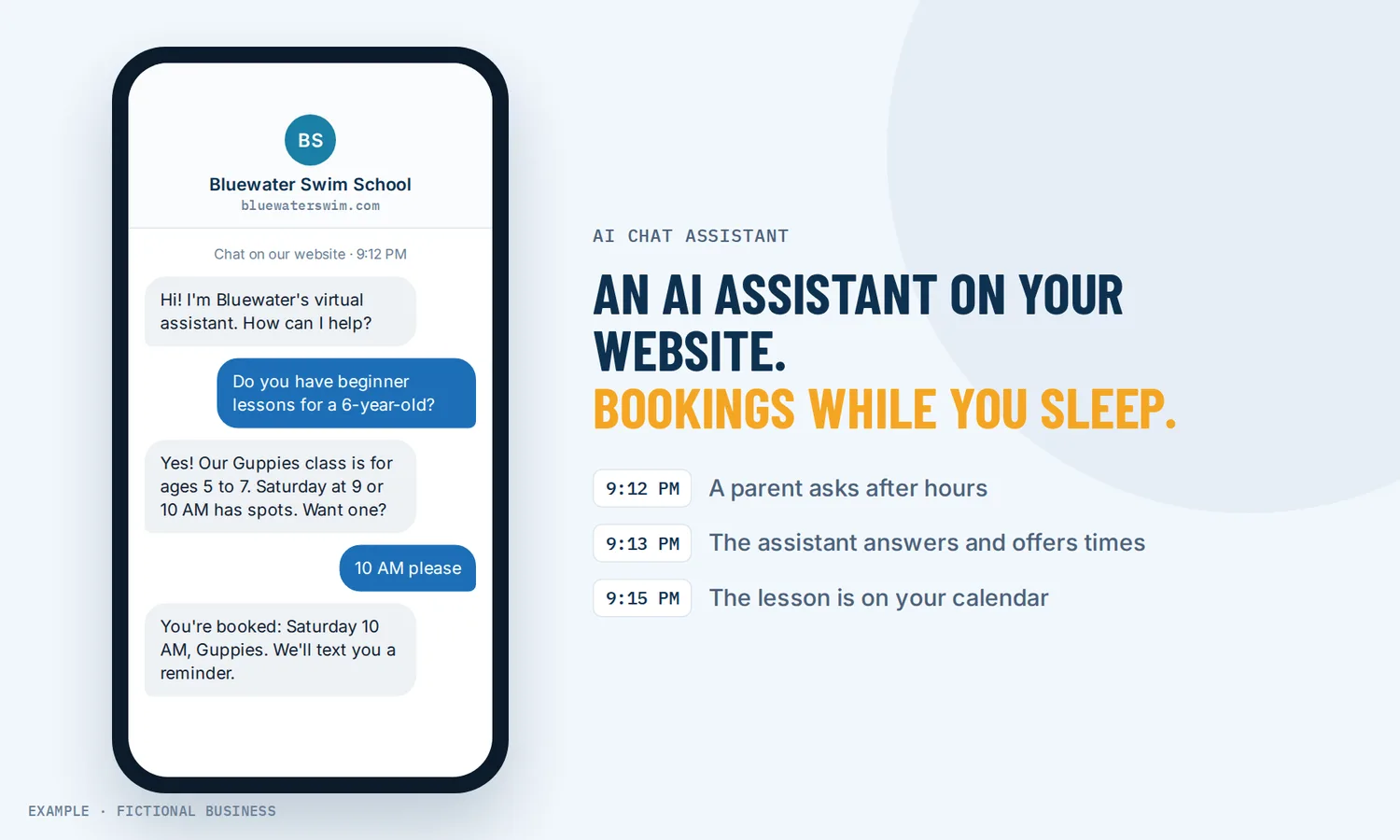
An AI chatbot for small business that answers and books
An AI chatbot for small business answers customer messages in plain language, using what you teach it about your business, and books appointments in the same conversation. If you want a person to reply instead, see our chat box that sends website messages to your team.
Get AI website chat set up for you
What an AI chatbot is and how it works
An older chatbot follows a script. An AI chatbot reads what the customer typed, looks for the answer in material you gave it, and writes a reply in its own words. On the Revenue Growth HQ platform, one AI assistant can reply on your website chat, text messages, Facebook, Instagram, WhatsApp and email.
Here is how it works:
- You teach it your business. Point it at your website, add common questions and answers, and write down your policies and prices.
- You set its job. Which details to collect (name, email, phone), what to steer toward (usually a booking), and which calendar it books into.
- You pick the channels and the mode. Autopilot replies on its own. Suggestive mode drafts a reply that a person on your team reviews and sends. Off means it stays quiet.
- A customer writes in. The assistant answers, asks your questions, offers open times and books the appointment.
- Your team sees all of it. Every message sits in your inbox, and anyone on your team can step into a conversation and reply.
How it learns your business
The assistant answers from a knowledge base you build. It searches that material first and answers from it. You can fill it from:
- Your website. Add one page, every page under a path, or a whole domain. Pages can refresh daily, weekly or monthly so the assistant picks up changes.
- Questions and answers. Write the approved answer to a question you get often.
- Written notes. Policies, service areas, how payment works.
- Files and tables. Documents with searchable text, and tables such as a price list or service menu. Google Drive files can be imported too.
Each AI reply in your inbox shows which source it used, so when an answer is wrong you can find and fix that source.
What an AI chatbot changes for a small business
Questions get answered after you close
Customers write when it suits them, often after you close. A message that sits until Monday gives them time to try someone else. On Autopilot, the assistant replies while you are closed, with an answer and an open time while the customer is still deciding.
Fewer of the same questions in your day
Small businesses answer the same few questions over and over: prices, service area, hours, availability this week. The assistant answers those from your knowledge base, so the questions that reach you are the ones that need you.
Bookings come out of the conversation
Instead of "here's our link, book whenever," the assistant offers open times in the chat and books the one the customer picks. It collects name, email and phone along the way, so the booking lands on a real contact record.
Few small competitors use AI yet
In U.S. Census Bureau survey data collected from December 2025 to May 2026, AI use across businesses hovered between 17% and 20%, and less than 20% of firms with four or fewer employees reported using it.
How an AI chatbot plays out
A home service business. Let's suppose you run a cleaning company and most new inquiries come through Facebook and your website. At 9 p.m. someone asks: "Do you do move-out cleans on the east side, and how much for a two-bedroom?" The assistant checks your service-area notes and price table, gives your range, asks for the date and offers two open times. The customer books Thursday morning, and the booking and full chat are waiting when you start work.
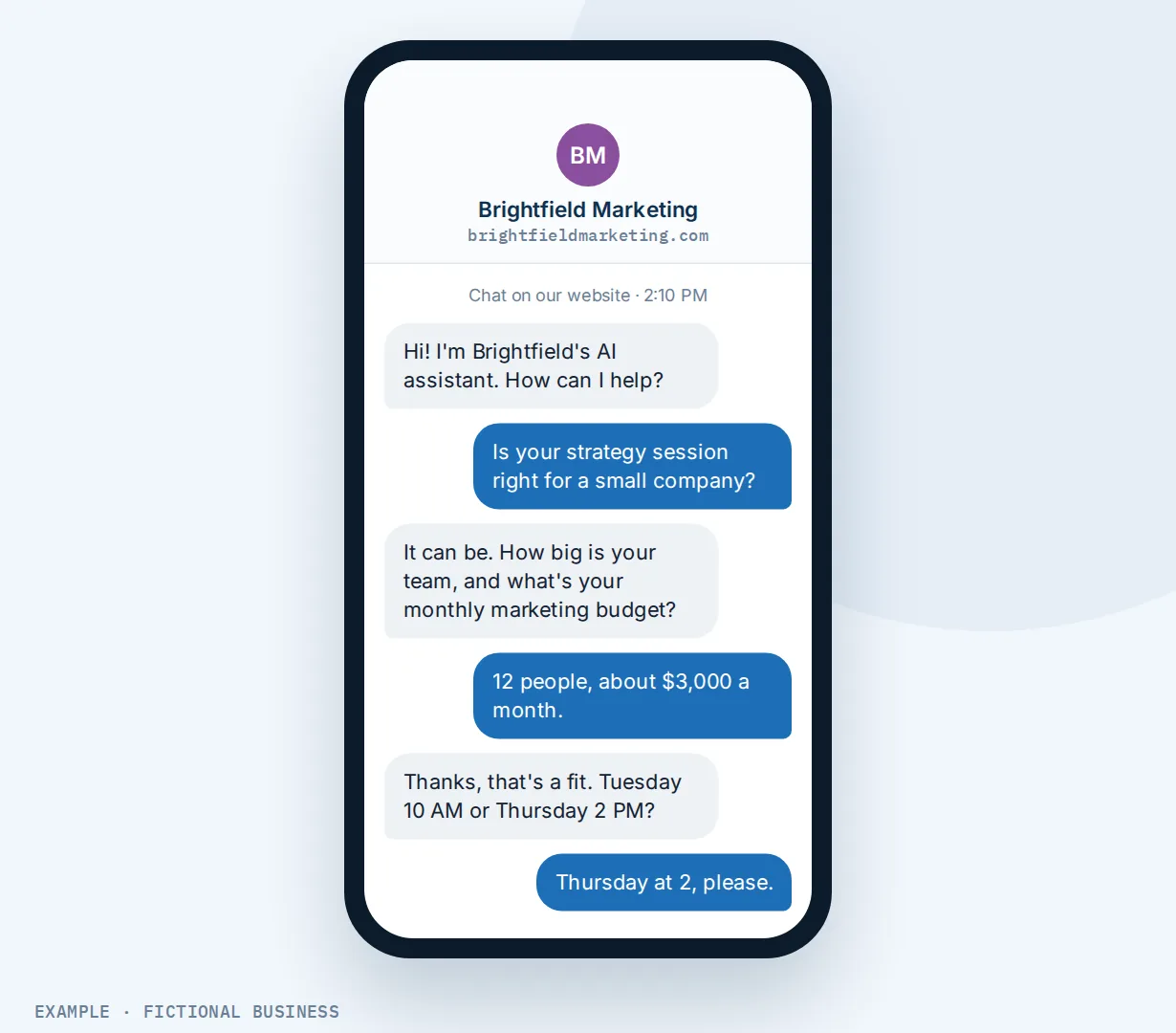
A consulting or professional practice. Let's suppose you sell an hour-long strategy session and want to talk only with qualified prospects. For the first few weeks you run the assistant in Suggestive mode: it drafts each reply, asks your questions about company size and budget, and you approve or edit before anything is sent. Once you trust its answers, you switch to Autopilot and set it to pass the conversation to you when a prospect asks for a person.
A clinic or studio. Let's suppose you run a physical therapy clinic with three therapists, each with their own calendar. A patient texts asking whether anyone can see a sports injury this week. The assistant is set up with all three calendars, and its instructions say who handles sports injuries, so it books into that therapist's calendar. When the patient asks an insurance question your knowledge base does not cover, it hands off to your front desk instead of guessing.
What to look for in an AI chatbot for small business
Questions to ask before you choose one:
- Does it answer from your material, and can you see which source each answer came from?
- Can you train it on your website without copying pages by hand, and does it refresh when the site changes?
- Does it book, cancel and reschedule in the conversation, into the calendar you already use?
- Which channels does it cover? Website chat only, or text, social messages, WhatsApp and email too?
- Can a person take over? Look for a draft-only mode, a way for staff to step in, and a handoff when the customer asks for a human.
- Can you limit it? Look for a cap on messages per conversation and a pause after booking.
- Does it tell people they are talking to AI? Some laws require it (see the FAQ below). The chat window should say so before the first message.
- How is it billed? Flat fee, per reply, or a cap? Ask what happens when your volume doubles.
An AI chatbot works better with booking, voice AI and your inbox
AI chat plus online booking. The assistant books into the same online booking calendars as your booking page, so customers see the same open times either way. It can pause after a booking so it stops chatting.
AI chat plus an AI voice receptionist. Some customers will call no matter what. An AI receptionist that answers your phone does on calls what the chatbot does in messages: answers, asks your questions and books. Voice AI is billed by use, too.
AI chat plus one inbox. Every AI conversation, from website chat to Instagram, lands in your inbox for texts, email and social messages, next to your team's replies, so a person can pick up any thread.
AI chat plus WhatsApp. If your customers use WhatsApp, the assistant replies there by the same rules as your website chat. See replying to customers on WhatsApp.
A booking made by the assistant can also start automated follow-up: a thank-you, a preparation guide, a review request after the visit.
Your options: from free to done-for-you
Free chatbot plans. Some chatbot tools have a free tier for one website that answers simple questions from your pages. Check what it leaves out (booking, other channels, reply limits, your branding) before you build around it.
Paid chatbot tools. A paid plan typically adds training on your files, more replies and sometimes booking through a connected calendar. The catch: it is one more app, apart from your texts, social messages, calendar and customer records.
All-in-one platforms. The chatbot sits in the same system as your contacts, inbox, calendar and automation. Every conversation is on the customer's record. The tradeoffs: more to set up, and more features than a website-only business may want. For the wider picture, see our guide to where AI fits in a small business.
Hiring someone. A receptionist or virtual assistant brings human judgment. That costs wages or fees, and coverage ends when their shift does.
Here's our solution
Revenue Growth HQ is an all-in-one platform with an AI chat assistant built in, alongside your inbox, booking calendars, website chat box, automation and an AI voice receptionist. The plan is $97 a month (or $970 a year) and includes $30 of usage credit each month, which covers your phone number, calls, texts, email and most AI features. Use beyond $30 in a month is billed at the same rates as buying the software directly. Each AI reply is charged by how much text the AI reads and writes, so a busy month uses more than a quiet one, and AI is not unlimited. You see the rates before setup.
Setup is $197, one time. You choose 3 setups from our list for us to build in your account, and website chat can be one of them. With any choice, we build your knowledge base from your website, and when a choice calls or texts, we set up your business phone number and its texting registration. See the setups and choose your 3.
Limits to know
- Replies take a moment. You set a wait before it replies, and the AI needs time to write, so expect a short delay rather than an immediate answer.
- It is only as good as its training. Outdated or duplicate pages lead to wrong answers, and Google Drive files need re-syncing by hand after changes. Check its answers in the first weeks.
- Simple bots book into one calendar. Choosing among several calendars or a service menu needs a prompt-based assistant. The assistant does not take payment during booking.
- Handoff to a person is still an early-release feature and may need switching on. Staff can step into any conversation from the inbox either way.
AI chatbot features included
- Replies on website chat, text, Facebook, Instagram, WhatsApp and email
- Off, Suggestive (drafts only) and Autopilot modes
- Knowledge base from your website (daily, weekly or monthly refresh), questions and answers, notes, files, tables and Google Drive
- Each reply shows which source it used
- Collects name, email, phone and your own details
- Books, cancels and reschedules into your booking calendars
- Pause after booking, or start a workflow when it books
- Handoff to a person: assign, final message, task and tag
- Cap on messages per conversation and a wait before replying
- Chat window opening line that tells visitors it is AI
Billing: AI replies draw on the plan's $30 monthly usage credit; use beyond it is billed by use. You see the rates before setup.
Frequently asked questions
Can an AI chatbot book appointments?
Yes. The assistant offers open times from your booking calendar in the conversation and books the one the customer picks. It can also cancel and reschedule when you switch those options on. A simple assistant books into one calendar; a prompt-based one can choose among several calendars or a service menu.
How do I train a chatbot on my website?
Add your site as a knowledge source: one page, every page under a path, or the whole domain. Leave out outdated and duplicate pages, set a refresh schedule, and add written answers for questions your site covers poorly.
How much does an AI chatbot cost?
Chatbot tools range from free tiers to monthly plans priced by replies or features. On Revenue Growth HQ, the plan is $97 a month and includes $30 of usage credit each month, which covers most AI features. AI replies are charged by how much text each reply reads and writes, and use beyond the credit is billed by use. AI is not unlimited, and you see the rates before setup.
Do I have to tell customers they're talking to AI?
In some places, yes. California law makes it unlawful to use a bot to mislead people in California about its artificial identity to drive a sale, and a clear, conspicuous disclosure avoids that. The EU AI Act requires AI systems that talk with people to tell them so, from 2 August 2026, unless it is obvious. Check the rules where your customers are. We put an "AI assistant" line in the chat window before the first message.
What's the difference between a chatbot and live chat?
With live chat, a person on your team reads the message and replies. With an AI chatbot, the AI replies from what you taught it, and a person can step in. You can use both: the AI answers common questions and books, and staff take the harder ones.
Can I check its answers before they go out?
Yes. In Suggestive mode, the assistant drafts each reply and a person on your team reviews, edits and sends it. Nothing goes out on its own. You can start here and switch to Autopilot once the answers prove reliable.
What happens when the chatbot doesn't know the answer?
You can set it to hand off when it lacks the information, when the customer asks for a person, or after it fails to resolve an issue. The handoff can assign the conversation to a team member, send a closing message, pause the assistant, create a task and add a tag. Handoff is an early-release feature; your team can step into any conversation either way.
Have us set up your website chat
For $197 one time, we build three setups in your Revenue Growth HQ account, and website chat arrives already ticked. It answers visitors' questions from a knowledge base we build from your website and puts each conversation in your inbox, where your team can step in. You can swap it for any other on the list. The plan is then $97 a month.
Sources
- Grundy, A., Breaux, C. and Khatiwoda, D. "Large Firms With at Least 20 Employees Biggest AI Users." U.S. Census Bureau, May 26, 2026. https://census.gov/library/stories/2026/05/ai-use-businesses.html (checked 2026-10-18)
- California Business and Professions Code section 17941. https://california.public.law/codes/ca_bus_and_prof_code_section_17941 (checked 2026-10-18)
- Regulation (EU) 2024/1689 (AI Act), Article 50. https://artificialintelligenceact.eu/article/50/ (checked 2026-10-18)