
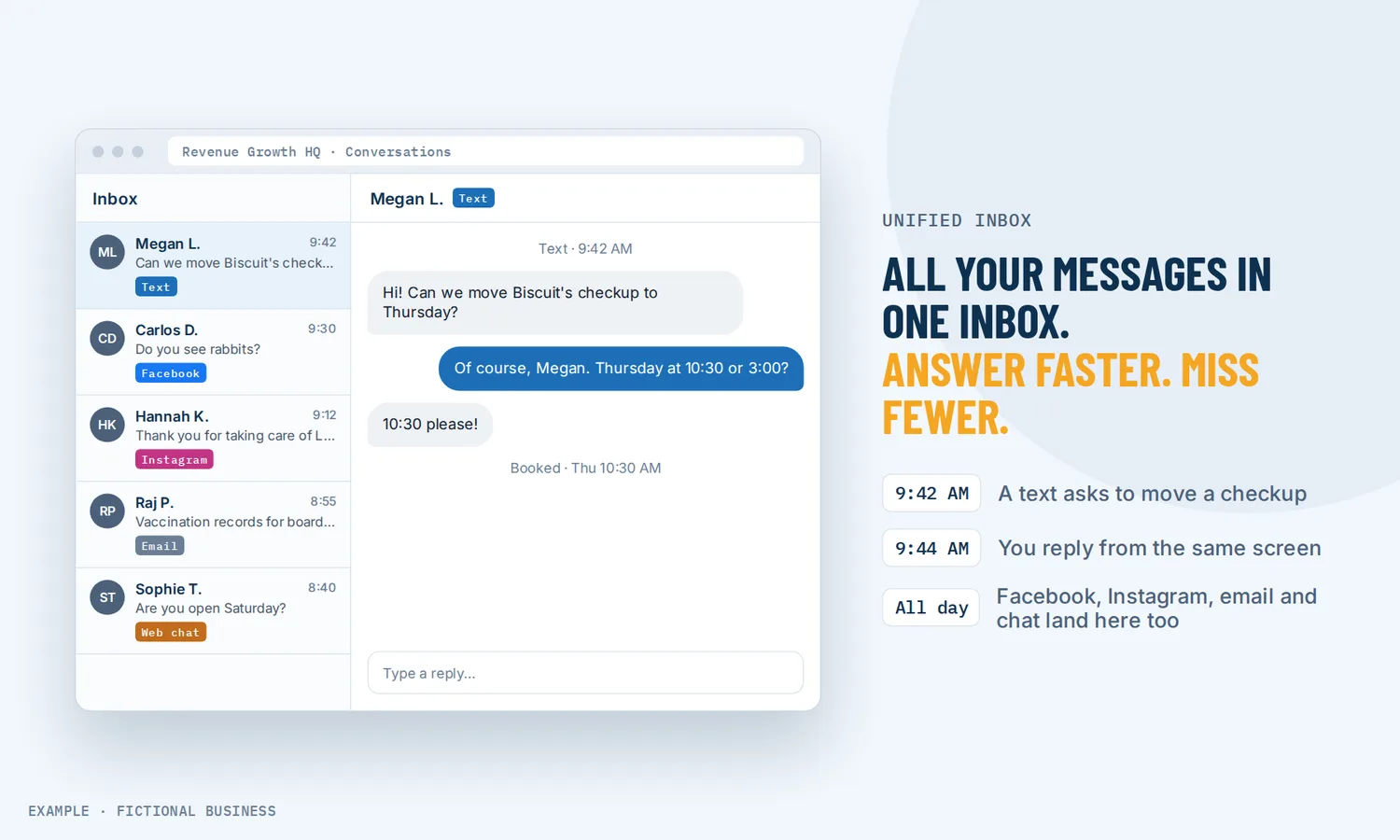
Unified inbox for small business: all your customer messages in one place, one app to check.
A unified inbox for small business collects your texts, emails, Facebook and Instagram messages, WhatsApp chats and website chats into one screen, with one conversation per customer. Instead of checking five apps to find out who is waiting on you, you check one, and you reply from the same place.
Choose 3 setups for us to build
What a unified inbox is and how it works
A unified inbox is one view of the messages that would otherwise land in separate apps. What makes it useful is that it groups them by customer: when someone texts on Monday, emails a photo on Tuesday and sends an Instagram message on Wednesday, all three sit in one thread under their name.
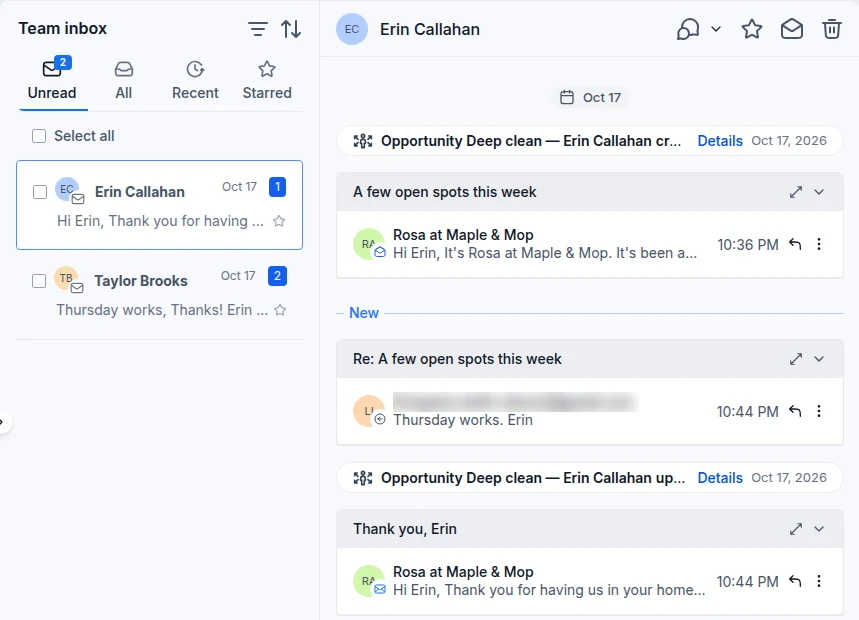
Here is how it works on the Revenue Growth HQ platform:
- You connect your channels. Your business text number, your email, your Facebook Page and the Instagram account linked to it, WhatsApp if you use it, and the chat box on your website.
- Messages arrive in one list. New messages from any connected channel show up in the inbox with an unread count, and the list can be filtered by channel, tag, owner or date.
- Each customer gets one timeline. Texts, emails, social messages, recorded calls and your team's private notes appear in order in the same conversation. A first-time Facebook or Instagram sender becomes a contact automatically.
- You reply on the channel you pick. A channel selector in the reply box decides whether your answer goes out as a text, an email, a WhatsApp message or a Facebook or Instagram reply.
- The customer's details sit beside the thread. Contact details, tags, appointments, invoices and payments are in a side panel, so you are not switching screens to answer "when is my appointment?"
What a unified inbox changes for a small business
One place to check instead of several
Few small business owners chose to have five inboxes. A text number came with the phone, the Facebook Page came with the first ad, Instagram came later, and email was there from the start. Each one is a place a customer can be waiting. A unified inbox turns that into one list with one unread count, so the question "did anyone message us?" has one answer.
Fewer messages that slip through
When messages are scattered, the ones that get missed are usually on the channel you check least, often a social account. With every connected channel in the same list, a Facebook message gets the same attention as an email. The unread count shows what nobody has read yet, and an archived conversation comes back to the unread list when the customer writes again.
The whole story before you answer
A reply goes better when you know what was said before. In a unified inbox you scroll up and see that this customer asked for a quote by email last month, called last week and is now asking on Instagram whether the quote still stands. You do not have to ask them to repeat themselves, and two people on your team are less likely to give them two different answers.
A team can share the work without sharing passwords
Once more than one person answers messages, a shared phone or a shared login stops working well. A team inbox lets each person sign in as themselves. Conversations have an owner, "My Inbox" shows what is assigned to you, and the full team inbox shows everything. Teammates can leave internal comments on a conversation and @mention each other. Those comments stay internal; the customer is not shown them or notified.
How a unified inbox plays out
A home service business. Let's suppose you run a landscaping business with a small office team. A homeowner sends a Facebook message asking for a quote, then texts photos of the yard the next day. Both land in one conversation under their name. Your office manager sees it, adds an internal comment asking the crew lead to check the photos, and the crew lead replies by text from the free mobile app while on another job. When the homeowner emails a question a week later, whoever opens it sees the photos, the comment and the original quote request in the same thread.
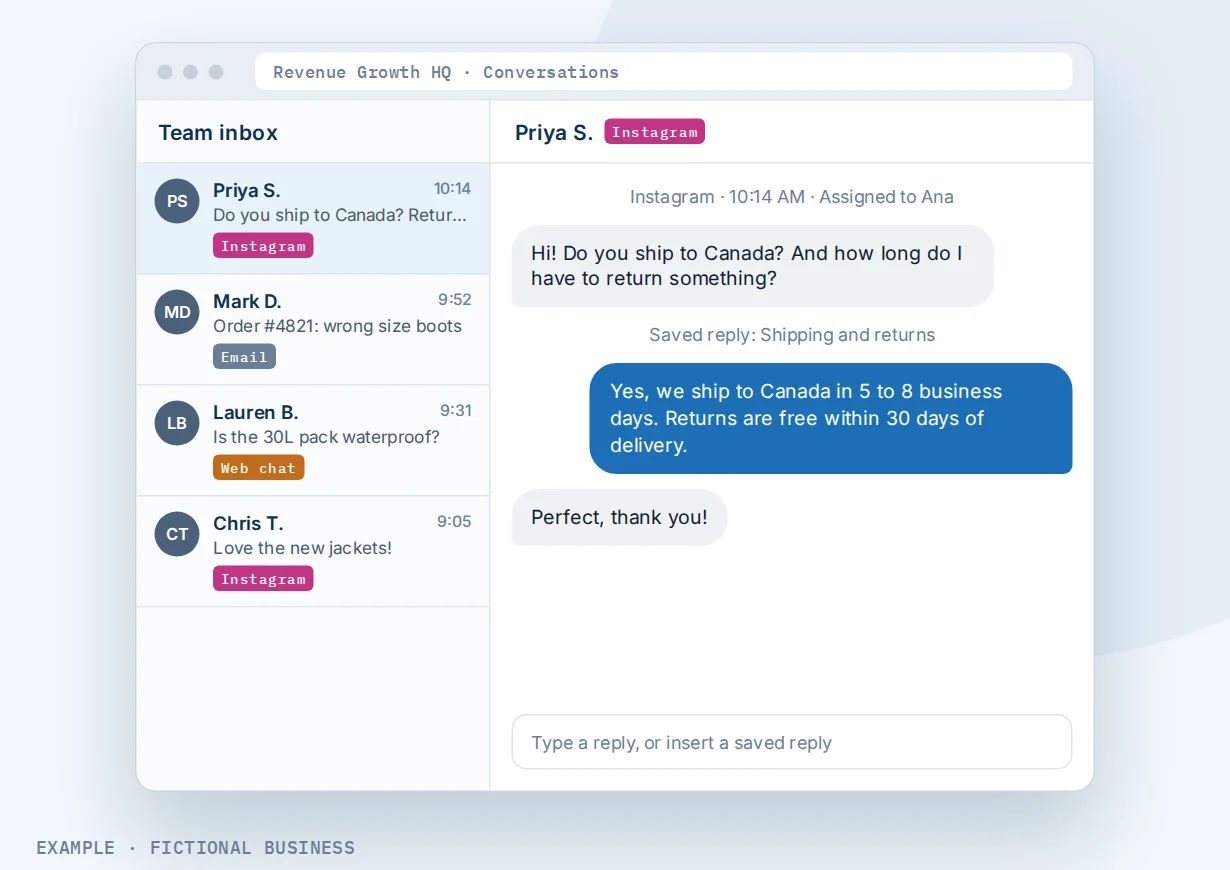
A retail shop or e-commerce brand. Let's suppose you sell online and most questions come through Instagram and email, with some through the chat box on your site. Before, one person watched Instagram on their phone while another worked through the shared email account. With one inbox, a workflow assigns each new customer to the two of them in turn, saved replies cover the common questions about shipping and returns, and the unread list shows which messages nobody has opened yet.
A consultant or professional practice. Let's suppose you work with clients one-on-one and some of them prefer WhatsApp, some email and some text. You reply from one screen on the channel each client chose, and the side panel shows their appointments and invoices before you answer. If you use an AI assistant, it can suggest a draft reply that you edit and send, or answer routine questions on its own while you are with a client.
What to look for in a unified inbox for small business
Questions to ask before you choose a tool:
- Which channels does it actually connect? Text, email, Facebook, Instagram, WhatsApp and your website chat are the common ones. Check each one you use today, and how replies work on it.
- Is it one thread per customer, or one thread per channel? Seeing a customer's text and email together is the main reason to switch.
- Can a team share it properly? Look for separate logins, conversation owners, a "mine" view, internal notes and a way to assign new messages automatically.
- Does it show who the customer is? Contact details, tags, appointments and payments beside the conversation save a trip to another app.
- Can you save replies you send often, with the customer's name filled in?
- Does it work on your phone? Owners answer a lot of messages away from a desk.
- Can a new message start something? A workflow that tags, assigns or follows up when a customer replies is how the inbox starts saving time instead of only collecting messages.
- What does each channel cost? The inbox may be included while texting, calls, WhatsApp and AI replies are billed separately.
A free email app that merges several email accounts covers one person with several addresses. Once social messages, texts and a team are involved, you need a business inbox built for customers rather than for your own mail.
A unified inbox works better with chat, WhatsApp, texting and AI
The inbox collects conversations. These features decide how many conversations start, and how fast they get answered.
Inbox plus an AI chat assistant. An AI assistant that answers and books works inside the inbox on channels including WhatsApp, Facebook and Instagram. On autopilot it replies after a delay you set, collects details and can help book an appointment. In suggestion mode it drafts a reply that you edit and send yourself. You can pause it in any single conversation and take over. AI replies are billed by use.
Inbox plus a website chat box. A chat box for your website lets a visitor ask a question without leaving the page. The message arrives in the same inbox in real time, marked as a chat, and a workflow can route chats from one chat box to one team member.
Inbox plus business texting. With two-way texts from your business number, texts and picture messages sit in the same thread as the customer's email and social messages, and you can start a group text with up to nine people. Texts are billed by use and need carrier registration first.
Inbox plus WhatsApp. For customers who live on WhatsApp, WhatsApp messages in your inbox are answered from the same screen as everything else. WhatsApp is an extra cost add-on, and WhatsApp's own rules limit free-form replies to 24 hours after the customer's last message.
The inbox also leans on two features that are included: the contact record that holds each customer's details, which fills the side panel, and the phone app for replying away from your desk.
Your options: from free to done-for-you
The right choice depends on how many channels you use, how many people answer messages, and whether you want the inbox connected to booking, payments and follow-up.
Keep using each app on its own. Free, and fine when nearly all your messages come through one channel. The cost is the checking: several apps, several notification settings and no shared history.
A free or built-in merge tool. Some email apps merge several email accounts, and some social networks offer a business inbox for their own messages. These help with part of the problem, but they rarely put a text, an email and an Instagram message from the same customer in one thread.
A dedicated shared inbox or help desk. Built for teams that answer a lot of messages, with assignment, statuses and reporting. Strong for support-heavy businesses. The catch is that it is one more app, often priced per seat, and your booking, payments and marketing live somewhere else.
An all-in-one platform. Here the inbox sits in the same system as your contacts, calendar, payments, reviews and automation. A message can start a follow-up, and the customer's appointments and invoices are beside the thread. The tradeoff is more to set up, and more features than a business with one channel may want.
Hiring someone. A virtual assistant or answering service can watch your channels for you. That buys back time, but it costs wages or fees, coverage ends with their shift, and they still need one place to work from.
Here's our solution
Revenue Growth HQ is an all-in-one platform with the unified inbox built in, alongside your contacts, calendar, payments, reviews, automation and AI assistants. The plan is $97 a month (or $970 a year), the inbox comes with it, and it includes $30 of usage credit each month for your phone number, calls, texts, email and most AI features. Use beyond $30 in a month is billed by use, at the same rates as buying the software directly. WhatsApp is an extra cost add-on. You see the rates before setup.
Setup is a one-time $197. You choose 3 setups from our list for us to build in your account, such as website chat, missed-call text back or new-lead follow-up, and the messages they bring in land in this inbox. When a choice calls or texts, we also set up your business phone number and its texting registration, and with any choice we build your knowledge base from your website. See the setups and choose your 3.
Limits to know
- Each channel has to be connected first. Facebook and Instagram need the right Facebook Page linked to the Instagram account and messaging access switched on. Texting needs carrier registration before it can send.
- WhatsApp has its own rules and costs. Free-form replies only within 24 hours of the customer's last message; after that, only pre-approved templates. Marketing templates to US numbers are paused by Meta.
- No snooze. You can archive a conversation, and it comes back when the customer writes again, but you cannot set it to reappear on a date.
- Not every channel is covered. Google ended Business Profile chat in 2024, so there are no Google messages to bring in, though new Google reviews do arrive in the inbox for replies.
Unified inbox features included
- Texts, email, Facebook, Instagram, WhatsApp and website chat in one inbox
- One conversation per customer across channels
- Reply on the channel you pick from one reply box
- New Google reviews in the inbox, with replies
- Recorded calls in the conversation, with optional transcripts (billed by use)
- Internal comments and @mentions that customers do not see
- My Inbox, Team Inbox and internal team chat
- Conversation owners and automatic assignment by workflow
- Filters by channel, tag, owner and date, with saved views
- Unread count, bulk mark read or unread, star and archive
- Saved replies with the customer's details filled in
- Contact details, appointments, invoices and payments beside the thread
- Group texts of up to nine people
- Replies from the mobile app
Frequently asked questions
What is a unified inbox?
A unified inbox is one screen that collects messages from several channels, such as text, email, Facebook, Instagram, WhatsApp and website chat, so you read and answer them in one place. A business version groups them by customer, so a person's text and email sit in one conversation, and adds team features like owners and internal notes.
What is the difference between a shared inbox and a unified inbox?
A shared inbox usually means several people working from one email address, such as info@, each with their own login. A unified inbox means several channels in one view. For a small business with a team, you want both: all your channels in one place, and each person signed in as themselves with conversations assigned to them.
Can I see Facebook and Instagram messages in one inbox?
Yes. Connect your Facebook Page and the Instagram account linked to it, and Messenger and Instagram messages arrive in the same inbox as your texts and email, so it doubles as your social media inbox. You reply from there. A first-time sender becomes a contact, and depending on your duplicate-contact setting, a later email or phone match merges them with the existing record.
Can my team use the same inbox?
Yes. Each person signs in with their own login. Conversations can have an owner, "My Inbox" shows each person what is theirs, and a workflow can assign new customers across the team in turn. Internal comments and @mentions let you discuss a customer inside the thread without the customer seeing it.
Can I answer messages from my phone?
Yes. The free mobile app includes the inbox and notifications, so you can read and reply to conversations away from your desk, from the job site or between appointments.
Does a unified inbox cost extra?
On Revenue Growth HQ the inbox is included in the $97-a-month plan. What you send through it can carry costs: the plan includes $30 of usage credit each month, and text messages, calls, call recording, email sending and AI replies beyond that are billed by use. WhatsApp is an extra cost add-on. You see the rates before setup. Setup is a one-time $197 for 3 setups of your choice.
Can AI answer messages in the inbox?
Yes, if you turn it on. The AI assistant can reply on its own after a short delay, or only suggest drafts for you to edit and send. You can pause it in any single conversation and reply yourself. AI use is billed by use.
Put your inbox to work.
The unified inbox comes with the plan. For a one-time $197 setup, we build the 3 jobs you want it fed by, chosen from the list below, such as website chat, missed-call text back or new-lead follow-up. We set up your business phone number and its texting registration when a choice needs them, and build your knowledge base from your website. The plan is then $97 a month.