
A business app for small business owners: answer, book and get paid from your phone.
The mobile app that comes with your Revenue Growth HQ account is a business app for small business owners that puts your customer messages, calendar, contacts and payments on your phone. It is the same system you use on a computer, so a reply sent from a job site or a booking made between appointments is there for the rest of your team.
Choose 3 setups for us to build
What the mobile app is and how it works
Many small business owners do not spend the day at a desk. The app gives you the parts of the business you need away from one, without a second system to keep in sync.
Here is how it works:
- Once your account is set up, you install the free LeadConnector app. It runs on iPhone and Android, and you sign in with the same email and password you use on the computer.
- You invite your team. Each person gets their own login and sees the parts of the account their user role allows.
- You turn on notifications. Each person chooses which alerts reach their phone: new messages, bookings, tasks and more.
- You work from the phone. Reply to customers, check and book appointments, look up a customer's history, call, send an invoice or take a card payment.
- Everything stays in one place. What you do on the phone shows on the computer, on the customer's record, and for anyone else on the team.
The setup work, such as building calendars, writing message templates and connecting a payment processor, happens on a computer. The app is where you use it day to day.
What the mobile app changes for a small business
Answers while the customer is still deciding
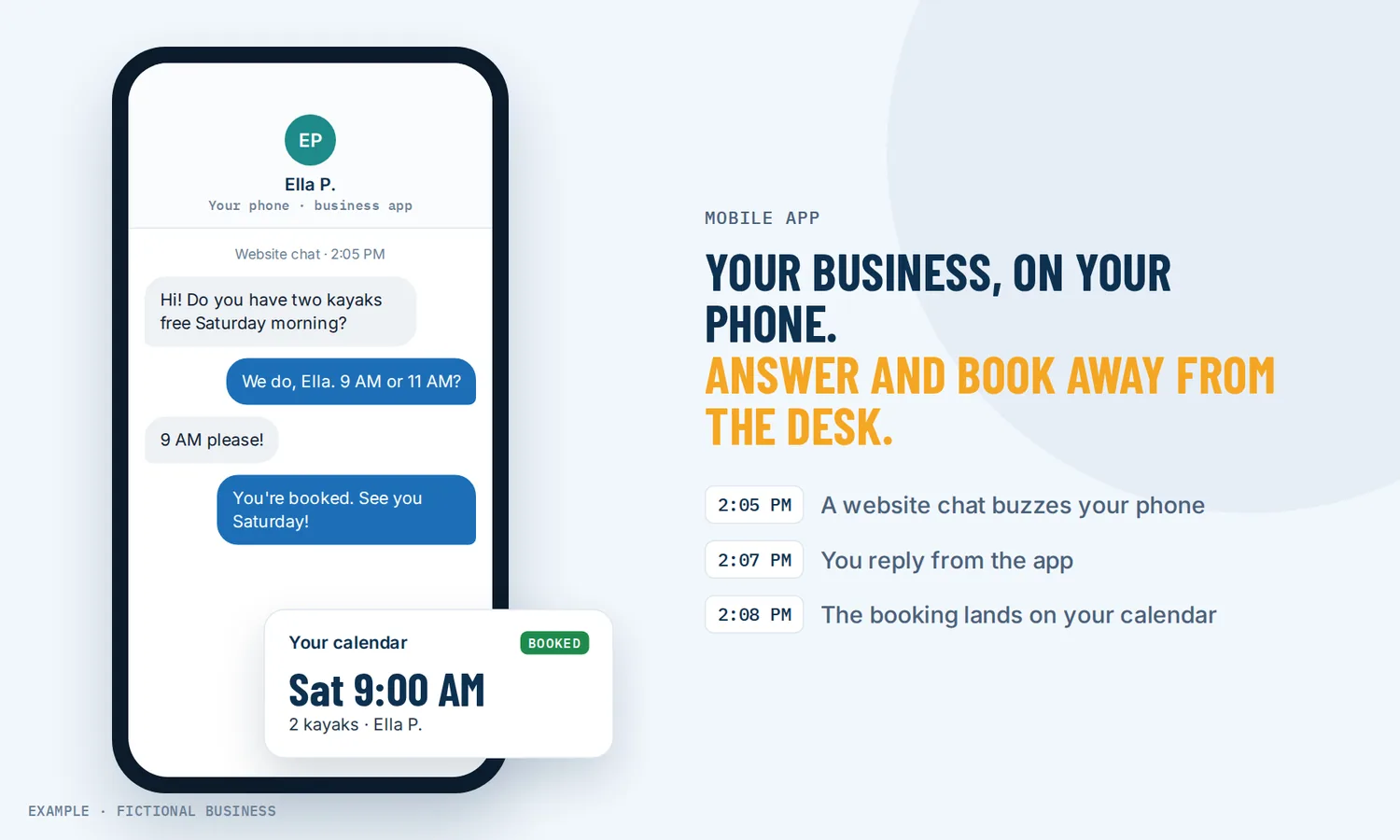
A customer who texts, emails or messages you is often asking more than one business at once. When the message arrives as a notification on your phone, you can reply between jobs instead of at the end of the day. The reply goes out from your business number or email, not your personal phone, and it lands in the same conversation your office sees.
Your schedule in your pocket
The calendar on the phone shows the day's appointments and your open times. You can book a customer on the spot, move an appointment, or block off an afternoon. If you work across time zones, you can view appointments in your own time zone, the business time zone or another one, without changing what customers see when they book.
The customer's history before you knock or call
Before you walk up to a customer's door or return a call, you can open their record: contact details, notes, tasks, past appointments, payments and recent messages. You arrive knowing what was promised and what they asked about last time, even if someone else took the first call.
Get paid before you leave
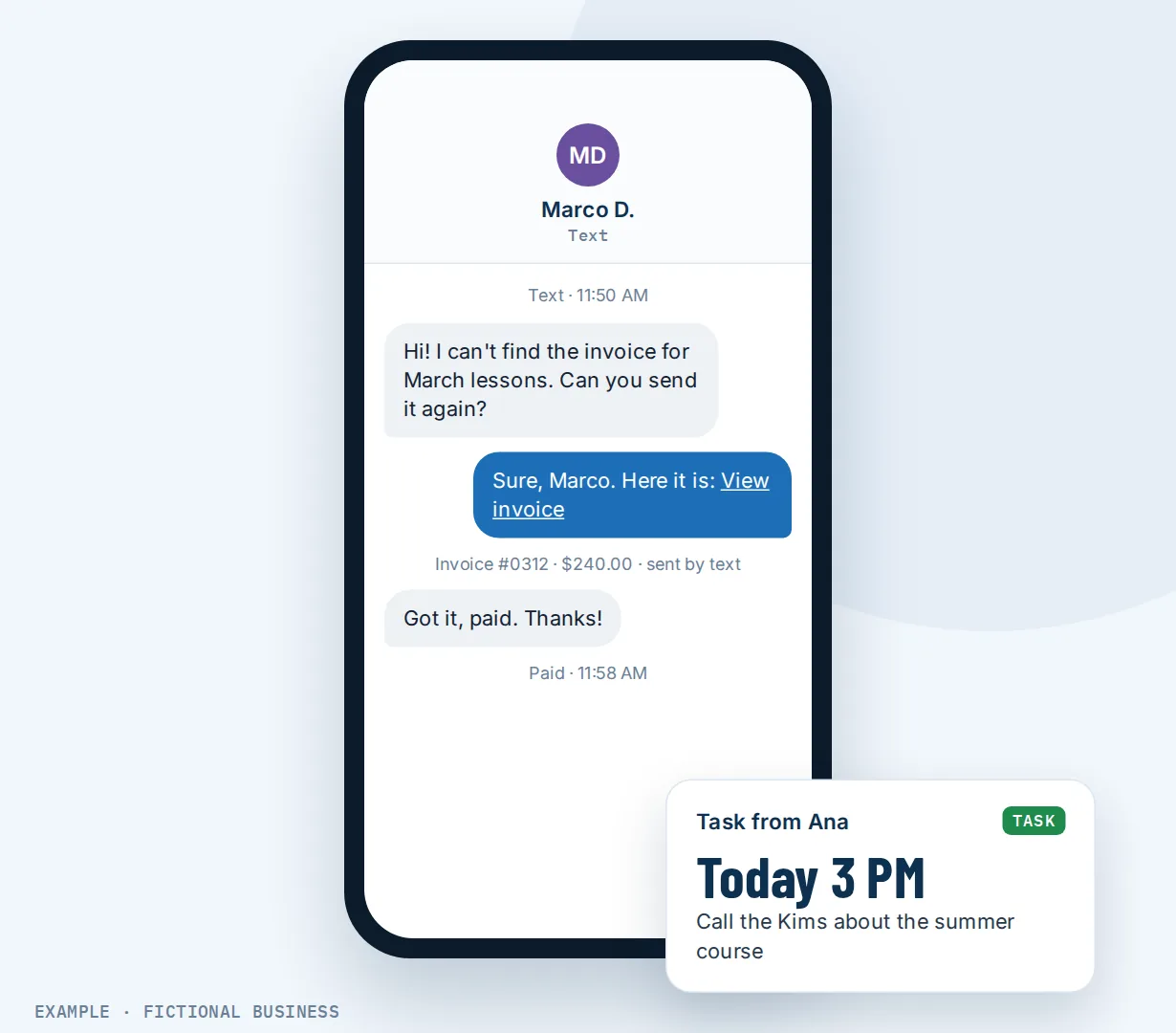
The app's point of sale takes contactless cards and phone wallets on the phone itself (US only), records cash, and turns a sale into an invoice or an estimate when the customer is not paying on the spot. You can also create and send an invoice by email or text from the job site, so billing does not wait for a desk.
Nearly everyone already carries the device: in a 2025 Pew Research Center survey of U.S. adults, 98% owned a cellphone and 91% owned a smartphone. For most small business owners and their staff, the app adds tools to a phone they already have instead of new hardware.
How it plays out
A home service business. Let's suppose you run a plumbing business with two crews. A homeowner sends a message through the chat on your website asking about a leaking water heater while you are finishing another job. Your phone buzzes, you read the message, and you reply with two open times from your calendar. They pick one, and you book it from the app. When the job is done, the customer pays by tapping their card on your phone, with a tip screen first, and the payment shows on their record back at the office.
A consultant or coach. Let's suppose you sell coaching packages and spend the day in sessions. Between calls, you check the app: a prospect booked a discovery call overnight, and a client asked a question about their invoice. You open the client's record, see the invoice and its status, answer in the same conversation, and resend the invoice by text. A team member assigned a follow-up task to you, and it is waiting on your task list before your next session.
A mobile beauty or wellness business. Let's suppose you travel to clients' homes. Your business number rings on the app, so you can take a booking call between appointments, and the customer's texts stay in the business inbox, not your personal phone. After a visit, you send a review request to the client from the app using the review message you already set up.
What to look for in a business app for small business owners
Questions to ask before you choose:
- Is it the same system as the computer, or a separate app with its own data? A reply sent from the phone should be visible to the office.
- Can you answer texts, email and social messages from it? All in one place, not one app per channel.
- Does it have your calendar, with booking, rescheduling and blocked time?
- Can you see a customer's full history, including notes, tasks and payments, before you call?
- Can business calls ring the phone, so you can take them away from the desk without forwarding everything to your cell?
- Can you take payment in person and send an invoice or estimate from the phone?
- Does each team member get their own login and notification settings, so alerts go to the right person?
- Does it run on both iPhone and Android, so the whole team can use it?
- What costs extra? Check what is included and what is billed by use, such as texts and calls.
A single-purpose app can be enough if you only need one of these. The more of the list you need, the more it pays to have them in one system on one phone.
The mobile app works better with your inbox, booking, payments and phone line
Each feature below is something you set up once on the computer and then use from the phone.
All your customer messages in one inbox. Texts, email, Facebook and Instagram messages, WhatsApp (an add-on at extra cost) and team notes arrive in one conversation per customer. On the phone, you can filter conversations, reply with saved templates, attach photos and files, and mark a message unread to come back to it. If you use AI replies in the inbox, you can pause the AI in one conversation from the phone and choose when it starts again.
Booking calendars customers book themselves. Customers book from your website or a link, and the booking arrives on your phone. From the app you can see appointments, book a customer you are talking to, and reschedule or edit appointments. Calendar sync with Google Calendar or Outlook keeps your personal commitments from being double-booked.
Card and phone payments in person. The point of sale on the phone takes contactless cards, Apple Pay and Google Pay, with an optional tip screen, after your Stripe account is connected on the computer. It works in the US on recent iPhones and Android phones with NFC. The card processor charges its own fees.
A business number that rings on your phone. Set your business number to ring the mobile app, and start calls to customers from the app. Calls are billed by use.
Automation reaches the phone too. A workflow can send a push alert to the app when something needs a person, such as a hot lead or a new form, so the right team member hears about it right away. See automating your follow-up.
Your options: from free to done-for-you
How you set this up depends on how much of the business you run from your phone and how many people need it.
Your phone's built-in apps. Your own texts, email, calendar and contacts cost nothing extra. The tradeoff is that customer conversations sit on your personal number and inbox, nobody else on the team can see them, and nothing connects to your customer records or payments.
A collection of single-purpose apps. A payments app, a scheduling app, an email app and a notes app can each do their job well. The catch is switching between them, paying for several, and copying details from one to another. Your customer's history ends up split across apps.
An all-in-one platform with its own app. Messages, calendar, contacts, payments and calls in one app, backed by the same system your office uses. The tradeoffs: more setup up front, and more features than a business with one simple need may want.
Hiring someone. An office assistant or answering service can take messages and book appointments while you work. That has real value, but it costs wages or fees, and you still need a way to see what they did when you are away from the office.
Here's our solution
Revenue Growth HQ is an all-in-one platform, and the free mobile app comes with it. It carries your customer record for each contact, your inbox, calendars, payments and calls, on iPhone and Android, for you and your team. The plan is $97 a month (or $970 a year) and includes $30 of usage credit each month for your phone number, calls, texts, email and most AI features. Use beyond $30 in a month is billed by use, at the same rates as buying the software directly, and you see the rates before setup.
Setup is a one-time $197. The app comes with the plan, and you choose 3 jobs from our list for us to build, which you can then follow from your phone, such as missed-call text back, website chat, or appointment reminders and online booking. With any choice we build your knowledge base from your website, and when a choice calls or texts, we set up your business phone number and its texting registration. See the setups and choose your 3.
Limits to know
- Setup is done on a computer. Calendars, workflows, estimate templates, AI assistant settings and payment connections are built on the web. The app uses them.
- It needs an internet connection. The app works over cell data or Wi-Fi.
- Calls ring the app only when you set it. Your number must be set to ring the mobile app, with a ring time short enough that your cell carrier's voicemail does not answer first.
- Phone settings can block alerts. Notifications must be allowed on the phone, and on Android the app's battery setting should be unrestricted, or alerts can arrive late. The app has a built-in check for this.
- Tap to pay is US only and needs a recent phone and a connected Stripe account.
Mobile app features included
- Free app for iPhone and Android, same login as the computer
- Team member invites, each with their own login and notification choices
- Customer conversations: texts, email and social messages, with templates and attachments
- Push notifications, plus a built-in notification check
- Calendar: view, book, reschedule, edit and block time
- Appointments in your own, the business or a custom time zone
- Contact records with notes, tasks, activity and payments
- Business calls on the phone: ring the app and call customers
- Sales pipeline: view deals and move them between stages
- Tasks assigned to you
- Business summary: pipeline value, contacts and team activity for a date range
- Review requests by text
- Invoices and estimates, created and sent from the phone
- Point of sale: tap to pay, cash, card and manual entry (tap to pay US only)
- Pause AI replies in a single conversation
- Light and dark mode, and app language
Frequently asked questions
Can you run a small business from your phone?
Much of the day-to-day work, yes: answering customers, checking and booking appointments, calling, sending invoices and taking payment. Setup work, such as building calendars, writing message templates and planning automation, is easier on a computer. A practical split: set things up at a desk once, then run the day from the phone.
Is the mobile app free?
The app, LeadConnector, is free to download and comes with the $97-a-month platform. What you do in it is billed the same way as on the computer: the plan includes $30 of usage credit each month, texts, calls, email sending and AI beyond that are billed by use, and card payments carry the processor's fee.
Does it work on iPhone and Android?
Yes. The app is on the App Store and Google Play. Tap to pay has its own phone requirements: an iPhone XS or newer, or an Android phone with NFC, on a recent version of the operating system.
Can my team use the app too?
Yes. You invite team members from the account, and each signs in with their own login. Each person sees the parts of the account their role allows and chooses which notifications reach their phone, so alerts go to the person who needs them.
Can I keep business texts off my personal number?
Yes. Texts you send from the app go out from your business number, and the customer's replies come back to the same conversation, where your team can see them. You can also set your business number to ring the mobile app, so incoming business calls reach you there.
Can I take card payments with the app?
Yes, in the US. The app's point of sale lets a customer tap a contactless card or a phone wallet such as Apple Pay or Google Pay on your phone, with an optional tip. It needs a connected Stripe account. You can also record cash, or turn the sale into an invoice the customer pays later.
Why am I not getting notifications on my phone?
Usually it is a phone setting. Check that notifications are allowed for the app, and on Android set the app's battery use to unrestricted. In the account, make sure the alert is set to reach the app and not only email. The app's settings include a notification check that tests delivery to your phone.
Give the app something to do while you work.
The app comes with your Revenue Growth HQ plan. For a one-time $197 setup, we build 3 jobs of your choice that reach your phone, such as texting back missed calls, answering website chat, or booking with reminders. Pick them below. We set up your business number and its texting registration when a choice needs them. The plan is then $97 a month.
Sources
- Pew Research Center. "Mobile Fact Sheet." Survey of U.S. adults conducted Feb. 5 to June 18, 2025. https://www.pewresearch.org/internet/fact-sheet/mobile/ (checked 2026-10-18)