
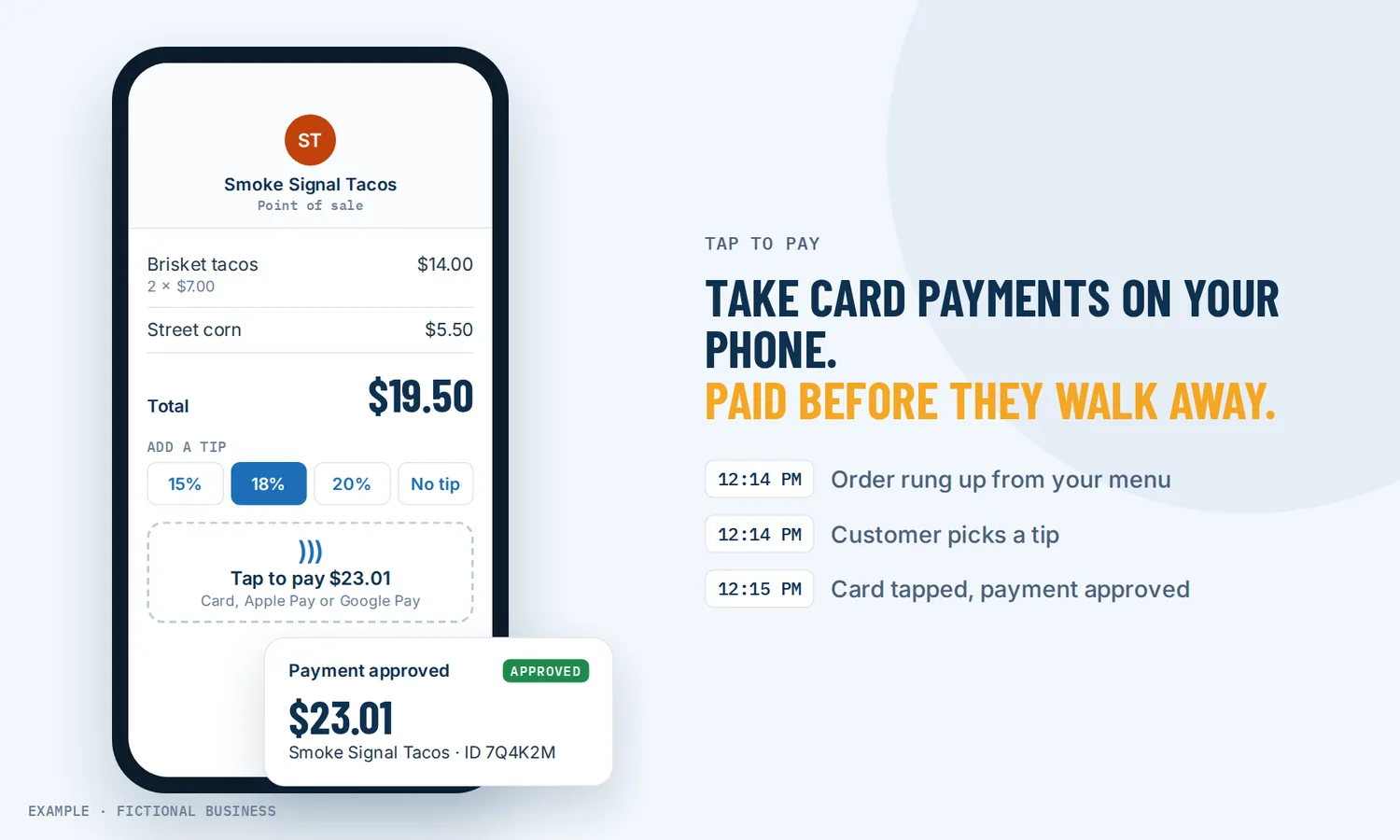
Tap to pay on phone: get paid on the spot, with no card reader to carry.
Tap to pay on phone turns the phone in your pocket into a card terminal: your customer taps a contactless card, or their own phone, against yours, and the payment goes through. For small business owners who sell on site, at a counter or at an event, that means getting paid before the customer walks away, without buying or charging a separate reader.
Get online payments set up for you
What tap to pay is and how it works
Tap to pay uses the short-range wireless chip that most recent phones already have, the same one that lets you pay with your own phone at a store. Here it works the other way around: your phone receives the payment. Customers can tap a contactless credit or debit card, or pay with Apple Pay, Google Pay or another phone wallet.
Here is how it works on the Revenue Growth HQ platform:
- You set up once. Connect a Stripe account to the platform from your computer, and sign in to the mobile app on a supported phone.
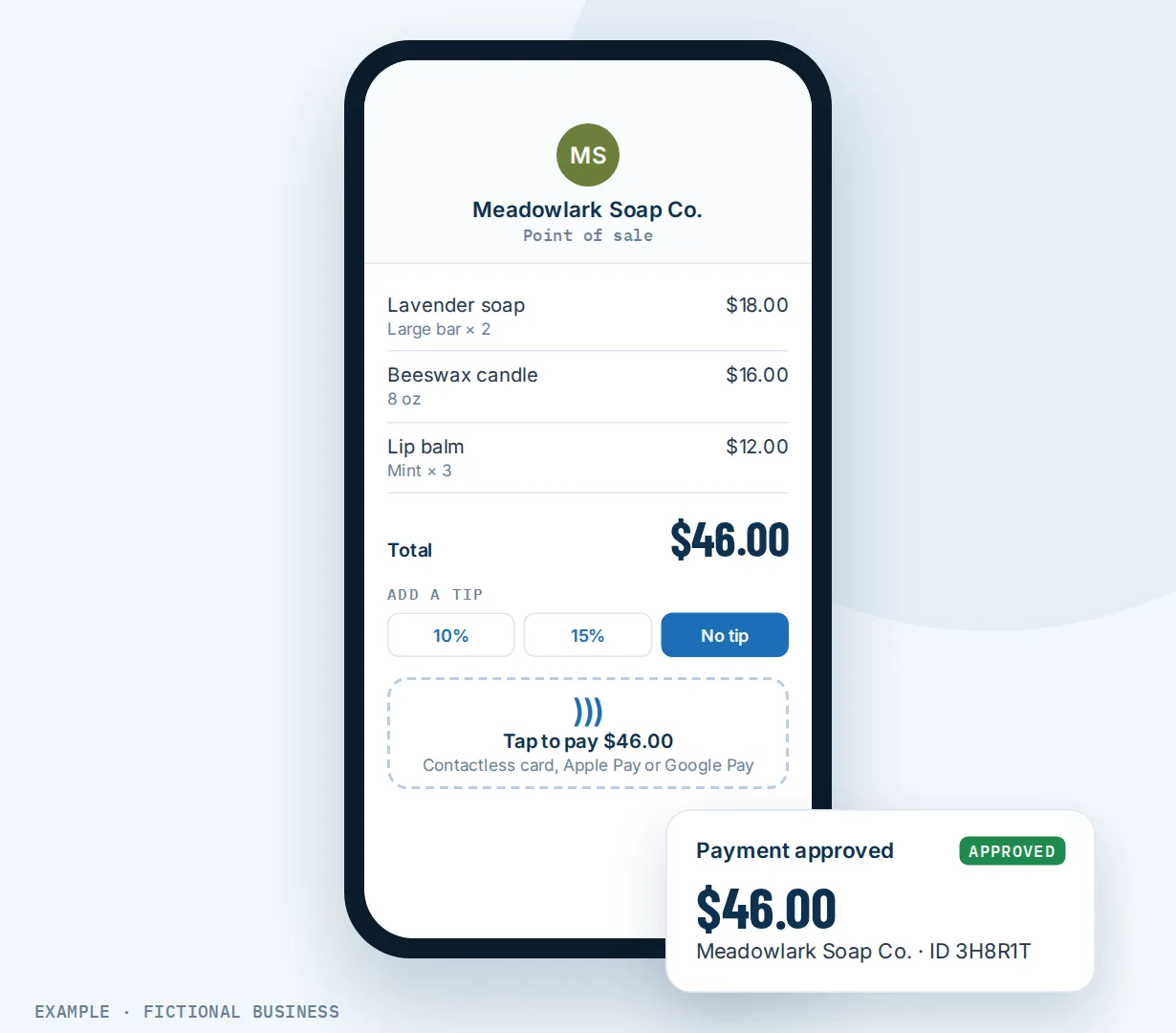
- You open the point of sale. In the app, type an amount on the keypad, or pick products from your product list with the size, option and quantity the customer wants. You can mix both in one sale.
- You review the sale. Link the customer's contact so the payment lands on their record, add a discount if you are giving one, and check the total.
- You charge. Tap Charge. The screen offers the customer a tip: a preset amount, a custom amount, or no tip.
- The customer taps. They hold their card or phone near yours. An approval screen shows your business name and a transaction ID, and the money goes to your connected Stripe account.
Tap to pay is live for US businesses. It needs an Android phone with the payment chip (NFC) running Android 8 or later, or an iPhone XS or later running iOS 16 or later.
What tap to pay changes for a small business
Paid before the customer leaves
A lot of in-person work ends with "I'll send you a bill." Then someone has to follow up. When you can take the card while the customer is still in front of you, the job and the payment finish together.
No extra hardware to buy or forget
A card reader is one more device to buy, charge, pair and keep track of. Tap to pay uses the phone you already carry, so a technician, a stylist working on site or a vendor at a weekend market can take a card with nothing else in hand.
Customers still pay in person, mostly by card
Most everyday purchases still happen in person. The Federal Reserve's 2025 Diary of Consumer Payment Choice, based on 2024 data, found that 77% of non-bill payments happened at the point of sale. And at that point of sale, cards lead: 95% of people surveyed favored a debit card, credit card or cash for in-person payments, and more than three-quarters preferred a card. Phones are part of the picture too. Mobile phones were used for 11% of in-person non-bill payments and 23% of all payments. A phone that accepts both a card tap and a phone-wallet tap covers most of the ways people want to pay you face to face.
The payment lands on the customer's record
A standalone card app records a sale and a card number. When you link the contact at the point of sale, the payment sits on that customer's record next to their bookings, invoices and messages. A new card used for a linked customer is saved as a card on file, so next time you can charge it without them reaching for their wallet.
How tap to pay plays out
A mobile service business. Let's suppose you run a mobile detailing or pet grooming business. You finish in a customer's driveway, open the point of sale, pick the package from your product list and add the extra you did on the spot. The screen offers a tip, the customer taps their phone against yours, and you are on your way to the next job. The payment shows on their record, and their card is saved for the next visit.
An appointment business collecting the balance. Let's suppose you run a salon or a massage practice that takes a deposit when clients book online. When the appointment ends, you tap the booking in the app's calendar and see what is still owed. You open the invoice, add the product the client bought at the chair, and record the payment by tap. The balance is paid against that appointment's invoice.
A maker at a market. Let's suppose you sell handmade goods at weekend markets and pop-ups. You keep your products in your product list, so a sale is a few taps: pick the items, pick the variant, charge. A customer who wants to pay cash can; the point of sale shows the exact change to give back. A customer who asks for a custom order you will finish later gets an estimate made from the same screen instead.
What to look for in tap to pay on phone
Questions to ask before you choose a tool:
- Does it work on the phone you have? Check the model and the operating system version. Some apps support only iPhone or only Android.
- Does it accept phone wallets, such as Apple Pay and Google Pay, as well as contactless cards?
- Can customers add a tip on the screen before they tap?
- Can you charge from a product list, with options and quantities, instead of adding up totals in your head?
- What happens when a customer has no contactless card? Look for cash, a saved card, or another way to pay on the same screen.
- Does the payment link to the customer, or does it sit in a separate app with no name attached?
- Can a sale become an invoice or an estimate when the customer is not paying today?
- How is it billed? Look at the plan fee and the card processor's per-payment fee separately, and ask whether the tool adds its own fee on top.
- Which country is it live in? Tap-to-pay support varies by country and by card processor.
The more your in-person sales connect to bookings, invoices and repeat customers, the more it helps to have them in one system.
Tap to pay works better with invoices, payment links and the mobile app
Taking a tap covers the customer standing in front of you. The rest of the platform covers the moments around it.
Tap to pay plus invoices. Not every sale is paid on the spot. From the point of sale, you can turn the sale into an invoice instead of charging it, and the invoice opens with most details already filled in. Sending invoices on the platform goes out by email or text, shows whether it was viewed or paid, and a paid invoice can start your next step, such as a thank-you or a review request. A tap at the point of sale is not listed as a workflow trigger, though, so if you want automatic follow-up after in-person sales, plan it around the invoice or the appointment.
Tap to pay plus payment links by text. When the customer has already left, or is paying for something you have not handed over yet, sending a payment link in a text does the job a tap cannot. The two cover each other: tap when they are in front of you, a link in the conversation when they are not.
Tap to pay plus the mobile app. Tap to pay lives inside the platform's mobile app, the same app that holds your conversations, calendar, contacts and notifications. That is what lets you open today's booking, see the balance, and take the payment from one screen. The point of sale also runs on a tablet; only the tap itself needs a supported phone.
Tap to pay options: from free to done-for-you
The right choice depends on how much you sell in person, which phone you carry, and whether those sales need to connect to anything else.
Your card processor's own tap-to-pay app. Several card processors offer a free app that takes a tap on a phone. You pay their processing fee and nothing else. The tradeoff: the sale lives in that processor's app, apart from your bookings, invoices and messages, and your customer list builds up in a different place from the rest of your business.
A point-of-sale system with hardware. A counter-based system adds a stand, a reader, a receipt printer and inventory tools for a monthly fee or an up-front cost. It suits a shop with a fixed counter, but it is more than a mobile business needs.
All-in-one platforms. Here, tap to pay sits in the same system as your contacts, calendar, invoices, products and messages. A tap lands on the customer's record, and a booked appointment's balance is collected from the booking itself. The tradeoffs: more to set up, and more features than a business that only needs to take a card may want.
Hiring someone. A front-desk person or a bookkeeper can take payments, chase what is owed and reconcile the day's sales. That has real value, but it costs wages or fees, and they still need a way for the customer to pay. You can also hire someone to set up any of the options above for you, which saves your time but leaves you dependent on them for changes.
Here's our solution
Revenue Growth HQ is an all-in-one platform with tap to pay built into the mobile app, alongside your contacts, calendar, invoices, products, messages and automation. Tap to pay is included in the plan, which is $97 a month (or $970 a year) and includes $30 of usage credit each month for your phone number, calls, texts, email and most AI features. Use beyond $30 in a month is billed by use, at the same rates as buying the software directly, and you see the rates before setup.
Setup is a one-time $197. You choose 3 setups from our list for us to build in your account, and online payments can be one of them. For that one, we connect your own Stripe account, add your services and prices, and set up invoice and quote templates, pay-by-text links, and deposits if you have a booking calendar. Tap to pay is not part of that setup, but it works once Stripe is connected and the mobile app is on a supported phone. You'll need your own Stripe account: we connect it, and you own it. Stripe charges its own processing fees. Square also offers a tap to pay route, on iPhone only, with Square's own fees. See the setups and choose your 3.
Limits to know
- US only for now. Tap to pay is live for US businesses. Elsewhere it is available only through a beta program.
- It needs a recent phone. Android 8 or later with the payment chip, or an iPhone XS or later on iOS 16 or later. Older phones cannot take a tap.
- A payment account comes first. Stripe must be connected before the app can take a tap, and the processor charges its own fee on each payment.
- Not every customer has a contactless card. Cash still made up 14% of all payments in 2024, most often for small purchases. Keep cash, a saved card or an invoice as your backup; all of them are on the same screen.
Tap to pay features included
- Contactless card payments on your phone, no card reader
- Apple Pay, Google Pay and other phone wallets
- Tip screen with preset, custom or no tip
- Keypad amounts and products from your product list, with options and quantities
- Link a sale to a customer's record
- Discounts on a sale
- Cards saved on file for linked customers
- Cash with change shown, and manual entry for checks or bank transfers
- Turn a sale into an invoice or an estimate
- Collect a booked appointment's balance from the calendar
- Point of sale on tablets too
- Works on Android and iPhone
Frequently asked questions
How does tap to pay on a phone work?
Your phone has a short-range wireless chip, the same one used to pay with a phone at a store. A tap-to-pay app uses it to read a contactless card or a phone wallet held close to your phone. On Revenue Growth HQ, you enter the amount or pick products in the mobile app, the customer chooses a tip, taps their card or phone, and the payment goes to your connected Stripe account.
Do I need a card reader?
No. A supported phone is the reader. You need an Android phone with the payment chip running Android 8 or later, or an iPhone XS or later on iOS 16 or later, plus a Stripe account connected to the platform.
Can customers pay with Apple Pay or Google Pay?
Yes. Tap to pay accepts contactless credit and debit cards and phone wallets, including Apple Pay and Google Pay. The customer holds their phone near yours the same way they would at a store checkout. A customer without a contactless card can pay with cash, a card already saved on their record, or an invoice you send from the same screen.
Can customers leave a tip?
Yes. After you tap Charge, the screen offers the customer a tip before they pay. They can pick a preset amount, enter a custom tip, or choose no tip.
Does tap to pay work outside the US?
Tap to pay is live for US businesses. Outside the US it is available only through a beta program. If your business is outside the US, contact us before you plan around it.
What does tap to pay on phone cost?
On Revenue Growth HQ, tap to pay is included in the $97-a-month plan. The card processor, Stripe or Square, charges its own fee on each payment, as it would for any card sale. Setup is a one-time $197, and connecting your Stripe account can be one of your 3 setups; tap to pay then works from the mobile app.
Get online payments set up for you.
For a one-time $197 setup, we build 3 setups of your choice in your Revenue Growth HQ account, with online payments already ticked. We connect your Stripe account and add your services and prices, so tap to pay works from the mobile app on a supported phone. You'll need your own Stripe account, and Stripe charges its own fees. The plan is then $97 a month.
Sources
- Federal Reserve Financial Services. "2025 Findings from the Diary of Consumer Payment Choice." 2025 (2024 data). https://www.frbservices.org/wp-content/uploads/2025-diary-of-consumer-payment-choice.pdf (checked 2026-10-18)