
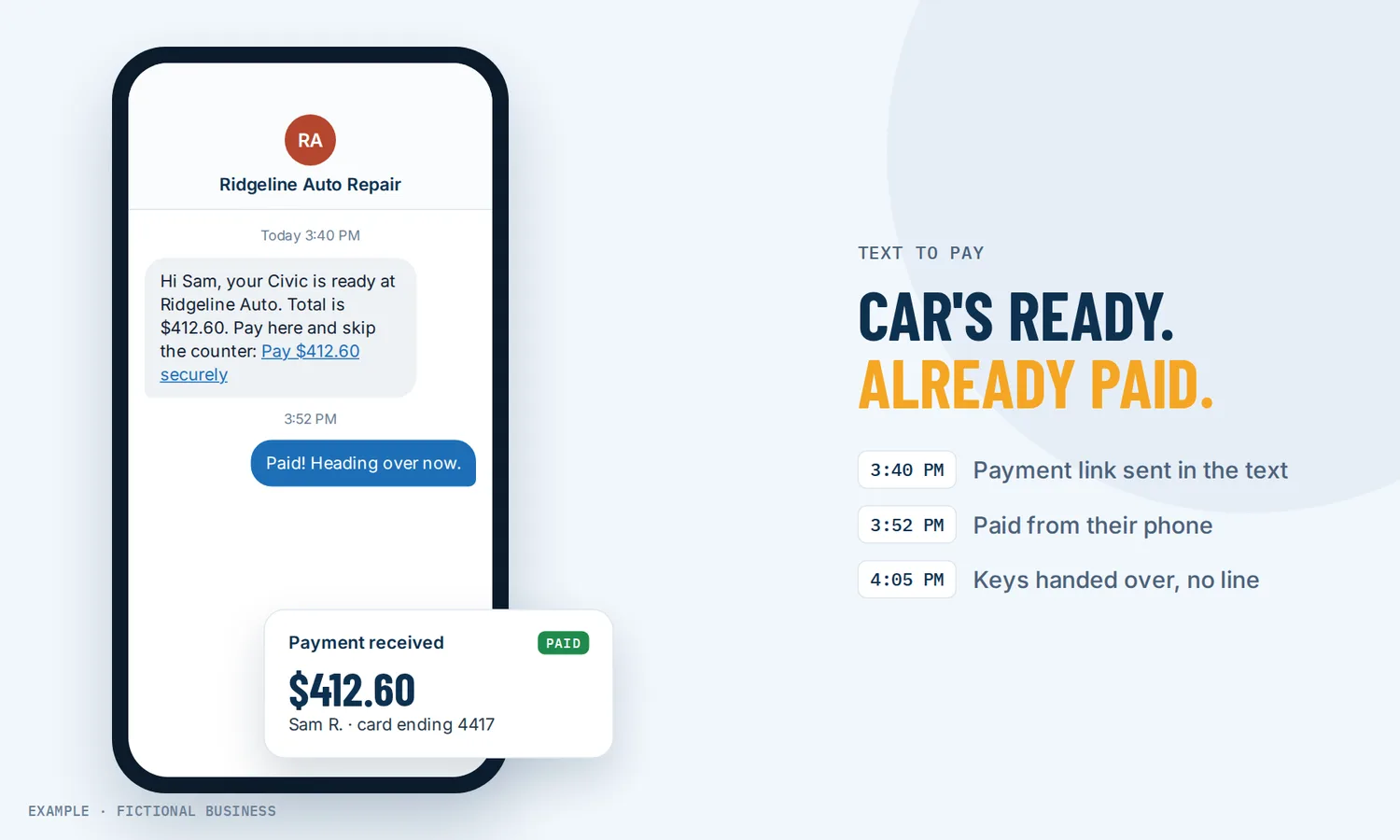
Text to pay: get paid from the same text thread, with less chasing.
Text to pay sends a secure payment link inside a text conversation, and your customer pays from their phone in a few taps. For small business owners, it means fewer card numbers read over the phone, fewer "did you get my check?" calls, and money in sooner after the work is done.
Get online payments set up for you
What text to pay is and how it works
Text to pay (also called pay by text) puts the checkout inside the conversation you are already having with the customer. The text carries a link, not card details. The customer opens the link, sees what they owe, and pays on a secure checkout page.
Here is how it works on the Revenue Growth HQ platform:
- You set up once. Connect a Stripe account to take card payments, add the products or services you sell to your product list, and have an active texting number.
- You open the customer's conversation. In the inbox, choose text as the channel and click the request-payment button under the message box.
- You fill in the request. Pick the product, confirm the price, and add a discount, tax or a due date if you need one. You can preview the checkout first.
- You send it. The link goes out as a text in the same thread. If you would rather send it another way, copy the link instead.
- The customer pays. They open the checkout on their phone and pay by card, or by Apple Pay or Google Pay where their phone supports it. The payment stays tied to their conversation, so you can see it and follow up from the same place.
You don't need a website for any of this. The checkout page is hosted for you and can carry your brand colors.
What text to pay changes for a small business
Less time collecting money
Collecting payment after a job often takes more back-and-forth than it should. You send an invoice by email, it lands in a folder nobody checks, you call, they say they will pay tonight. A payment link in a text skips most of that. The request arrives where your customer already reads messages, and paying takes less effort than putting it off.
Customers already pay this way
Paying from a phone is ordinary now. In the Federal Reserve's 2025 Diary of Consumer Payment Choice, based on October 2024 data, mobile phones were used for 23% of all payments and 45% of remote payments, meaning payments not made at a checkout counter. Adults aged 18 to 24 used their phones for 45% of all their payments, more than any other age group. And nearly everyone has the device: Pew Research Center found that 98% of U.S. adults own a cellphone and 91% own a smartphone (2025 survey).
No card numbers over the phone
Taking a card by phone means someone reads 16 digits aloud, someone else types them, and the numbers may end up on a sticky note. With text to pay, the customer enters their own card on a secure checkout page. Nobody on your team reads the number aloud or writes it down, and nothing sensitive sits in the text thread.
The payment and the conversation in one place
Because the request goes out from the customer's conversation, the record of what you asked for, when and whether it was paid sits next to everything else you said to that customer. Your team doesn't have to check a separate payment app to answer "has that job been paid yet?"
How text to pay plays out
A home service business. Let's suppose you run a plumbing or cleaning business. Your technician finishes a job at 3 p.m. and marks it done. Your office opens the customer's text thread, picks the service from your product list, adds the local sales tax and sends the payment link before the technician has left the driveway. The customer pays with Apple Pay from the kitchen. No invoice goes in the mail, and no reminder call goes out on Friday.
A coach or consultant. Let's suppose you sell a four-session coaching package. A prospect texts that they are ready to start. You reply in the same thread with a payment link for the package and a due date of Friday, so it is clear how long the spot is held. When they pay, it shows on their conversation, and you send a welcome message and the first booking link from the same place.
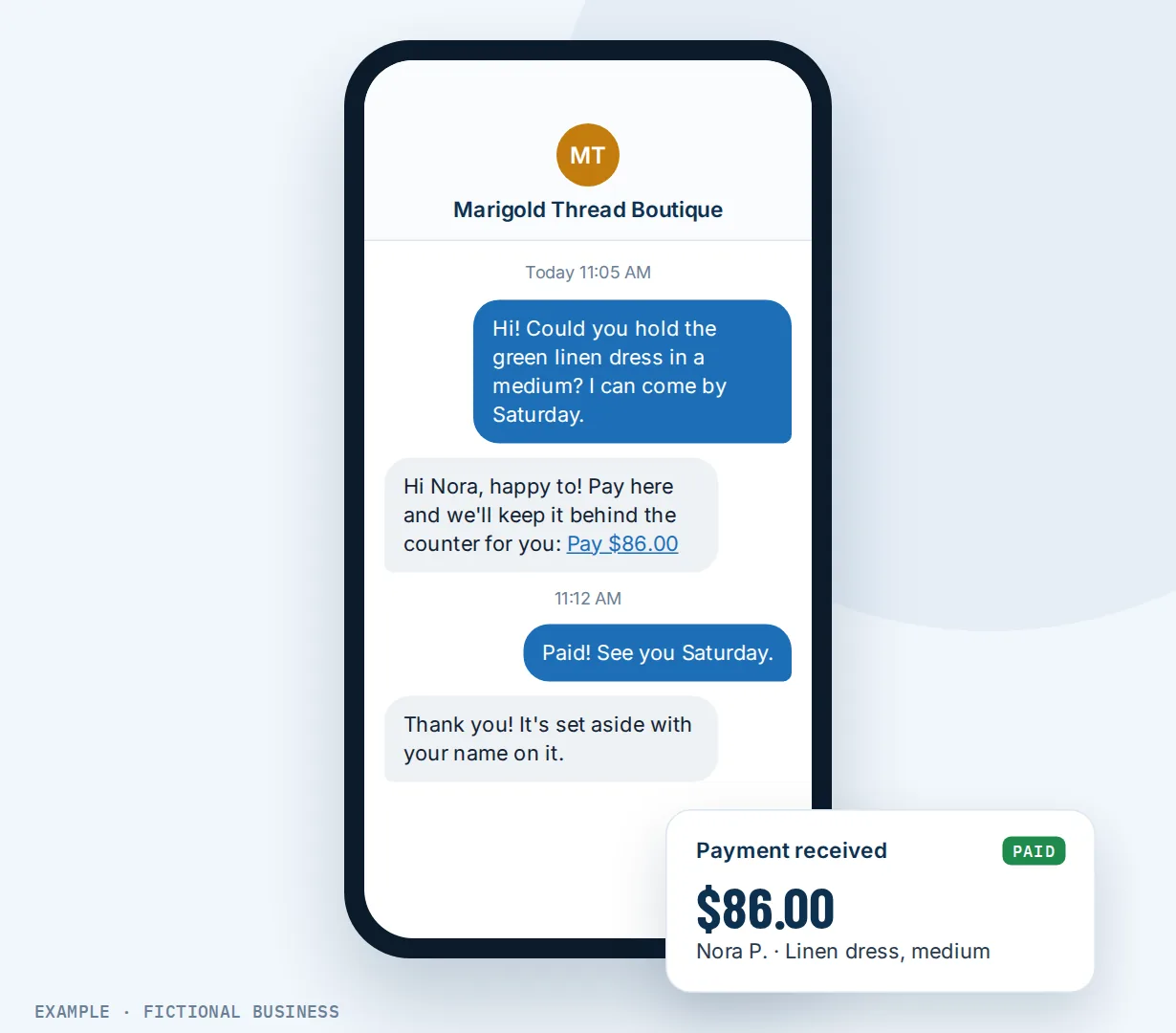
A shop that takes orders by text. Let's suppose you run a small bakery or boutique, and regulars text to ask you to set something aside. Instead of holding it on a promise, you text back a payment link for the item. The customer pays from their phone and picks it up later, and you are not left holding unpaid stock at closing time.
What to look for in text to pay
Questions to ask before you choose a tool:
- Does the link go out from your real business number, in the same thread the customer already knows, rather than from a random short code?
- Is the checkout a secure hosted page, so card numbers stay out of the text and out of your staff's hands?
- Can customers pay with Apple Pay or Google Pay, not only by typing a card number on a small screen?
- Can you add tax, a discount and a due date when you send the request?
- Can you preview the checkout and test it before a real customer sees it?
- Does the payment show up on the customer's record next to the conversation, or in a separate app?
- Can you send a payment link to a group, such as everyone who signed up for a class, without sending each one by hand?
- How is it billed? Look at three things separately: the plan, the text that carries the link, and the card processor's fee per payment.
- Does it handle carrier registration? Business texting to US mobiles needs registration before any text goes out, payment links included.
A standalone payment app may cover the checkout but not the texting, and a texting app may not handle payments well. The more of this list you need, the more it helps to have both in one system.
Text to pay works better with invoices, texting and in-person payments
A payment link is one way to get paid. It works best when the other ways to collect, and the conversations around them, live in the same place.
Text to pay plus invoices and automation. Some jobs need a proper invoice with line items and terms. Sending invoices on the platform can go out by email, by text or both, and a workflow can send an invoice for you as one of its steps. The invoice shows as sent, viewed or paid, and a paid invoice can start your next step, such as a thank-you message. See automating your follow-up.
Text to pay plus texting from your business number. Text to pay rides on texting customers from your business number. The same two-way thread holds the quote, the questions, the "running ten minutes late" and the payment link, so the customer knows who is asking for money and why.
Text to pay plus in-person payments. When the customer is standing in front of you, taking card and phone payments with the mobile app is faster than sending a link. Take the payment in person at the counter or on site, and send a text link when the customer has already left or is paying for something you have not handed over yet.
Text to pay plus your online store. Some customers will browse and buy on their own; others will text you a question first. A store on your website handles the first group with its own cart and checkout. A payment link in a text handles the second, without sending them back to the website to start over.
Text to pay options: from free to done-for-you
The right choice depends on how you get paid now, how many payments you request each week, and whether you already text customers.
Your card processor's own payment links. Many card processors let you create a payment link and paste it into a text from your phone. It costs little beyond the processing fee. The tradeoff: the link is sent from your personal phone, the conversation and the payment sit in different places, and your team has no shared view of either.
A texting app with payments. Some business texting apps add a payment request button. That keeps the link in the thread, but your bookings, invoices, email and customer records live somewhere else, and you connect them with integrations or copy-paste.
All-in-one platforms. Here, text to pay sits in the same system as your inbox, contacts, invoices, products and automation. A payment request goes out from the customer's conversation, and the payment is on their record. The tradeoffs: more to set up, and more features than a business that only needs a payment link may want.
Hiring someone. A bookkeeper or office manager can chase payments by phone and email. That has real value, especially for disputes, but it costs wages or fees and still needs a way for the customer to pay. You can also hire someone to set up any of the options above for you, which saves your time but leaves you dependent on them for changes.
Here's our solution
Revenue Growth HQ is an all-in-one platform with text to pay built into the inbox, alongside your contacts, invoices, products, booking and automation. The plan is $97 a month (or $970 a year) and includes $30 of usage credit each month for your phone number, calls, texts, email and most AI features. Use beyond $30 in a month is billed by use, at the same rates as buying the software directly. US business texting also needs carrier registration, which has its own fees. You see these rates before setup starts.
Setup is a one-time $197. You choose 3 setups from our list for us to build in your account, and online payments can be one of them. For that one, we connect your own Stripe account, add your services and prices, and set up pay-by-text links, invoice and quote templates, and deposits if you have a booking calendar. You'll need your own Stripe account: we connect it, and you own it. Text to pay works only through Stripe, and Stripe charges its own processing fees. See the setups and choose your 3.
Limits to know
- Stripe is required. The request-payment button needs a connected Stripe account, and Apple Pay and Google Pay also run through Stripe. Stripe charges its own processing fees.
- Payments come from your product list. Each request uses a product or service you have set up, with its price confirmed at send time.
- Texting must be registered first. US carriers require business texting to be registered before texts reach mobile phones, and each text is billed by use.
- Opted-out customers can't be texted. A customer who replied STOP won't get a payment link by text until they text START.
Text to pay features included
- Payment requests from any text conversation in your inbox
- Products and prices pulled from your product list
- Discount, tax and due date added at send time
- Checkout preview and a test mode
- Copy the link to send another way
- Secure hosted checkout with your brand colors
- Card payments, plus Apple Pay and Google Pay on supported phones
- Payment tied to the customer's conversation and record
- Standalone payment links with several products and a recurring option
- Personalized payment links to a group by text and email
- Invoices sent by email, text or both, by hand or from a workflow
Frequently asked questions
How does text to pay work?
You send the customer a text that contains a secure link. They tap it, see a checkout page with what they owe, and pay by card or a phone wallet. On Revenue Growth HQ you send the request from the customer's conversation in your inbox, pick the product, add tax or a due date if needed, and the payment shows on their record when it is made.
Is text to pay safe for customers?
The text carries only a link. The customer enters card details on a secure checkout page, not in a message and not read aloud to your staff. That keeps card numbers out of your texts and off your desk. As with any link, customers trust it more when it comes from a number and a business name they already know.
Do I need a website to use text to pay?
No. The checkout page is hosted for you, so a customer can pay from the link without visiting your website. You do need a connected Stripe account, at least one product or service in your product list, and a registered texting number on the platform.
Can customers pay with Apple Pay or Google Pay?
Yes, where their phone supports it. With Stripe connected, Apple Pay and Google Pay appear on the checkout next to the card option for customers whose device and browser support them and who have a wallet set up. Everyone else pays by card.
What does text to pay cost?
There are three parts. Sending the payment request is part of the $97-a-month plan. The text that carries the link is billed by use like any text, after the $30 of usage credit included each month, and you see the rates before setup. Stripe charges its own fee on each payment. Setup is a one-time $197, and connecting your Stripe account and building your payment links can be one of your 3 setups. US business texting also needs carrier registration, which has its own fees.
Do I need to register before sending payment texts?
Yes, for US mobile numbers. Carriers require businesses that text customers from a local number to register first, and unregistered texts are blocked. Registration is part of setting up texting, and once it is approved, payment links go out like any other text.
Can I send a payment link to many customers at once?
Yes, from a saved payment link. You can send personalized links by text and email to up to 50 contacts at a time, which suits a class, an event or a group order. Customers who have opted out of texts are skipped.
Get online payments set up for you.
For a one-time $197 setup, we build 3 setups of your choice in your Revenue Growth HQ account, with online payments already ticked. We connect your Stripe account, add your services and prices, and set up the pay-by-text links you send from the inbox. You'll need your own Stripe account, and Stripe charges its own fees. The plan is then $97 a month.
Sources
- Bayeh, B., Nardone, I., O'Brien, S. and Phelps, H. "2025 Findings from the Diary of Consumer Payment Choice." Federal Reserve Financial Services, 2025. https://www.frbservices.org/wp-content/uploads/2025-diary-of-consumer-payment-choice.pdf (checked 2026-10-18)
- Pew Research Center. "Mobile Fact Sheet." 2025. https://www.pewresearch.org/internet/fact-sheet/mobile/ (checked 2026-10-18)