
Invoicing for small business: get paid sooner, with less chasing.
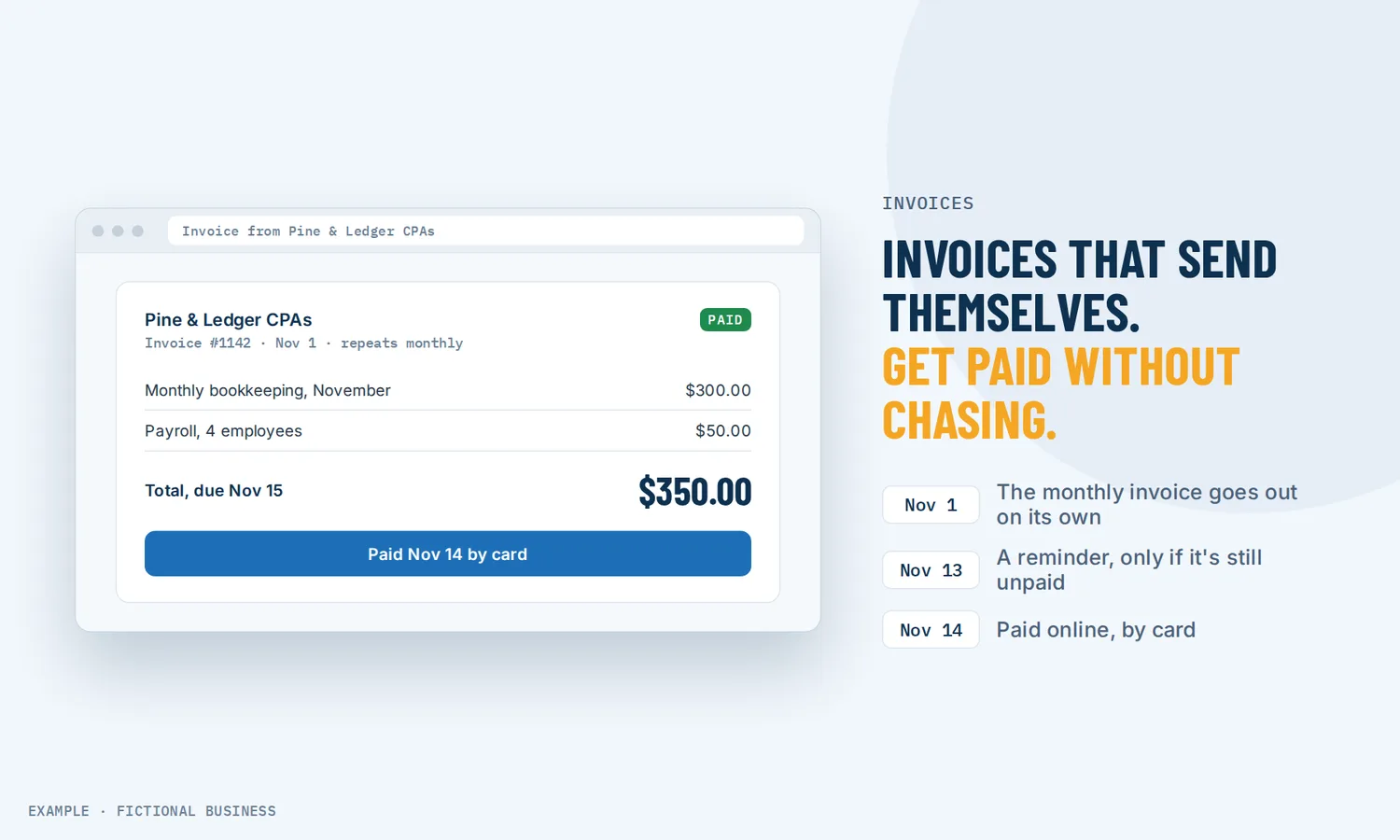
Invoicing for small business is the job of asking for money you have earned: a clear bill, sent promptly, that the customer can pay online in a minute. Revenue Growth HQ sends one-time and recurring invoices by email or text, takes card and bank payments, and follows up on late ones for you.
Get online payments set up for you
What online invoicing is and how it works
An online invoice is a bill with a payment button. Instead of a PDF that asks for a check, the customer opens a link, sees what they owe and pays by card, bank transfer or a phone wallet. The payment lands in your account and the invoice marks itself paid.
Here is how it works on the Revenue Growth HQ platform:
- You set your defaults once. Logo, business details, payment terms, an invoice number prefix, and which payment methods you accept.
- You build the invoice. Pick the customer, add line items from your product list or type them in, and add tax, a discount, notes or an attachment.
- You choose one-time or recurring. A recurring invoice repeats weekly, monthly, yearly or on a custom schedule, and stops on a date or after a set number of invoices.
- You send it. By email, by text, or both. You can also copy the payment link or download a PDF.
- The customer pays, or gets reminded. Payment marks the invoice paid. If it goes unpaid, the reminders you set go out by email and text.
Invoices are one part of how the platform gets you paid. The rest of the Get paid tools cover other moments in a sale: estimate software for small business for quoting before the work, e-signature for small business for agreeing terms, take a deposit for appointments for booked work, text to pay for asking in a conversation, and tap to pay on phone for in-person sales.
What online invoicing changes for a small business
Less money sitting in other people's accounts
Unpaid invoices are common. In a January 2025 survey of 2,487 US small businesses with up to 100 employees, run by an accounting software company, 56% said they were owed money from unpaid invoices. 47% said some of their invoices were more than 30 days overdue, and on average nearly 1 in 10 invoices fell in that group. A payment link and reminders do not make a customer want to pay, but they remove the common excuses: no lost envelope, no "can you resend that", no check to write.
Shorter terms, steadier cash
In the same survey, 60% of businesses with longer payment terms reported cash flow problems, against 40% of businesses with immediate terms. The survey shows a link, not a cause, but it points the same way as common sense: money due on receipt arrives sooner than money due in 90 days. Online invoicing makes "due on receipt" practical, because paying takes the customer a minute.
Recurring clients billed without you
If you bill the same clients each month for a retainer, a maintenance plan or a membership, a recurring invoice goes out on schedule with no one remembering to send it. If the customer has a card saved from an earlier payment, you can turn on auto-payment in the mobile app, and that card is charged on each billing date. Auto-payment is card only.
Fewer awkward follow-up calls
Chasing a late payment is unpleasant work that small business owners put off. Automatic reminders go out on the schedule you set, before or after the due date, by email and text. Late fees, if you choose to use them, are added to the invoice after a grace period and capped at a maximum you choose, so your terms are applied the same way each time instead of depending on your mood that week.
How online invoicing plays out
A bookkeeping or consulting practice. Let's suppose you bill a dozen clients a fixed monthly fee. You set up each one as a recurring invoice, sent on the first of the month and due in seven days. For clients with a card saved from an earlier payment, you turn on auto-payment in the mobile app. For the rest, a reminder goes out the day before the due date and again three days after. When an invoice is paid, a workflow sends a short thank-you, and payments sync to QuickBooks Online for your year-end records.
A contractor or home service business. Let's suppose you quote a kitchen remodel. You send an estimate, the customer accepts it, and you turn it into an invoice with a payment schedule: a share up front, a share at the midpoint and the balance on completion, each with its own due date. The customer can pay a large invoice by bank transfer, which costs you less than a card. Your crew sees invoices on the mobile app and can send one from the job site.
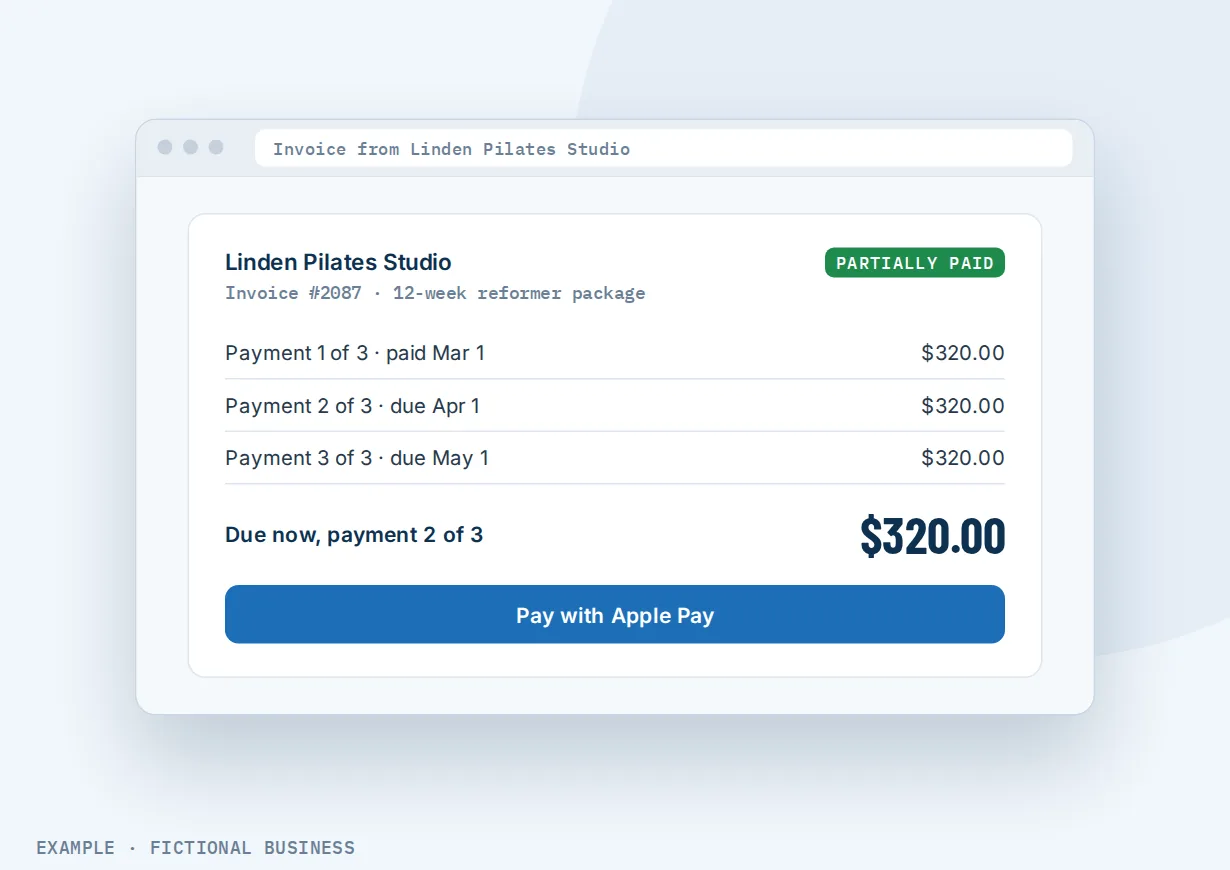
A studio or coaching business. Let's suppose you sell a 12-week coaching package. Instead of one large charge, you offer the same package as three monthly installments on one invoice. The customer chooses to pay with a phone wallet. When the final payment comes in, a workflow tags them as a graduate and invites them to your next program.
What to look for in invoicing software for small business
Questions to ask before you commit:
- Can customers pay online, and how? Card at minimum. Bank transfer (ACH) costs less on large invoices, and phone wallets make paying on a phone faster.
- Does it handle recurring billing? Schedules that match how you bill, an end date, and the option to charge a saved card automatically.
- Does it send reminders by itself? By email and text, on a schedule you set, before and after the due date.
- Can you add late fees and set terms? A flat or percentage fee, a grace period and a cap.
- Can one invoice be paid in parts? Payment schedules and partial payments matter for large jobs.
- Can you send by text as well as email? Some customers would rather pay from a text than dig through their inbox.
- Does the invoice sit on the customer's record, next to their messages, bookings and history?
- Can it connect to your accounting software, so you are not entering payments twice?
- Can a paid invoice start your next step, such as a thank-you, a review request or onboarding?
A free invoicing app covers the first two or three. The further down the list you go, the more it matters that invoicing lives in the same system as your customers and messages.
Invoicing works better with automation and the rest of Get paid
An invoice asks for money. What happens before and after it decides how fast you are paid and what the customer remembers.
Invoices plus workflow automation. An invoice can start a workflow when it is sent, viewed, partially paid, paid or voided, and the trigger can be filtered by invoice amount or by a tag on the customer. A paid invoice can send a thank-you, notify your team, or start onboarding. A workflow can also send an invoice for you, for example when a deal moves to "won". See automating your follow-up.
Invoices plus text to pay. Sometimes the fastest way to get paid is to ask in the conversation you are already having. A payment link sent in a text conversation suits a quick charge where a formal invoice would be too much.
Invoices plus estimates. For work you quote first, an estimate the customer accepts can be turned into an invoice. See sending estimates customers can accept online.
Invoices plus deposits at booking. For appointment-based work, take payment or a deposit when the customer books, and send the balance as an invoice afterward. See taking payment or a card at booking.
Two more tools round out the section. Before a larger job, have the customer sign your agreement online so the terms on the invoice are terms they already accepted. And when you are face to face, take a card on your phone instead of sending an invoice at all.
Invoicing options: from free to done-for-you
The right choice depends on how many invoices you send, whether you bill the same clients repeatedly, and what else you want the invoice connected to.
A document and a check. A template in a word processor or spreadsheet costs nothing. You type it, export a PDF, email it and wait for a check or a bank transfer. It works for a handful of invoices a month, but there is no payment button, no reminder and no record of who opened it.
Free and low-cost invoicing apps. Many payment processors and accounting apps include invoicing with online payment, and some offer recurring invoices and reminders on free or entry plans. They are a real step up. The catch is that they sit apart from your customer messages, bookings and marketing, so the invoice lives in one app and the conversation in another.
Accounting software. Full accounting packages include invoicing alongside your books, taxes and reports. That suits a business that wants its accountant and its invoices in one place, for a monthly fee. They are built around the ledger, not around the customer conversation.
All-in-one platforms. Here, invoicing sits next to your contacts, inbox, bookings, payments and automation. A paid invoice can start your follow-up without a connector. The tradeoffs: more to set up, and more features than a business that only invoices may need.
Hiring someone. A bookkeeper or virtual assistant can send invoices and chase payments for you. That takes the work off your plate but costs fees, and follow-up still depends on their hours.
Here's our solution
Revenue Growth HQ is an all-in-one platform with invoicing built in, alongside your contacts, inbox, bookings, automation and the rest of the Get paid tools. The plan is $97 a month (or $970 a year) and includes $30 of usage credit each month for your phone number, calls, texts, email and most AI features. Use beyond $30 in a month is billed by use, at the same rates as buying the software directly. You see these rates before setup starts.
Setup is a one-time $197. You choose 3 setups from our list for us to build in your account, and online payments can be one of them. For that one, we connect your own Stripe account, add your services and prices, and set up invoice and quote templates, pay-by-text links, and deposits if you have a booking calendar. You'll need your own Stripe account: we connect it, and you own it. Stripe charges its own processing fees. If you already use PayPal, Square, Authorize.Net or NMI, those can also take card payments on invoices, but bank transfer, phone wallets and pay-by-text links need Stripe. See the setups and choose your 3.
Limits to know
- You need a connected payment account to be paid online. Without one, you record cash, check and bank payments by hand.
- Reminders start from when you turn them on. Invoices that were already overdue before then need a manual follow-up.
- One-time and recurring charges cannot share an invoice. A setup fee plus a first month is two invoices.
- Payment links close after the due date. To reopen one, clone the invoice with a new date.
- Automatic reminders skip some invoices. They do not run on invoices with auto-payment on or a payment schedule.
Invoicing features included
- One-time and recurring invoices
- Send by email, text or both, or share a payment link or PDF
- Card, ACH bank transfer, Apple Pay and Google Pay through Stripe; PayPal, Square, Authorize.Net and NMI cards
- Bank-transfer-only invoices for large amounts
- Automatic reminders by email and text, before or after the due date
- Late fees: flat or percentage, with a grace period and a cap
- Payment schedules and partial payments
- Card auto-payment on recurring invoices, turned on in the mobile app
- Tax, discounts, notes, terms and attachments
- Your logo, business details and invoice number prefix
- Cash and check payments recorded by hand
- Invoice status changes that can start a workflow
- Estimates that turn into invoices
- Create and send invoices from the mobile app
- QuickBooks Online sync
Frequently asked questions
How do I get paid faster on invoices?
Send the invoice the day the work is done, make it due on receipt or soon after, and include a payment link so paying takes a minute. Offer more than one way to pay, such as card and bank transfer. Then set reminders to go out before and after the due date, so follow-up happens without you remembering to do it.
Can I set up recurring invoices?
Yes. A recurring invoice repeats daily, weekly, monthly, yearly or on a custom schedule, such as the first Monday of each month. You choose a start date and end it on a date or after a number of invoices. If the customer has a card saved from an earlier payment, auto-payment, turned on in the mobile app, charges that card on each billing date.
Can customers pay an invoice by text?
Yes. You can send an invoice by text, by email or both, and the customer pays from the link on their phone. Sending by text needs business texting set up first, which includes carrier registration, and each text is billed by use. Email invoices have no per-message charge.
Should I charge late fees on invoices?
That depends on your customers and your state's rules, so check what applies to you before you start. If you do, state the fee in your terms before the work. On the platform, a late fee can be flat or a percentage of the balance, with a grace period and a maximum, and the customer is emailed when it is added.
Can a customer pay a large invoice in installments?
Yes. A payment schedule splits one invoice into installments, by percentage or fixed amount, each with its own due date. You can also allow partial payments with a minimum share per payment. Both help with large jobs where the customer would rather pay as the work progresses.
Does it work with QuickBooks?
Yes, with QuickBooks Online. Sent and paid invoices, payments and customers sync across, so you are not entering them twice. Draft invoices do not sync, and invoices created before you connect are not sent over, so connect it before you start invoicing on the platform.
What does invoicing software for small business cost?
Free apps cover simple invoicing, and accounting packages charge monthly. On Revenue Growth HQ, invoicing is included in the $97-a-month plan, which comes with $30 of usage credit each month; texts beyond that are billed by use. Card and bank payments carry your processor's own fee. Setup is a one-time $197, and connecting your Stripe account and building your invoice templates can be one of your 3 setups.
Get online payments set up for you.
For a one-time $197 setup, we build 3 setups of your choice in your Revenue Growth HQ account, with online payments already ticked. We connect your Stripe account, add your services and prices, and set up your invoice templates and pay-by-text links. You'll need your own Stripe account, and Stripe charges its own fees. The plan is then $97 a month.
Sources
- Intuit QuickBooks. "2025 Small Business Late Payments Report." Survey of 2,487 US small businesses, January 2025. https://quickbooks.intuit.com/r/small-business-data/small-business-late-payments-report-2025/ (checked 2026-10-18)