
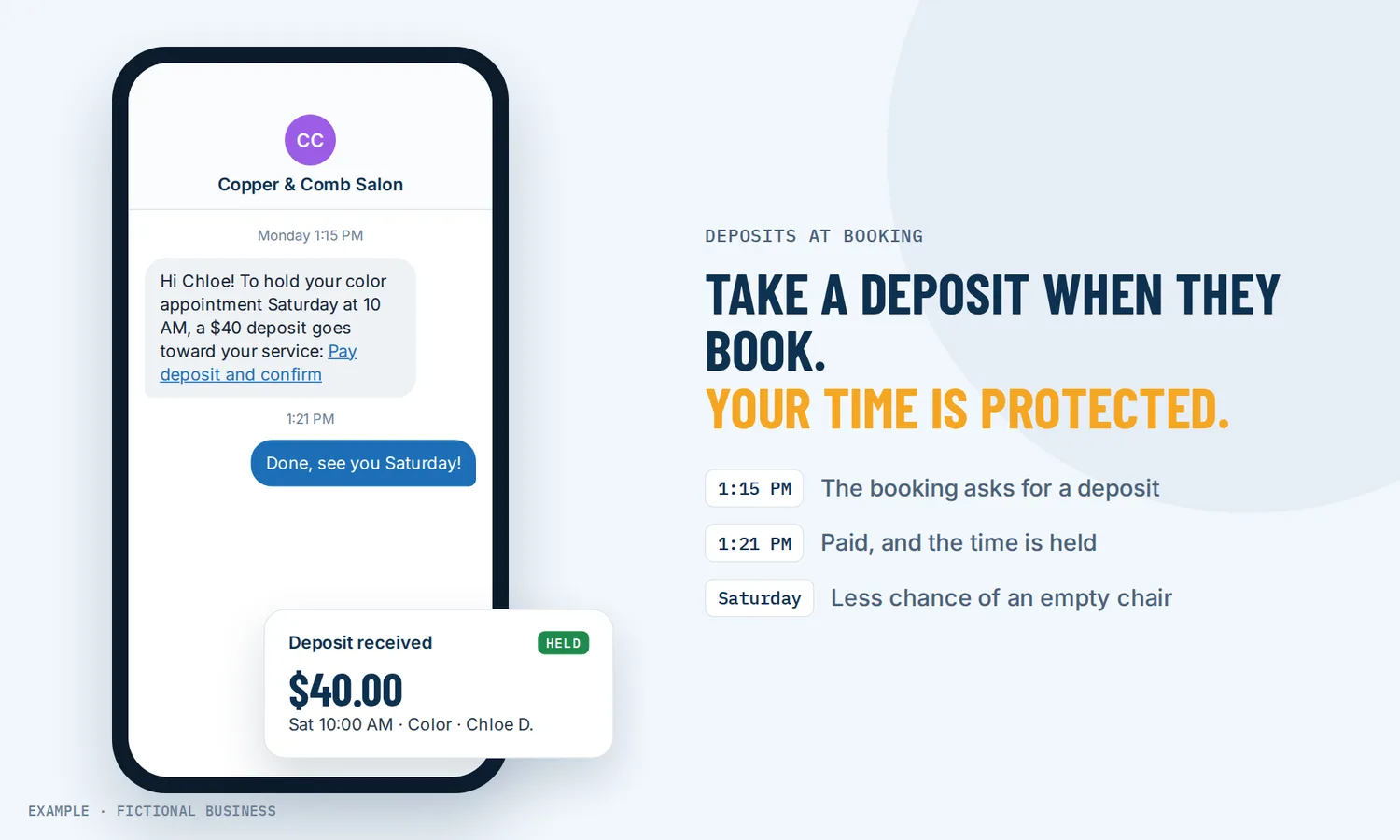
Take a deposit for appointments: get paid when they book, not after you chase them.
To take a deposit for appointments, you ask for part of the price when the customer books, through the same booking page they already use. On the Revenue Growth HQ platform, a booking calendar can also charge the full price at booking, or save the customer's card without charging it. Small business owners get money in hand before the time is given away.
Get online payments set up for you
What a booking deposit is and how it works
A booking deposit is a payment the customer makes to hold a time. It counts toward the final bill. A no-show or very late cancellation can forfeit it, if your policy says so and the customer agreed to it. Here is how it works on the platform:
- You connect a payment account. Stripe, Square, PayPal and a few others connect, though not every processor works on every calendar type.
- You turn on payments for a calendar and enter the price. Then you choose the mode: charge the full amount, take a deposit (a flat amount or a percentage of the price), or save the card on file without charging it.
- The customer books as usual. After picking a time and answering your questions, they see the payment step and pay or enter a card.
- The booking and the payment land together. The appointment shows on your calendar and on the customer's record, with its payment status. A coupon field and a test mode are there when you need them.
- You collect the rest. For a deposit, the balance waits as a draft invoice that you send when you choose. For a saved card, you can charge it later from the appointment or the customer's record.
What payment at booking changes for a small business
Money in hand before the time is given away
An empty slot costs the same whether the customer forgot, changed their mind or booked three businesses and picked one. When part of the price is paid at booking, the slot is no longer free to the customer. And if they do not show, you are not starting from zero.
Collecting at booking avoids chasing payment afterward
Billing for a missed appointment after the fact is hard work. A Danish randomized trial of 6,746 orthopedic hospital outpatients tested no-show fines, not deposits. Patients were told about a 34-euro fine in advance. Of the 130 fines actually imposed, 79% were still unpaid after two reminder letters. A fee you bill afterward can go unpaid. A deposit is collected before the appointment.
A fair read on the evidence
Vendor blogs quote large drops in no-shows from deposits. We could not trace those numbers to a study, so we do not repeat them. We also found no peer-reviewed study of deposits themselves. The closest research is on fines for missed medical appointments, which is a different thing: a fine is billed after the miss, and a deposit is paid before it. A 2023 review called that research "limited" with "mixed results." In the Danish trial, announcing the fine made no difference: both groups missed about 5% of appointments, though the review notes the clinic's no-show rate was already low and the fine may have been too small. An older mental health clinic study found that a fine for patients with more than two past no-shows cut their no-show rate from 20.1% to 9.27%. The review's authors also expected that charging a co-payment when the appointment is made would have minimal impact on no-shows. So do not count on a deposit to make people show up. Count on it to protect your revenue when they don't.
Less admin at the front desk
When the deposit is paid online, nobody has to call for a card number, write it down or run it later. The payment, the order and the appointment are tied together in one record, so you can see who has paid what without matching bank deposits to calendar entries.
How taking deposits plays out
A salon or spa. Let's suppose you run a salon where color appointments take three hours. A no-show on a Saturday afternoon is a large share of a stylist's day. You set the color calendar to take a percentage of the service price as a deposit and leave quick trims with no payment at all. The deposit counts toward the bill. After the visit, you send the balance invoice, or ring it up in person and record it.
A consultant or coach. Let's suppose you sell paid strategy sessions to people who find you online. A free call attracts window shoppers. You set the session calendar to charge in full at booking, so the people on your calendar have already decided to buy. A coupon field lets you honor a discount code from your newsletter. If someone cancels in time under your policy, you refund the payment from your payments screen.
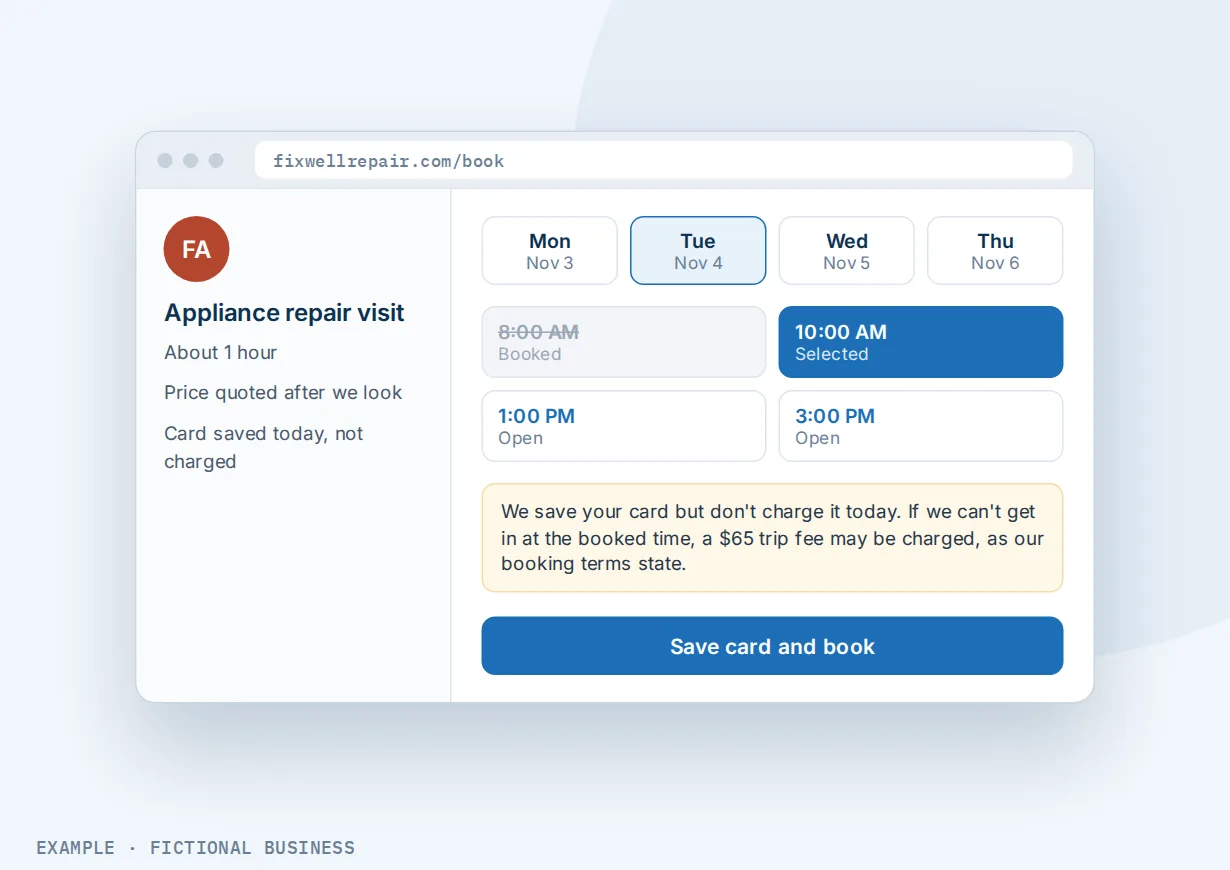
A home service business. Let's suppose you run a cleaning or repair business and quote after a first visit. You do not know the final price at booking, so a deposit would be a guess. Instead, the calendar saves the customer's card without charging it. If the crew is turned away at the door, you can charge the trip fee your booking terms stated, without a phone call to get a card number.
What to look for when you take a deposit for appointments
Questions to ask before you choose a tool:
- Does it offer all three modes? Full payment, a deposit, and a card on file without a charge fit different services. You may want different ones on different calendars.
- Can the deposit be flat or a percentage of the price?
- Is the payment part of the booking itself, so a customer cannot take the slot without paying, or is it a separate link they may ignore?
- How is the balance collected? Find out whether it is charged automatically, invoiced, or collected at the visit, and who has to press the button.
- Which payment processors does it work with, and does the one you already use work for deposits too?
- Can you charge a saved card later for a no-show fee or the balance, and record cash or check payments against the same appointment?
- How do refunds work when a customer cancels within your policy?
- Does it work with recurring appointments, classes and group bookings, if you sell those?
- Is there a test mode so you can try the payment step before customers see it?
- Can you show your cancellation and deposit terms where the customer books and in the confirmation?
Booking deposits work better with booking, reminders and invoices
A deposit is one step in the booking. What surrounds it decides whether the customer shows up, pays the balance and books again.
Deposits plus workflow automation. A booking on one calendar can start its own follow-up: a welcome message that repeats your deposit and cancellation terms, a preparation guide, or an alert to the team member who will see the customer. See automating your follow-up.
Deposits plus online booking. The payment step lives inside your booking calendars that customers book online, so each calendar can have its own rule. A free consultation can stay free while a paid session takes a deposit. Customers book from your website or a link, and Google Calendar or Outlook sync keeps them out of times you are busy.
Deposits plus appointment reminders. A deposit gives the customer a reason to come. A reminder makes sure they remember to. Each calendar can send appointment reminders by email and text at the times you choose, with a reschedule link, so a customer who cannot make it moves the booking instead of losing the deposit.
Deposits plus invoices. A deposit's balance becomes a draft invoice. With invoices that customers pay online, you send it when the job is done. The same tool sends one-time and recurring invoices for work outside the calendar.
Your options for taking deposits: from free to done-for-you
The right choice depends on how many services you sell, how you book them, and how much you want to set up yourself.
Ask for payment by hand. You book by phone, then send a payment link or take a card number. It costs nothing extra, but someone has to do it for every booking, and the customer can take the slot and never pay.
Payment features in a standalone scheduler. Many booking apps can require a card or a deposit when the customer books, often on a paid plan. That works well for booking alone. The payments and bookings then live apart from your texting, email and customer records, and you connect them with integrations or copy-paste.
Point-of-sale and salon software. Software built for one industry often includes deposits and no-show protection. It fits that industry closely, but you may still need other tools for marketing, reviews and follow-up.
All-in-one platforms. Here, payment at booking sits in the same system as your contacts, calendars, reminders, invoices and automation. A paid booking can start your follow-up without a connector. The tradeoff is more to set up, and more features than a one-calendar business may want.
Hiring someone. A receptionist or an outside firm can take deposits by phone and chase balances. You get a person to talk to, but it costs wages or fees, and it stops when their shift ends.
Here's our solution
Revenue Growth HQ is an all-in-one platform with payment at booking built into its calendars, next to your contacts, inbox, reminders, invoices, automation and AI assistants. Deposits, full payment and saved cards are included. The plan is $97 a month (or $970 a year) and includes $30 of usage credit each month, which covers your phone number, calls, texts, email and most AI features. Use beyond $30 in a month is billed at the same rates as buying the software directly.
Setup is $197, one time. You choose 3 setups from our list for us to build in your account, and online payments can be one of them: we connect your own Stripe account, add your services and prices, and set up invoice and quote templates, pay-by-text links, and deposits if you have a booking calendar. Appointment reminders with an online booking calendar is on the list too. You'll need your own Stripe account: we connect it, you own it, and Stripe charges its own fee on each payment. Deposits also work with NMI or Authorize.Net. Square and PayPal can take full payment at booking, though Square does not work on every calendar type. See the setups and choose your 3.
Limits to know
- Deposit balances are not collected automatically. The balance becomes a draft invoice that someone sends by hand, and the customer is not notified about it until you send it.
- Recurring calendars cannot take deposits. They can charge for the first appointment only, or for the whole series up front.
- Fewer processors for deposits. Stripe and a couple of others take deposits. Some processors that work for full payment do not.
- A saved card is not charged on its own. A no-show fee is a charge you make by hand, under terms the customer agreed to.
Booking payment features included
- Full payment when the customer books
- A deposit at booking, as a flat amount or a percentage
- Save a card on file without charging it
- Charge a saved card or record cash or check payments later, from the appointment
- Balance invoices created for deposits
- Coupon codes and gift cards
- Payment for recurring appointments: first visit or the whole series
- Payment for group bookings and added guests
- Test mode before you go live
- Refunds from your payments screen, recorded on the appointment
- Payment status on each appointment (paid or partly paid)
- Different payment rules on different calendars
Frequently asked questions
Should I charge a deposit for appointments?
If no-shows or late cancellations cost you real money, a deposit is worth testing. We found no study of deposits themselves, and the research on no-show fines is limited and mixed, so treat a deposit as protection for your revenue, not a cure for no-shows. One approach is to take deposits only on long or high-value services, or from customers who have missed before, and leave short visits free to book.
How much should an appointment deposit be?
There is no standard. Small business owners commonly use a flat amount or a percentage of the service price, set high enough to cover the loss of a missed slot and low enough not to put off a first-time customer. You can set it per calendar, so a long service and a short one can carry different deposits.
What is the difference between a deposit and a card on file?
A deposit charges part of the price at booking and counts toward the bill. A card on file charges nothing at booking. It saves the card so you can charge a no-show fee or the final price later. A card on file suits work where the price is not known until the job is done.
Can I charge a no-show fee to a saved card?
Yes, by hand. When a customer saves a card at booking, you can charge it later from the appointment or their customer record. Nothing is charged automatically. State the fee clearly when they book, so the customer has agreed to it before you charge it.
How do customers pay the balance after a deposit?
The balance waits as a draft invoice. You send it when you are ready and the customer pays online, or you take payment in person and record it on the appointment. The balance is not charged or sent automatically, so build sending it into your routine.
Can I refund a deposit if a customer cancels?
Yes. Refunds are made from your payments screen or in your payment processor, and the refund shows on the appointment. Refunds are not automatic when a booking is cancelled. Your policy decides when a deposit is returned or kept, so put it where customers book.
What does taking payment at booking cost?
On Revenue Growth HQ, deposits, full payment and saved cards are included in the $97-a-month plan, which comes with $30 of usage credit each month for texts, email and most AI features. Use beyond that is billed by use. Your payment processor, such as Stripe, charges its own fee on each card payment. Setup is $197, one time, for 3 setups you choose.
Have us set up deposits and online payments
For $197 one time, we build three setups in your Revenue Growth HQ account, and online payments arrive already ticked. We connect your Stripe account, add your services and prices, and set up pay-by-text links, invoice templates and deposits on your booking calendar. Need a calendar? Pick that setup too. You'll need your own Stripe account. The plan is then $97 a month.
Sources
- Leibner, G., Brammli-Greenberg, S., Mendlovic, J. and Israeli, A. "To charge or not to charge: reducing patient no-show." Israel Journal of Health Policy Research, 2023. https://pmc.ncbi.nlm.nih.gov/articles/PMC10408071/ (checked 2026-10-18)