
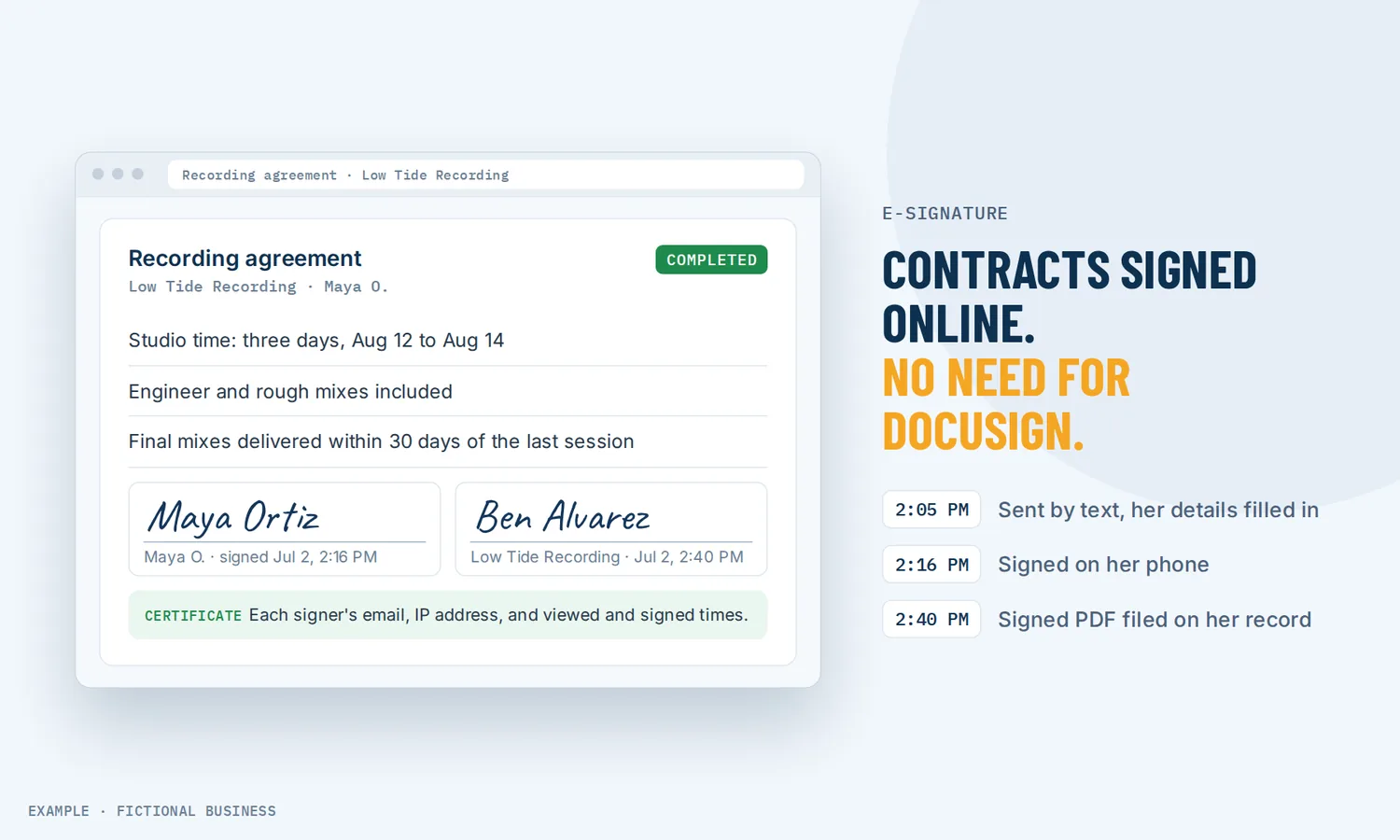
E-signature for small business: get contracts signed on a phone, without printing or scanning.
E-signature for small business lets you send a contract or agreement by email or text and have the customer sign it on their phone or computer, with a signed PDF and a signature certificate saved for your records. You spend less time printing, scanning and following up, and the customer can pay the moment they sign.
Get online payments set up for you
What e-signature is and how it works
An electronic signature is a person's agreement to a document, given on a screen instead of on paper: a drawn signature, a typed name, initials or a ticked box.
Here is how it works on the Revenue Growth HQ platform:
- You build the document once. Start from a blank page, a template, or a PDF you already use, and place signature, initials, date, text and checkbox fields where they belong. Save it as a template.
- The customer's details fill in. Name, business name, dates and your own custom fields fill in from the customer's record when you send, so you are not retyping them.
- You send it. By email, by text, or both, or as a link. If more than one person signs, you choose whether they sign in order or at the same time, and each one gets their own link to the fields assigned to them.
- The customer signs. They open the link on any device, draw or type their signature, fill in the fields assigned to them and finish. If the document includes a price, they can pay right after signing.
- You both get the record. When the last person signs, the platform creates a combined signed PDF and a signature certificate, alerts you, and files the document on the customer's record.
What e-signature changes for a small business
Contracts signed sooner
A paper contract has a lot of steps between "yes" and "signed": print, sign, scan, email back, and often a reminder or two in between. With e-signature, the customer signs from the same phone they read your email on. When the customer has already agreed on the call, the contract can be signed before the conversation goes cold.
Less time chasing
You can see where every document stands without asking: draft, waiting for others, completed, or expired. You get an alert when the customer first opens it and another when it is signed. If someone has gone quiet, you can resend it from the same screen, or let a workflow follow up when the customer opens it.
Paid at the point of agreement
A contract that includes a price can take payment as part of signing. Add your products or packages to the document, and the customer goes straight from signing to paying. For ongoing work, the same document can set up recurring billing and save the card so later invoices are charged automatically. You stop sending a separate invoice and hoping it gets paid.
A record you can find later
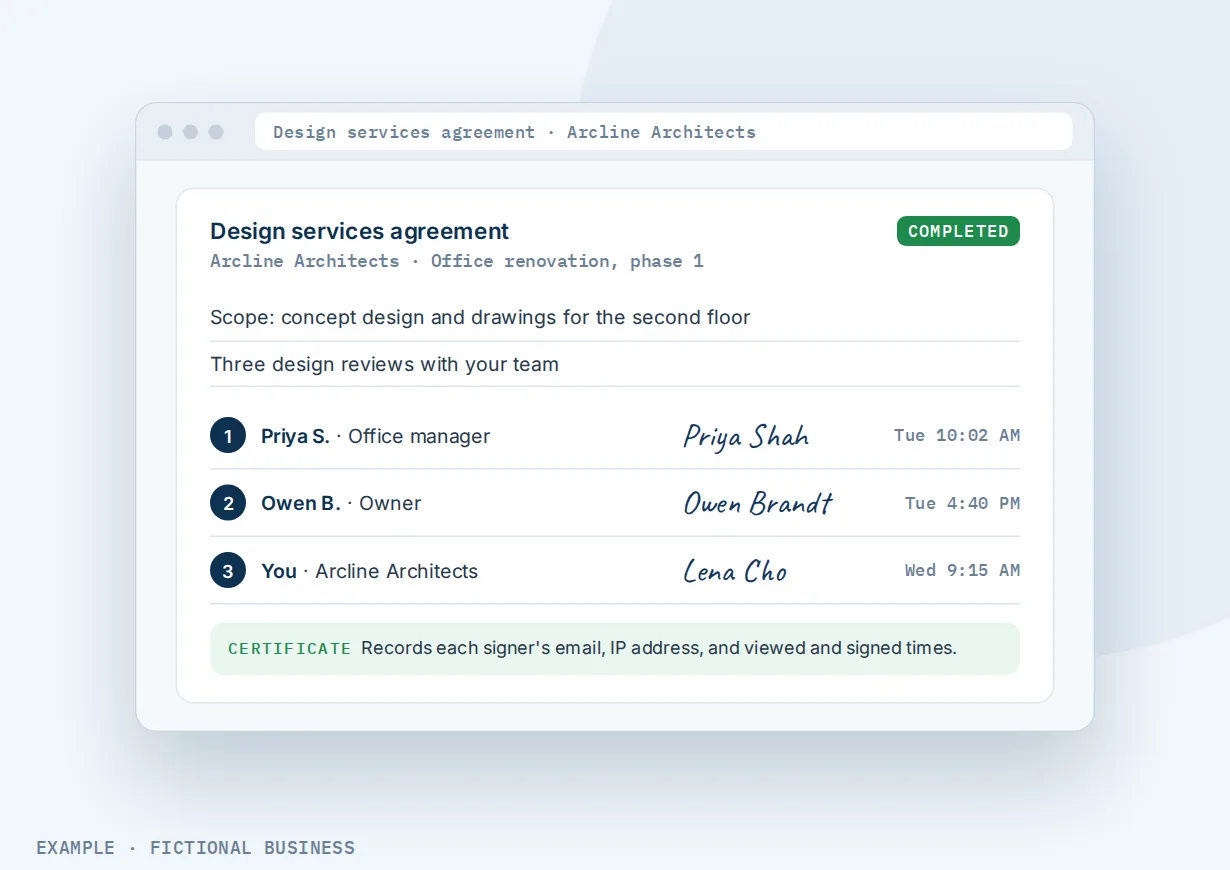
Each signed document gets a signature certificate that records each signer's email address, IP address, location when available, and the times they viewed and signed. The signed PDF and certificate sit on the customer's record with everything else about them. If what was agreed is questioned months later, the answer is on the contact.
How e-signature plays out
A home service or trades business. Let's suppose you run a landscaping business and sell yearly maintenance plans. After a site visit, you send your service agreement template by text. The customer's name and address are already filled in. They sign on their phone, pay the first month and save a card. Later months bill to that card on schedule, and nothing gets printed.
An agency or consultant. Let's suppose you sell a three-month marketing project to a company with two decision makers. You send one contract to both, set the signing order so the manager signs first and the owner second, and countersign yourself at the end. The contract shows as waiting until both have signed. When the last signature lands, a workflow sends the welcome email with a link to book the kickoff call and moves the deal to its next stage.
A studio or clinic with in-person clients. Let's suppose you run a fitness or wellness studio and every new client signs a waiver and a membership agreement. A client who walks in without signing ahead signs on a tablet at the front desk using the mobile app. Clients who book online get the same documents by email before their first visit, with an expiry date so an unsigned waiver does not sit open for months.
What to look for in e-signature for small business
Questions to ask before you choose a tool:
- Can you use the contracts you already have? Look for PDF upload with fields placed on top, as well as templates you can edit.
- Can it send by text as well as email? Useful for customers who rarely check email.
- Can more than one person sign, in an order you set, with you countersigning?
- Does it fill in the customer's details, or do you retype names and addresses each time?
- What record do you get? A signed PDF plus a certificate with who signed, from where and when.
- Can the customer pay when they sign, and can the contract set up recurring billing?
- Does a signed contract start your next step, such as a welcome email, a task for your team or a deal moving stages?
- Can you set an expiry, so old offers do not get signed at old prices?
- Can someone sign in person, on your phone or tablet, when they are standing in front of you?
- How is it priced? Free plans are often capped at a few documents a month, and paid plans often charge per user. Count how many contracts you send in a busy month.
A one-person business that signs a handful of agreements a year can get by with a free tool. The more contracts you send, and the more each one connects to payment and follow-up, the more it pays to have signing in the same system as your customers and invoices.
E-signature works better with automation, estimates and invoices
A signature is the moment a customer commits. What happens right before and right after decides how fast you get paid and how the work starts.
E-signature plus workflow automation. Contracts can both start and end a workflow. A deal that reaches a "won" stage can send your agreement template automatically, by email, text or both. When the document is viewed, signed or completed, a workflow can tag the customer, alert the right team member or send a welcome sequence. Triggers can be limited to one template or to documents above a certain value, so a large contract gets different follow-up than a small one. See automating your follow-up.
E-signature plus estimates. For a quick job, an accepted estimate is enough. For a larger one, use the estimate to settle the price, then send a contract with the full terms and a signature. See sending price quotes customers can accept online.
E-signature plus invoices. A contract with a product list creates the invoice when it is signed. You choose whether the invoice is emailed straight away or kept as a draft for you to check, and whether the customer is taken straight to payment after signing. For retainers and memberships, recurring invoices charge the saved card on schedule. See creating and sending invoices.
E-signature plus texting. Contracts can go out by text as well as email, which helps with customers who rarely check email. Text messages are billed by use. See texting customers from your business number.
Your options: from free to done-for-you
The right choice depends on how many contracts you send, how many people sign, and what should happen after the signature.
Free signing tools. Several e-signature apps have a free plan, usually capped at a few documents a month. For an occasional agreement, that may be enough. The signed copies live in that app, apart from your customer records, and nothing happens next unless you do it.
Paid standalone e-signature apps. These add unlimited sending, templates, team accounts, reminders and integrations, for a monthly fee that often rises per user. The signing is strong; the catch is that it is one more app, and payment, invoicing and follow-up happen somewhere else.
All-in-one platforms. Here, contracts sit in the same system as your contacts, inbox, payments, invoices and automation. A signature can take the payment, create the invoice and start the onboarding without a connector. The tradeoff is more setup, and more features than a business that signs one form a year needs.
Paper, or hiring someone. Paper still works and costs nothing but time. An assistant can send, chase and file contracts for you, at the cost of wages and their availability. You can also hire someone to set up any of the options above, which saves your time but leaves you depending on them for changes.
Here's our solution
Revenue Growth HQ is an all-in-one platform with contracts and e-signature built in, alongside your contacts, inbox, estimates, invoices, payments and automation. The plan is $97 a month (or $970 a year) and includes $30 of usage credit each month, which covers your phone number, calls, texts, email and most AI features. Use beyond $30 in a month is billed at the same rates as buying the software directly.
Setup is $197, one time. You choose 3 setups from our list for us to build in your account. Contracts are not one of them, because the wording is yours, but online payments can be: we connect your own Stripe account, add your services and prices, and set up invoice and quote templates, pay-by-text links, and deposits if you have a booking calendar. Once payments are connected, your contracts can take payment at signing. You'll need your own Stripe account: we connect it, you own it, and Stripe charges its own fee on each payment. PayPal can also connect for payment at signing and invoices. See the setups and choose your 3.
Limits to know
- No conditional sections. A document cannot show or hide clauses based on answers. Different versions of a contract need different templates.
- Editing a template does not change sent documents. Contracts already sent keep the wording they went out with.
- No built-in identity check. The signer is identified by the link sent to their email or phone, plus the email address, IP address and times on the certificate. There is no code or ID check before signing.
- Not every document can be signed electronically. The federal e-signature law does not cover wills, family law matters, court documents and some notices. Check with your lawyer for anything regulated.
E-signature features included
- Templates, a template library, and PDF upload with fields placed on top
- Signature, initials, date, text, checkbox and card-on-file fields
- Draw or type signatures
- Customer details filled in from their record
- Several signers, in order or at the same time, with countersigning
- View-only copies for people who do not sign
- Send by email, text, both, or a shareable link
- Up to 5 file attachments per document
- Signed PDF and signature certificate
- Viewed and signed alerts, and a status dashboard
- Expiry dates, with an optional warning email the day before
- Payment at signing, one-time or recurring, and invoices created on signing
- Documents on the customer's record
- Workflow triggers and automatic sending from a workflow
- In-person signing on the mobile app
Frequently asked questions
Are electronic signatures legally binding?
In the US, generally yes. The federal ESIGN Act says a signature, contract or record in interstate or foreign commerce may not be denied legal effect, validity or enforceability solely because it is in electronic form. There are exceptions, including wills, family law matters and court documents. When a law requires you to give a consumer information in writing, sending it electronically needs the consumer's consent first. This is general information, not legal advice.
What is a signature certificate?
It is the record attached to a signed document that shows who signed and how. On Revenue Growth HQ, the certificate lists each signer's email address, IP address, location when available, and when they viewed and signed. It is saved with the signed PDF on the customer's record, so you can produce it if what was agreed is ever questioned.
Can I use my own contract instead of a template?
Yes. Upload the PDF you already use and place signature, date and text fields on top of it, or rebuild it in the editor so names, dates and prices fill in automatically. Once it is saved as a template, each new contract takes a few clicks to send.
Can customers sign on their phone?
Yes. The signing link opens in a phone or computer browser, and the customer draws or types their signature without downloading anything. You can also send the link by text. For someone in front of you, staff can open the document in the mobile app and hand over the phone or tablet to sign.
Can more than one person sign the same contract?
Yes. Add several recipients, assign fields to each, and choose whether they sign in order or at the same time. Each signer gets their own link to the fields assigned to them. You or a team member can countersign, and anyone who only needs a copy can be added as a view-only recipient.
Can I get paid when the customer signs?
Yes, with a connected payment account such as Stripe or PayPal. Add products to the contract, and the customer can go straight to payment after signing. Recurring products set up an ongoing invoice schedule, and the card can be saved for automatic charges. Your processor charges its own fees. See creating and sending invoices.
What does e-signature cost?
Free tools exist for occasional use, usually limited to a few documents a month, and paid signing apps charge monthly, often per user. On Revenue Growth HQ, contracts and e-signature are included in the $97-a-month plan, which comes with $30 of usage credit each month. Use beyond that is billed by use, and payments carry the processor's fee. Setup is $197, one time, for 3 setups you choose.
Have us set up online payments, then get paid at signing
For $197 one time, we build three setups in your Revenue Growth HQ account, and online payments arrive already ticked. We connect your Stripe account, add your services and prices, and set up invoice templates and pay-by-text links. You write the contract wording, and once payments are connected, a contract can take payment at signing. You'll need your own Stripe account. The plan is then $97 a month.
Sources
- Electronic Signatures in Global and National Commerce Act (ESIGN), 15 U.S.C. 7001, General rule of validity. Legal Information Institute, Cornell Law School. https://www.law.cornell.edu/uscode/text/15/7001 (checked 2026-10-18)
- 15 U.S.C. 7003, Specific exceptions. Legal Information Institute, Cornell Law School. https://www.law.cornell.edu/uscode/text/15/7003 (checked 2026-10-18)