
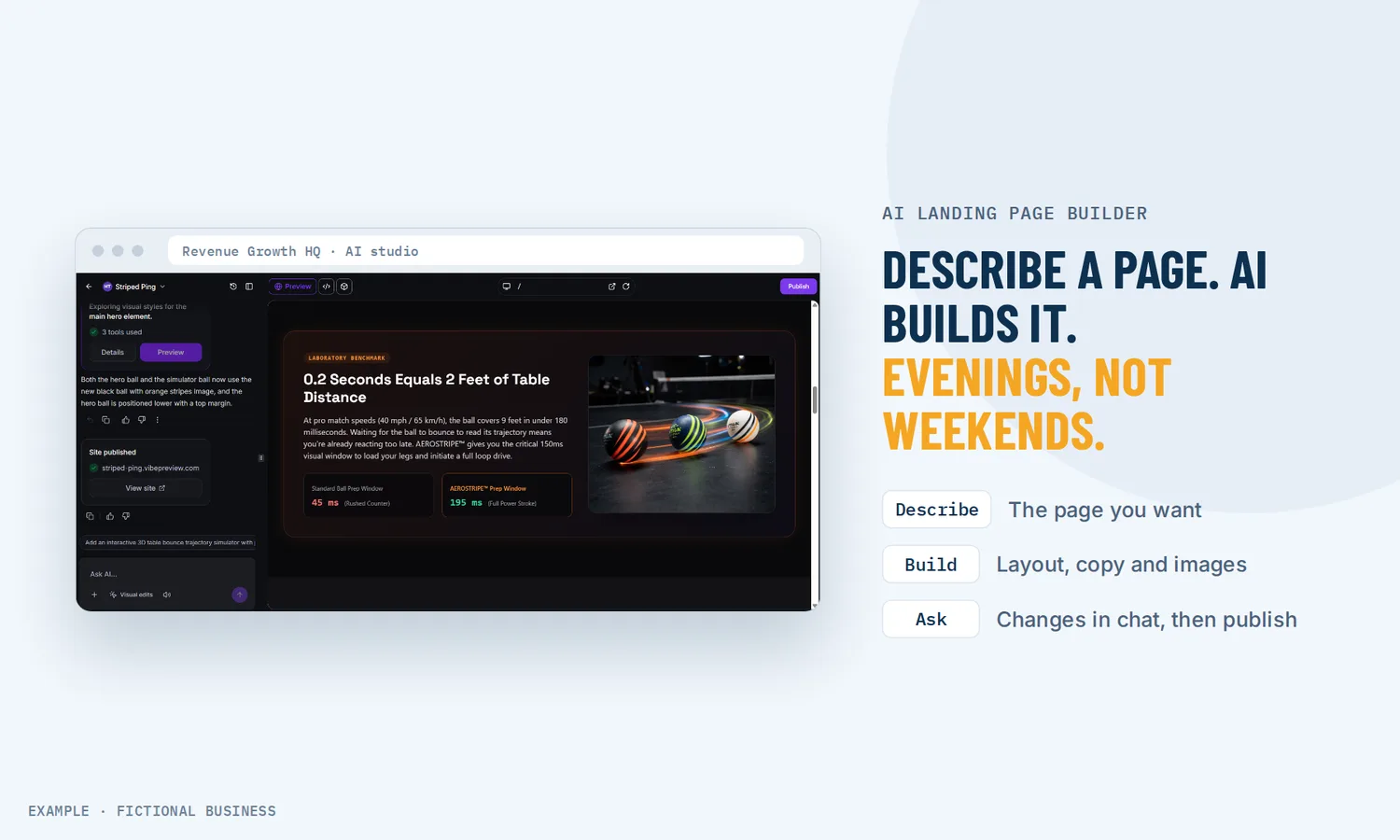
An AI landing page builder: describe the page, get a working first draft.
An AI landing page builder turns a plain description of your offer into a page: layout, headline, copy and images, with a form or booking calendar you connect afterward. On Revenue Growth HQ it is an early-access (Labs) tool: it works today and it may still change. For small business owners it means a page on screen in one sitting instead of a blank editor and a free weekend.
What an AI landing page builder is and how it works
You describe the page in a chat, the AI builds it, and you keep talking to it until the page is right. The platform has two ways to do this, and both sit in its early-access (Labs) area:
- The AI studio, a chat workspace that builds anything from a single landing page to a multi-page site, with forms and booking.
- AI inside the standard page editor, which drafts pages from a prompt, a few guided answers, a link or an image, then hands them to the normal drag-and-drop editor.
Here is how a page gets built in the AI studio:
- You describe the page. Who it is for, the offer, the one action a visitor should take, and any photos or brand colors you have. With no images supplied, it makes its own.
- The AI builds a version. Layout, copy and images appear with a live preview.
- You change it by asking. "Make the headline shorter" or "add a pricing section" produces a new version. You can also click on the preview to edit text directly, or edit the code.
- You connect the working parts. Forms and calendars are not connected automatically. You ask the AI to connect the form to your contacts, and pick an existing calendar for booking.
- You publish. First to a preview address, then to your own domain.
What an AI landing page builder changes for a small business
AI use is no longer unusual in a small business. A 2025 U.S. Chamber of Commerce report found 58% of small businesses said they use generative AI, up from 40% in 2024.
A first draft without a blank page
The hardest part of a landing page is often the start: what goes in the headline, which sections, in what order. An AI landing page generator gives you a complete draft to react to. Reacting is faster than inventing.
A page for each offer, not one page for all of them
When a page costs an afternoon, many businesses make one and point every ad at it. When a draft takes one conversation, a separate page for the spring promotion, the free consultation and the referral offer becomes realistic. Each page can say one thing to one audience, which is the point of a landing page.
Changes by asking, not by hunting through settings
"Move the form higher," "make the photos warmer," "add a section answering the price question." The AI makes the change and keeps the earlier version, so you can try an idea without fear of breaking the page.
A page that feeds your follow-up
Plenty of AI tools stop at the page. Here, once you connect the form, each submission lands in your contacts, and a submission can start a workflow: a reply text, a tag, a task for your team. A connected booking front end puts appointments on your existing calendar, and that calendar's confirmations and reminders run as you set them.
How an AI landing page builder plays out
A service business with a seasonal offer. Let's suppose you run a lawn care company and want a spring cleanup page for a local ad. You describe the service, the area you cover and the one action you want: request a quote. The AI builds a one-page layout with a headline, a short list of what is included, photos and a quote form. You ask for a shorter headline and a second form button near the top, then connect the form to your contacts. Each quote request becomes a contact, and a workflow texts them that you got it.
A consultant selling a call. Let's suppose you sell a paid strategy session. You give the AI your existing service page link as inspiration and ask for a page with a short story, three outcomes and a booking section. It builds a custom booking front end, and you connect your existing consultation calendar to it. Bookings land on that calendar, with its usual confirmation emails.
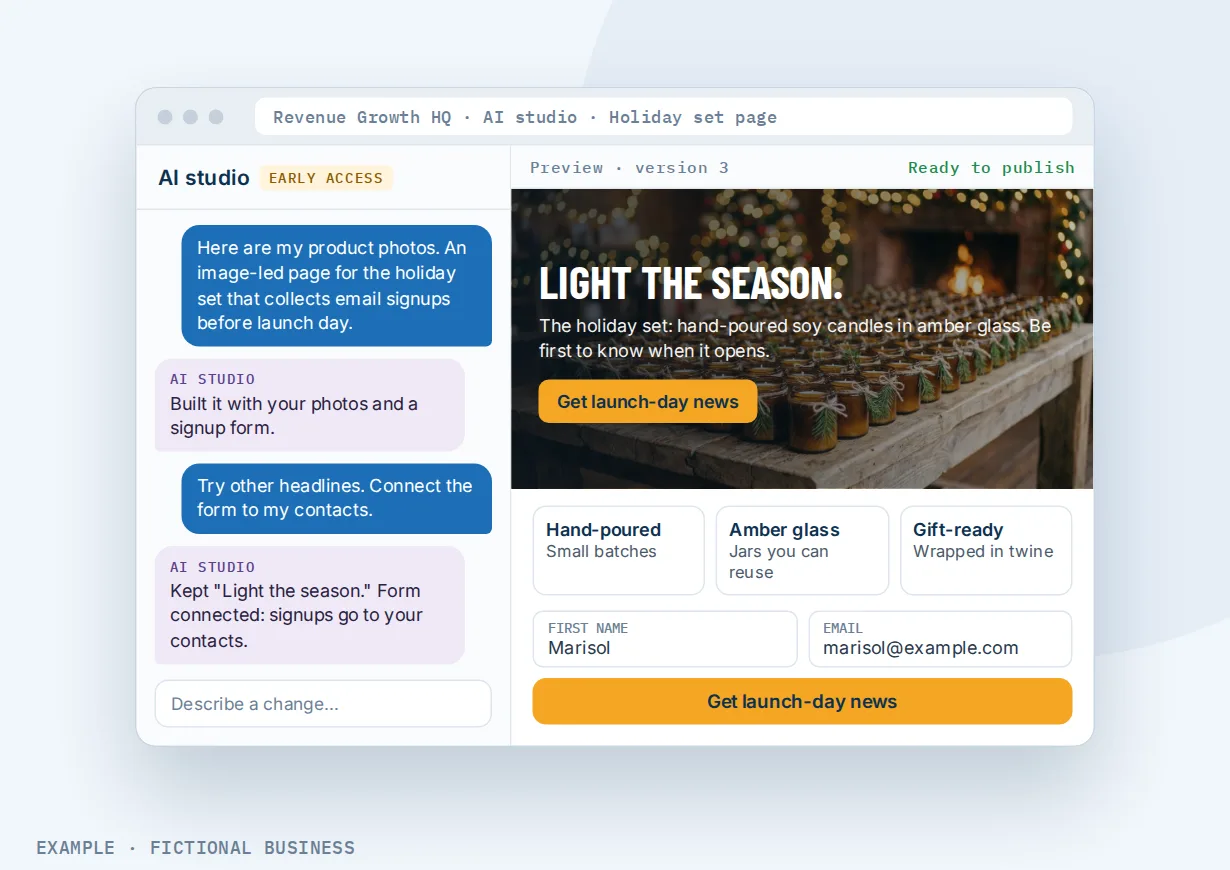
A shop with a launch. Let's suppose you sell handmade candles and are launching a holiday set. You upload your product photos and ask for an image-led page that collects email signups before launch day. You try three headlines in the chat, keep one, and check each price and date before you publish.
What to look for in an AI landing page builder
Questions to ask before you commit:
- Does it build the working parts, or only the look? A page with a form that goes nowhere is a brochure.
- Where do form answers go? Into your customer records, or into an email inbox to copy by hand?
- Can people book from the page? Check that bookings land on the calendar you already use.
- Can you edit by hand as well as by chat? Clicking on a heading to fix one word should not need a new prompt.
- Can you publish to your own domain, with a preview first?
- Can you move the page later? Some AI-built pages stay in the AI tool and cannot be moved into a standard editor.
- How is it billed? Per page, per month, or by use, and what makes a build cost more. On tools that make images, image generation is often the biggest driver.
- Is it finished or early access? An early-access tool can change under you. That may be fine for a promotion page and less fine for the page your ads depend on all year.
- What happens after the visitor acts? A page connected to your contacts and automation can start follow-up on its own.
A free AI landing page maker that covers the first two suits a one-off test. The further down the list you go, the more it pays to have the page in the same system as your customers.
An AI landing page builder works better with automation, AI writing and the right editor
The AI builds the page. What surrounds it decides whether a visitor becomes a customer.
AI page builder plus AI and automation. A connected form can start a workflow the moment a visitor sends it, filtered by project, form, page or domain, so the spring promotion and the consultation page start different follow-up. For where AI and automation fit across the business, from replies to booking to reviews, see which jobs AI and automation can take off your plate.
AI page builder plus an AI writing assistant. The page builder writes page copy. For the emails, texts and social posts that send people to the page, an AI assistant that drafts your posts, emails and copy keeps the message consistent from the ad to the page.
AI page builder plus single-offer pages. If you want a page you can tune by hand, test two versions of, or link into a step-by-step sequence, start in the standard editor. Its AI can draft the first version, and from there the page uses the normal editing controls. See single-offer pages for ads and promotions.
AI page builder plus a full business website. A landing page sits beside your main site, not instead of it. For a site with a menu, several pages and your domain, see a business website built in the platform's editor, which we can also build for you.
Your options: from free to done-for-you
The right choice depends on how many pages you need, how much you want to change them later, and how much of the building you want to do yourself.
Free AI page generators. Many tools draft a page from a prompt at no charge. They are useful for seeing a layout fast. Check where form answers go and what keeping the page live costs.
AI inside a page builder you already use. Many mainstream builders now offer an AI first draft. You keep the editor you know. Follow-up, booking and customer records may still live in other apps you connect.
An all-in-one platform with an AI builder. Here, the AI-built page sits in the same system as your contacts, calendar, inbox and automation. A form sent from the page can start follow-up without a connector. The tradeoffs: more to learn, and on this platform the AI builder is still early access.
Hiring someone to build it. A freelancer or agency writes and builds the page for you. You pay more up front, and changes can mean a wait.
Here's our solution
You can build pages yourself with the AI builder, or have us build your website for you instead. Our Website package is built for you, for a one-time $197 setup. We build a website for your business from your answers to one survey, with a contact form that sends each inquiry to your inbox and phone, website chat that answers visitors' questions and takes their details, and an AI phone receptionist that answers your business line. We build your knowledge base from your website and set up your business phone number for the receptionist. See what the website package includes.
After that, the site runs on Revenue Growth HQ, an all-in-one platform with the website editor, booking, forms, chat, your inbox, payments and automation, and you can add landing pages yourself, with or without AI. The AI studio is an early-access (Labs) tool, on in your account from day one. The plan is $97 a month (or $970 a year) and includes $30 of usage credit each month for your phone number, calls, texts, email and most AI features. Use beyond $30 in a month is billed at the same rates as buying the software directly. Building pages in the AI studio is billed by use, and you see the rates before setup.
Limits to know
- Early access. Both AI builders are in the platform's Labs area. Features and results can change.
- Forms and calendars need connecting. They are not connected when the page is built, and the calendar must already exist before you can connect it.
- AI studio pages stay in the AI studio. They cannot be copied into the standard page or website editor. Pages drafted with AI in the standard editor can be edited there.
- Your own domain comes after a preview. You publish to a preview address first, then connect your domain.
- Cost follows the work, not the page count. Image generation and many rounds of changes cost more than a short text-led page.
AI landing page builder features included
- Build a landing page or a multi-page site from a chat
- Layout, copy and images generated from your description
- Your own photos and brand colors, or AI-made images
- Edits by chat, by clicking on the preview, or in the code
- A new version with each change, and a live preview
- Forms that save submissions to your contacts once connected
- A booking front end connected to an existing calendar
- Workflows started by a form sent from the page
- Publishing to a preview address, then your own domain
- Search settings for pages built in the AI studio
- AI drafts inside the standard page editor, from a prompt, a link or an image
Frequently asked questions
What is an AI landing page builder?
A tool that builds a landing page from a description. You say who the page is for, what you offer and what a visitor should do, and the AI produces the layout, copy and images. On Revenue Growth HQ, you then connect the form and booking calendar so submissions and appointments land in your account, and you refine the page by asking for changes.
Can I build a landing page with AI for free?
Many standalone tools offer free drafts. On Revenue Growth HQ, drafting a page with AI inside the standard page editor carries no extra usage charge today, within usage limits. Building in the AI studio is paid from the plan's $30 monthly usage credit first, then billed by use at the same rates as buying the software directly, and pages with lots of generated images cost more than text-led ones.
Is the AI builder ready to use?
Not fully. Both AI builders are early-access tools in the platform's Labs area: they work today, but features and results may change. If a page has to stay exactly as it is for months, build it in the standard editor.
Can AI build a sales funnel?
It can draft one. Describe the steps and the AI in the standard editor drafts a funnel or website you then edit with the normal controls, adding forms in the editor afterward. For a multi-step sequence, that is the better route; AI studio projects stay in the AI studio and cannot be moved into the standard editor.
Will the forms on an AI-built page work?
Once you connect them. The AI builds the form on the page, and you then ask it to connect the form to your contacts. After that, each submission lands in your contacts and can start a workflow. For booking, you connect a calendar that already exists in your account.
Can I edit what the AI builds?
Yes. In the AI studio, ask for a change in the chat, click on the preview to edit text directly, or edit the code. Each change makes a new version. Pages drafted inside the standard editor are edited with the normal drag-and-drop controls.
Get your website built for you
Rather not build it yourself? For a one-time $197 setup, we build your website from your answers to one survey, with a contact form that sends each inquiry to your inbox and phone, website chat that answers visitors and takes their details, and an AI phone receptionist on your business line. The plan is then $97 a month, and you can add pages yourself. The package is below.
Sources
- U.S. Chamber of Commerce Technology Engagement Center, with Teneo Research. "Empowering Small Business: The Impact of Technology on U.S. Small Business," August 18, 2025. https://www.uschamber.com/technology/empowering-small-business-the-impact-of-technology-on-u-s-small-business (checked 2026-10-25)