
WhatsApp for small business: answer customers on the app they already use.
WhatsApp for small business means sending and receiving WhatsApp messages from the same inbox as your texts, emails and social messages, so your team can reply from one place. It is a paid add-on: a $10-a-month WhatsApp subscription plus Meta's fee for each message, on top of the $97-a-month plan.
What WhatsApp messaging is and how it works
WhatsApp is a messaging app, and for many customers it is the first place they type. Connected to Revenue Growth HQ, it becomes one more channel on each customer's record. Messages arrive in your inbox, and you reply from your computer or the mobile app instead of one person's phone.
Here is how it works:
- You switch on the add-on and connect a number. You sign in with your business's Facebook account, enter a phone number and verify it with a code sent by text or voice call. The number can't already be in use on WhatsApp, unless you bring over a WhatsApp Business app number (more on that below).
- Customers message you. They tap your WhatsApp link, scan a QR code, or use the WhatsApp button on your website chat.
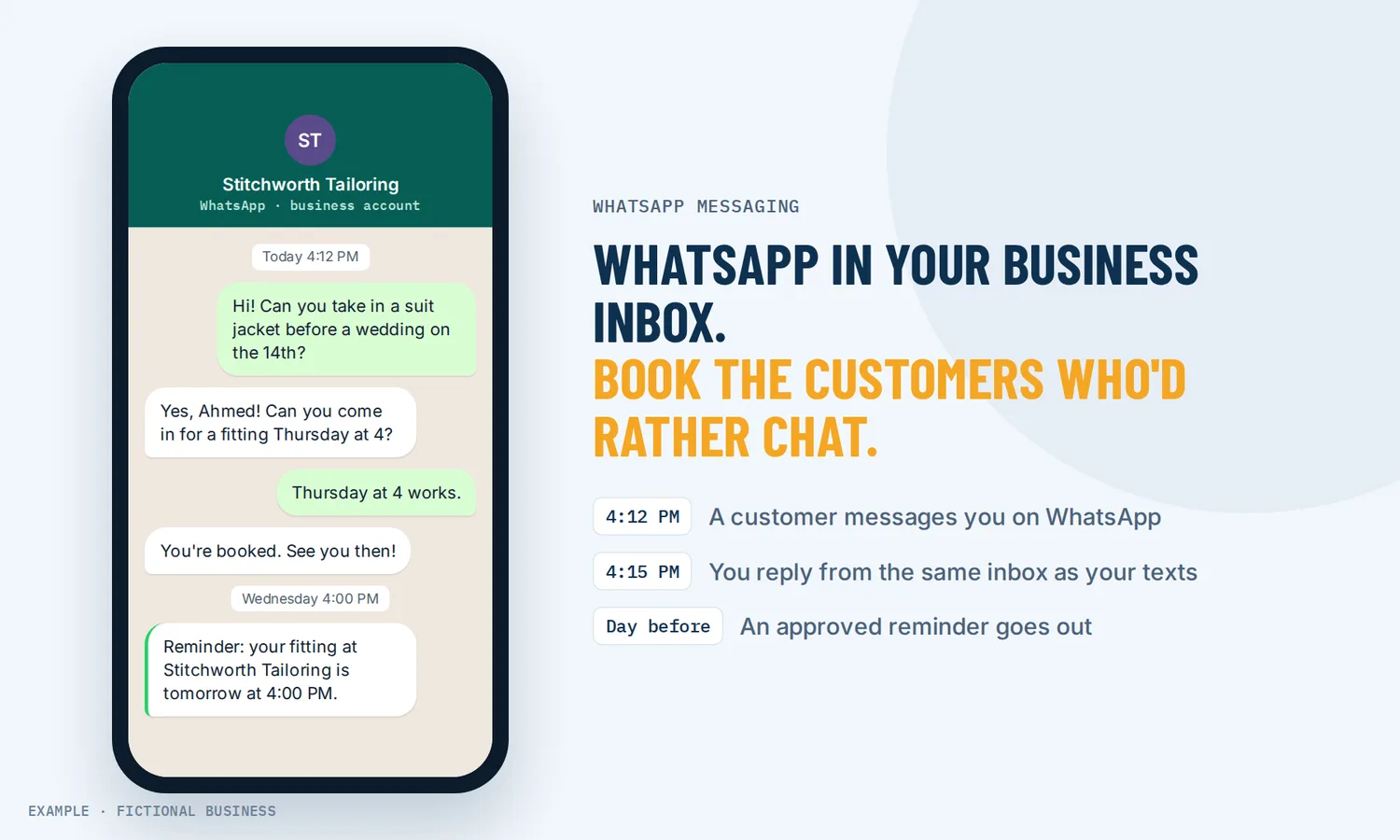
- You reply inside 24 hours. A customer's message opens a 24-hour window. Inside it, you can write whatever you like.
- After 24 hours, you use templates. Once the window closes, you can only send pre-written message templates that Meta has approved, such as an appointment reminder.
- Everything lands on the record. WhatsApp messages sit on the customer's timeline with their texts and emails, so anyone on your team can see what was said.
The 24-hour window, in plain words
Think of it as the customer holding the door open. When they message you, the door stays open for 24 hours, and each new message from them resets the clock. While it is open, you chat normally. When it closes, you can only knock with an approved template, and each template message carries Meta's fee.
What WhatsApp changes for a small business
You meet customers where they already type
WhatsApp is one of the world's most used messaging apps: Meta says over two billion people use it every day. In the US, 32% of adults said they use it in a 2025 Pew Research Center survey, up from 23% in 2021. If your customers already message on WhatsApp, they may write to you there before they ever call.
One inbox for the whole team
The WhatsApp Business app on a single phone works for one person. Once two or three people answer customers, chats get lost in someone's pocket. With WhatsApp in your inbox, each conversation is on the customer's record next to their texts and emails, and the reply goes out from your business number, not a staff member's phone.
Reminders and replies can run on their own
Your calendar can send confirmations and reminders by WhatsApp, using approved templates. A workflow can start when a customer replies on WhatsApp, send them a message, wait for an answer, and fall back to a text or email if the WhatsApp message is not delivered. A missed call can also get an automatic WhatsApp message with your booking link.
One limit to know up front
Meta currently does not deliver marketing messages to US phone numbers, and has given no end date. Customers with US numbers still get your replies, reminders and confirmations; promotions to them go by text or email instead.
How it plays out
Let's suppose your business is a home cleaning company in a city with many families from Latin America. Several customers ask whether they can just WhatsApp you. You connect your business number, add a WhatsApp link to your website, and the office manager answers those chats from the same inbox as texts. When a customer asks about Thursday, she replies inside the window and books the visit. The day before, a WhatsApp reminder goes out using an approved template, and if it fails to deliver, a text goes instead.
Let's suppose your business is a language school whose students are on WhatsApp all day and rarely read email. You answer questions about classes in the same inbox as your other messages, and approved class reminders go out by WhatsApp the day before each lesson.
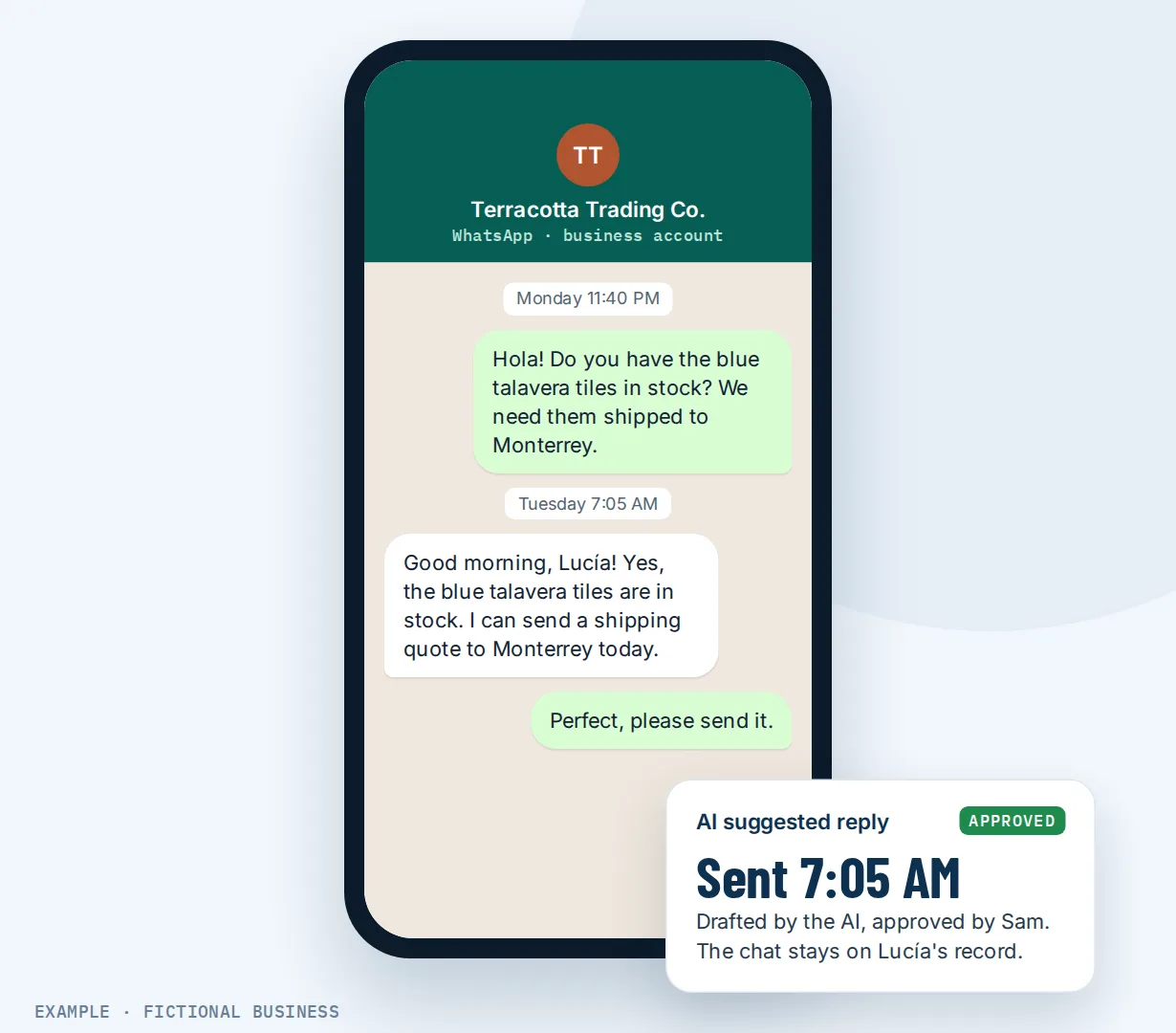
Let's suppose your business is an import shop that sells to other businesses. Buyers in other countries message about stock and shipping at odd hours. The AI assistant answers on WhatsApp in suggestion mode at first, drafting replies your team approves, and the full chat sits on each buyer's record for the next person who picks it up.
What to look for in WhatsApp for business
- A connection through Meta's own platform. Your number, templates and display name are registered with Meta, so check the tool connects that way and shows you each step.
- A clear price for both parts. There is usually a subscription for the tool and Meta's per-message fees. Ask what each costs and whether either is marked up.
- One shared inbox. WhatsApp should sit beside texts and email on the customer's record, not in a separate app.
- Template management. You will need approved templates once the 24-hour window closes. Check that you can write, submit and track them in the tool.
- Automation with a fallback. Reminders and follow-up should run on their own, and switch to text or email when WhatsApp fails.
- A path for your existing number. If you already use the WhatsApp Business app, check whether you can keep it, and what you give up.
- Opt-out handling. A STOP reply should stop messages without anyone having to remember.
WhatsApp works better with…
One inbox for every message. WhatsApp is most useful when it is not one more app to check. The inbox puts each customer's texts, emails, Facebook and Instagram messages, WhatsApp and team notes in one conversation, so whoever is on shift sees the whole history and replies on the channel the customer used.
An AI assistant that replies and books. The same AI assistant that answers website chat and texts can answer on WhatsApp. It can collect details, offer open times and book appointments, either on its own or as suggestions your team approves. That fits the 24-hour window well: questions get an answer while the window is still open. AI is billed by use.
Texting from your business number. Some customers still expect a text. Texting and WhatsApp work as a pair: a workflow can try WhatsApp first and send a text when a message is not delivered.
Your options: from free to done-for-you
The free WhatsApp Business app. It costs nothing and works well for one person on one phone. It gets harder once several people share customers, and it does not connect to your calendar, records or automation.
A WhatsApp-only shared inbox tool. These connect through Meta's platform and let a team share one number. They solve the team problem but add another app and another login, separate from your texts, email and customer records.
WhatsApp inside an all-in-one platform. One inbox, one customer record, and your reminders and follow-up in the same place. You pay for the add-on and the messages, and you learn one larger tool.
Hiring someone to set it up. A consultant can connect the number, write templates and build the automation. That saves your time but leaves you depending on them for changes.
Here's our solution
Revenue Growth HQ is an all-in-one platform for your website, inbox, calendar, payments, reviews, automation and AI assistants. The plan is $97 a month (or $970 a year) and includes $30 of usage credit each month for your phone number, calls, texts, email and most AI features. Use beyond $30 in a month is billed by use, at the same rates as buying the software directly, and you see the rates before setup.
WhatsApp is not part of the plan. It is a separate add-on you switch on when you want it: a WhatsApp subscription of $10 a month for your account, plus Meta's fee for each message delivered. The subscription and Meta's message fees are both billed at the same rates as buying the software directly. You see both before you switch it on.
Setup is a one-time $197 for 3 setups you choose from our list. They help you answer customers fast on the channels you already have: website chat, an AI phone receptionist, new-lead follow-up, appointment reminders, and others. The setup does not connect WhatsApp; you add it separately. With any choice we build your knowledge base from your website, and when a choice calls or texts, we set up your business phone number and its texting registration. See the setups and choose your 3.
Limits to know
- No marketing messages to US numbers. Meta does not deliver them today, with no end date. Replies, reminders and other transactional messages are not affected.
- Free-form replies only for 24 hours. After that, only approved templates, which Meta must review and can pause on poor quality ratings.
- New accounts start with a daily cap. Until the business is verified, you can start 250 new conversations a day. Replies inside the window are not capped.
- Customers must opt in. Meta's rules say you may only message people who gave you their number and agreed to hear from you. The platform honors STOP replies, but it does not check consent for you.
WhatsApp features included
- Send and receive WhatsApp messages in the shared inbox and the mobile app
- WhatsApp on the customer's record with texts, email and social messages
- Connect a new number, or keep a WhatsApp Business app number
- Move a number from another WhatsApp provider
- Write, submit and track message templates; a library of ready-made templates
- Appointment confirmations and reminders by WhatsApp
- Workflows that start on a WhatsApp reply, send messages and wait for answers
- Fall back to text or email when a WhatsApp message fails
- Missed call, WhatsApp back
- AI assistant replies on WhatsApp
- WhatsApp button on your website chat, a wa.me link and a QR code
- Send approved templates to a list
- STOP replies turn on Do Not Disturb
Frequently asked questions
Is WhatsApp good for small businesses?
It can be, for the right customers. Over two billion people use WhatsApp every day, and in a 2025 Pew survey 32% of US adults said they use it. If many of your customers already message on WhatsApp, it is worth offering alongside text and email.
How much does WhatsApp for business cost?
The WhatsApp Business app is free. Using WhatsApp through a shared inbox has two parts: a monthly subscription for the tool and Meta's fee per delivered message, which depends on the message type. On Revenue Growth HQ, WhatsApp is an add-on outside the $97 plan: $10 a month for the subscription, plus Meta's per-message fees. The subscription and Meta's message fees are both billed at the same rates as buying the software directly, and you see the rates before you switch it on.
What is the WhatsApp 24-hour window?
When a customer messages you, a 24-hour window opens, and it resets each time they write again. Inside it, you can reply freely. After it closes, you can only send pre-written templates that Meta has approved, such as a reminder. Answering promptly lets you reply in your own words instead of a template.
Can several people answer one WhatsApp business number?
With WhatsApp in your Revenue Growth HQ inbox, WhatsApp chats sit in the same shared inbox your team already uses, on each customer's record, and replies go out from the business number rather than someone's own phone. The free app is built for one phone, which is why teams usually move to a shared inbox.
Can I keep using the WhatsApp Business app?
Yes, if you connect your existing WhatsApp Business app number. You keep using the app, messages show in both places, and contacts and up to 6 months of chat history come across. You give up some features, such as groups, broadcast lists and calls, and only one number per account can work this way.
Can I send promotions on WhatsApp?
Yes, with approved marketing templates, to customers who agreed to hear from you, except those with US phone numbers: Meta currently does not deliver marketing messages to US numbers and has not said when that will change. Those customers still get your replies, reminders and confirmations, and promotions can reach them by text or email.
Does WhatsApp work with automation?
Yes. A workflow can start when a customer replies on WhatsApp, send a message or template, wait for an answer, and switch to a text or email if the WhatsApp message is not delivered. Calendars can send WhatsApp reminders, and a missed call can get an automatic WhatsApp reply.
Answer customers faster on every channel.
WhatsApp is a separate add-on you switch on when you are ready. For a one-time $197 setup, we build 3 jobs of your choice that help you answer customers fast, such as website chat, an AI phone receptionist or new-lead follow-up. Pick them below. We also build your knowledge base from your website. The plan is then $97 a month.
Sources
- Pew Research Center. "Americans' Social Media Use 2025." November 20, 2025. https://www.pewresearch.org/internet/2025/11/20/americans-social-media-use-2025/ (checked 2026-10-25)
- Meta. "New Ways to Manage Your Business's Chats on WhatsApp." April 3, 2025. https://about.fb.com/news/2025/04/ways-to-manage-your-businesses-chats-on-whatsapp/ (checked 2026-10-25)