
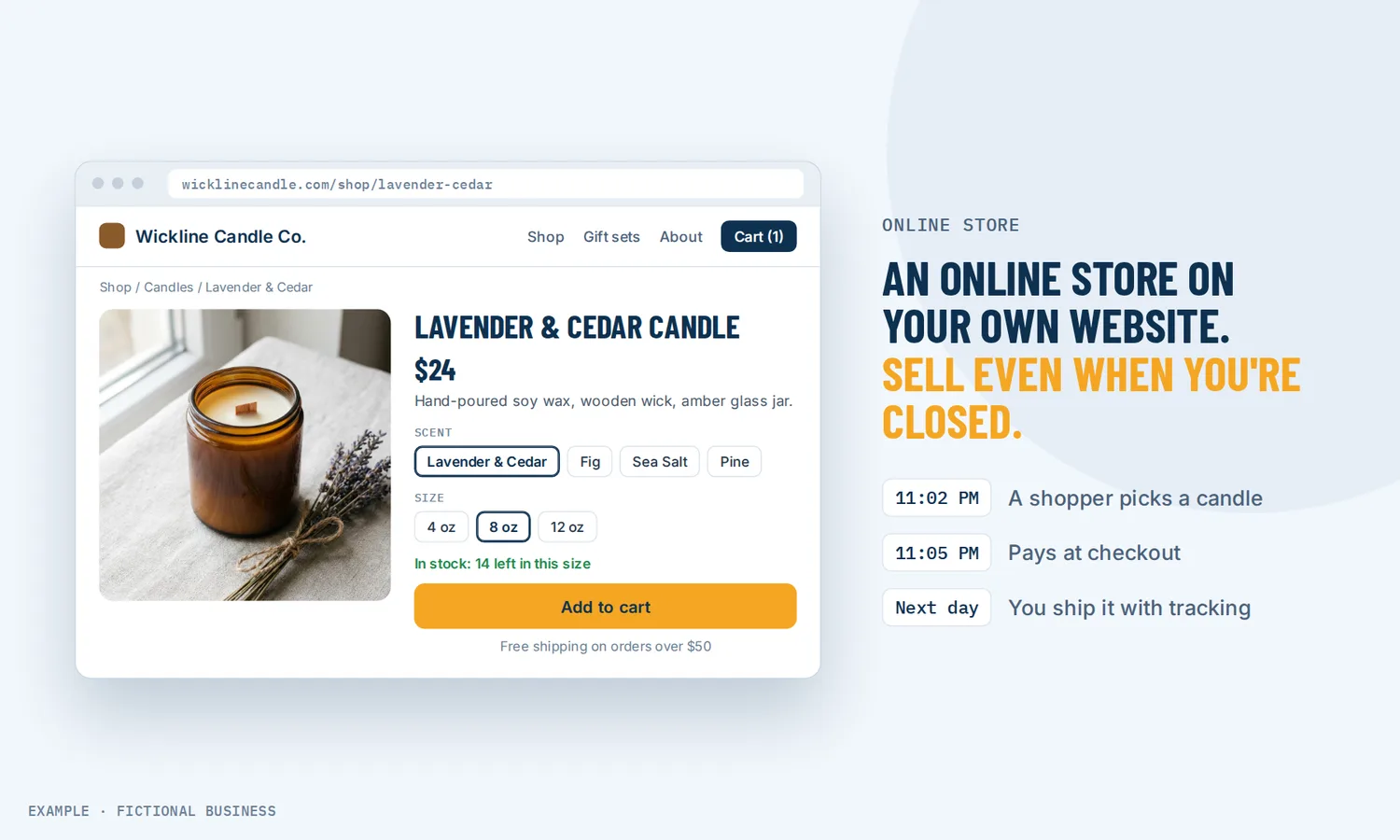
Online store for small business: sell products from your own website, with orders in one place.
An online store for small business is a set of pages on your website where customers browse your products, add them to a cart and pay at checkout. On Revenue Growth HQ, the store sits inside your website and your customer records, so each order lands next to the customer who placed it.
Get online payments set up for you
What an online store is and how it works
Here is how it works on the Revenue Growth HQ platform:
- You add the store to your website. The store adds five pages in order: product list, product details, cart, checkout and thank-you. You can run more than one store in an account.
- You add products. Physical or digital, with a one-time or recurring price. Add options such as size or color, and each variant gets its own price, compare-at price and stock count.
- You set shipping, pickup and tax. Shipping zones by country, state or ZIP code, with flat rates or rates by order total or weight. Add pickup locations if customers can collect. Set your tax rates once and attach them to products.
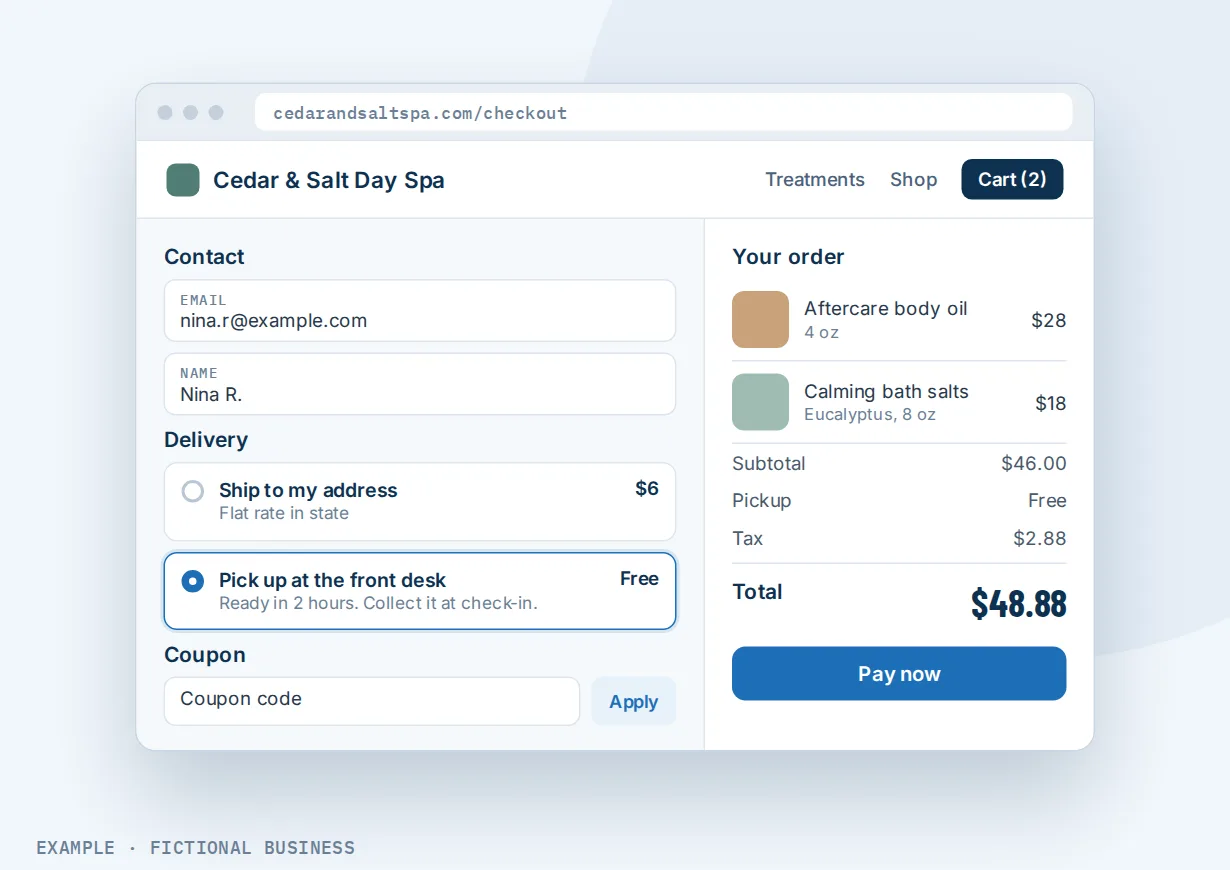
- The customer buys. They add items to the cart, enter contact and address details, choose delivery or pickup, apply a coupon and pay.
- You fulfill the order. The order shows under your payments. You mark it fulfilled with a carrier and tracking number, or the customer downloads a digital product from their confirmation email.
What an online store changes for a small business
Sales that do not wait for you
Online shopping is a large and growing share of how Americans buy. The US Census Bureau estimated that e-commerce was 17.1% of all US retail sales in the second quarter of 2026, with sales up 12.2% from a year earlier. A store on your own website means a customer who wants your product at 11 p.m. can buy it then, instead of adding it to a mental list and forgetting.
Fewer orders taken by hand
Orders by phone, email or direct message take time: confirming the price, checking stock, sending a payment request, writing down the address. A store collects all of that at checkout in a form you set up once. You open the order, pack it and add the tracking number.
A checkout that does not lose people over surprises
Most carts are never paid for. The Baymard Institute puts the average documented cart abandonment rate at 70.22%, from 50 studies. Among US shoppers who abandoned a checkout, 40% said extra costs such as shipping, tax and fees were too high, 18% left because the site wanted them to create an account, and 17% because the checkout was too long or complicated. You control the first of those on your own store: set clear shipping rates, offer free shipping over an order total, or offer pickup. Checkout asks only for contact, address and delivery details, and the store sends one reminder email to a shopper who left without paying.
Customers you can sell to again
When a customer buys from your store, the order goes on their contact record with their email and phone number. That is the start of a repeat sale: a thank-you, a reorder reminder or news about your next product.
How an online store plays out
A small product maker. Let's suppose you make candles in four scents and three sizes. You add one product with two options, so each scent-and-size pair has its own price and stock count. Shipping is a flat rate in your state, a higher one elsewhere, and free over an order total you choose. A shopper fills a cart, enters an email and leaves; the store's reminder email can bring them back to finish. You pack the order and mark it fulfilled with the tracking number.
A service business with retail on the side. Let's suppose you run a salon or a clinic and sell aftercare products and gift cards. You set up local pickup at your front desk, with a short prep time, so customers order online and collect at their next visit. A regular texts to ask whether a product is back in stock. You reply in the same conversation with a payment link for that product, and they pay from their phone.
A coach or educator selling downloads. Let's suppose you sell workbooks and templates. Each is a digital product with its files attached, and no shipping is charged. A buyer pays and downloads from the confirmation email, the thank-you page or their customer account. When an order comes in, a workflow tags the buyer, so your next email about a new workbook goes to people who have already bought from you.
What to look for in an online store for small business
- Does the store live on your own website, with your domain and design, or on a separate shop site?
- Does it handle the products you sell? Physical and digital, one-time and recurring, and options such as size and color with their own prices.
- Can you track stock per variant, and choose whether an item can still be sold when stock reaches zero?
- Can you set shipping the way you charge it? Zones, flat or weight-based rates, free shipping over an amount, and local pickup.
- Does it handle sales tax, either with rates you set or automatically for the places you collect tax?
- Which payment processors does it work with, and which payment methods do your customers see at checkout?
- What happens when someone leaves a full cart? A reminder email at minimum, and ideally a follow-up you can extend.
- Do orders connect to your customer records, so a buyer can get the right follow-up later?
Most store platforms cover this list. The difference is whether your contacts, inbox, email and texting sit in the same system.
An online store works better with your website, text to pay and email
A store takes the order. The pages, conversations and emails around it decide how many people reach it and how many come back.
A store plus your website. The store is built inside the website builder, so its pages share your site's menu, design and domain. A customer reads about your business and buys without leaving for another site. See a website for your business.
A store plus text to pay. Some customers would rather ask a question than browse. When a customer texts about a product, you can reply in the same conversation with a checkout link for a product in your product list. The payment stays tied to that conversation. See sending a payment link in a text conversation.
A store plus email marketing. An email campaign can include a Shopping Cart block that shows a product's image, name, price and a button to your checkout page. Campaign reports show the orders and revenue attributed to each email. A workflow can tag customers when they order, and a campaign can go to that tag. See sending marketing emails to your customers.
A store plus automation. A submitted order, a fulfilled order or an abandoned checkout can start a workflow that follows up by email, text or a task for your team.
Online store options: from free to done-for-you
The right choice depends on how much you sell, how many products you carry, and how much the store needs to connect to the rest of your business.
Selling by message and payment request. Take orders by phone or message and send a payment link for each one. It works for a few orders a week, but each order is a conversation and nothing tracks stock or shipping.
Marketplaces. Selling on a large marketplace brings shoppers who are already looking. The marketplace sets the rules, takes its fees and owns the customer relationship, and your listing sits beside your competitors.
Standalone store platforms. A dedicated e-commerce platform gives you a full store with many themes and apps, for a monthly fee plus payment fees. Your email, texting and customer conversations usually live in other apps you connect.
All-in-one platforms. Here the store sits in the same system as your website, contacts, inbox, payments, email and automation. An order can start your follow-up without a connector. The tradeoffs: fewer store themes and add-ons than a dedicated store platform, and more to set up than a simple payment link.
Hiring someone. A developer can build a store for you, for a project fee, and you depend on them for changes.
Here's our solution
Revenue Growth HQ is an all-in-one platform with an online store built into the website builder, alongside your contacts, inbox, email, texting, automation and the rest of the Get paid tools. The plan is $97 a month (or $970 a year) and includes $30 of usage credit each month for your phone number, calls, texts, email and most AI features. Use beyond $30 in a month is billed by use, at the same rates as buying the software directly. You see these rates before setup starts.
Setup is a one-time $197. You choose 3 setups from our list for us to build in your account, and online payments can be one of them. For that one, we connect your own Stripe account, add your services and prices, and set up invoice and quote templates, pay-by-text links, and deposits if you have a booking calendar. With Stripe connected, your store's checkout can take cards, Apple Pay, Google Pay and pay-later options. The setup does not build your store pages or load your product catalog. You'll need your own Stripe account: we connect it, and you own it. Stripe charges its own processing fees. PayPal, Square, Authorize.Net and NMI can also take payments at store checkout. See the setups and choose your 3.
Limits to know
- Checkout needs your own payment processor. Store checkout, subscriptions, digital delivery and even cash on delivery need a connected processor, which charges its own fees.
- Live carrier rates and postage labels need a separate account. Built-in shipping uses rates you set. Live rates and paid postage labels come through a connected Shippo or ShipStation account. The built-in printable label is a packing slip with addresses and items, not postage.
- An address with no shipping zone sees no rate. Set a catch-all zone so no shopper reaches checkout without a shipping option.
- The built-in abandoned cart follow-up is one email. A second email or a text takes a workflow, and both need the shopper's email.
- No tax reports inside the platform. You export orders for your tax records.
Online store features included
- Store pages inside your website: product list, product details, cart, checkout and thank-you
- Physical and digital products
- One-time and recurring prices, with optional trials and setup fees
- Product options with their own price, compare-at price and stock
- Stock tracking per variant, searchable by SKU
- Shipping zones by country, state or ZIP code, with flat, order-total or weight-based rates
- Local pickup with instructions, prep time and optional fee
- Manual tax rates and automatic tax from your tax addresses
- Coupons: percentage or fixed, by product, with dates and limits
- Cash on delivery or another manual payment method
- Digital downloads by email, thank-you page or customer account
- Orders, fulfillment with tracking, partial fulfillment and refunds
- Abandoned cart email and abandoned checkout workflows
- Phone-friendly store pages
Frequently asked questions
Can I add an online store to my existing website?
If your website is built on Revenue Growth HQ, the store adds its pages to that site and shares its menu, design and domain. If your website lives somewhere else, you can link to a store built on the platform or move the site over.
Can I sell digital products?
Yes. A digital product has no shipping. Attach up to 10 files per product or variant, up to 100 MB each. After paying, the buyer downloads from the confirmation email, the thank-you page or their customer account, which they log into with a one-time code. Manual payment methods such as cash on delivery are not offered for digital items.
How do I handle shipping for a small online store?
Set shipping zones by country, state or ZIP code, then give each zone flat rates or rates by order total or weight. Free shipping can apply above an order total. For live carrier rates and postage labels, connect a Shippo or ShipStation account. Local pickup suits nearby customers.
Does the store calculate sales tax?
You can set tax rates yourself and attach them to products, with a 0% rate for exempt items. Automatic tax is also available and works from the addresses where you collect tax, with your manual rates as a fallback. Tax reports are not built in; export your orders instead.
Which payment methods can customers use?
That depends on the processor you connect. Through Stripe, customers can pay by card, Apple Pay, Google Pay and pay-later options such as Affirm, Klarna and Afterpay. PayPal, Square, Authorize.Net and NMI also work at store checkout.
What happens when a customer leaves items in the cart?
If the shopper entered an email but did not pay, the store sends one reminder email after a delay you set, 10 hours by default. For more follow-up, an abandoned checkout workflow can filter by cart value, product or country and send another email, a text, or create a task for your team.
What does an online store for small business cost?
Most store platforms charge a monthly fee plus payment fees, and marketplaces take a share of each sale. On Revenue Growth HQ, the store is included in the $97-a-month plan, which comes with $30 of usage credit each month for texts, email and most AI features. Use beyond the credit is billed by use, and card payments carry your processor's own fee. Setup is a one-time $197 for 3 setups you choose.
Get online payments set up for you.
For a one-time $197 setup, we build 3 setups of your choice in your Revenue Growth HQ account, with online payments already ticked. We connect your Stripe account so your store's checkout can take payments, add your services and prices, and set up your invoice templates and pay-by-text links. The setup does not build your store pages or load your product catalog. You'll need your own Stripe account, and Stripe charges its own fees. The plan is then $97 a month.
Sources
- US Census Bureau. "Quarterly Retail E-Commerce Sales, 2nd Quarter 2026." Released August 18, 2026. https://www.census.gov/retail/ecommerce.html (checked 2026-10-25)
- Baymard Institute. "Cart Abandonment Rate Statistics." Updated September 22, 2025. https://baymard.com/lists/cart-abandonment-rate (checked 2026-10-25)