
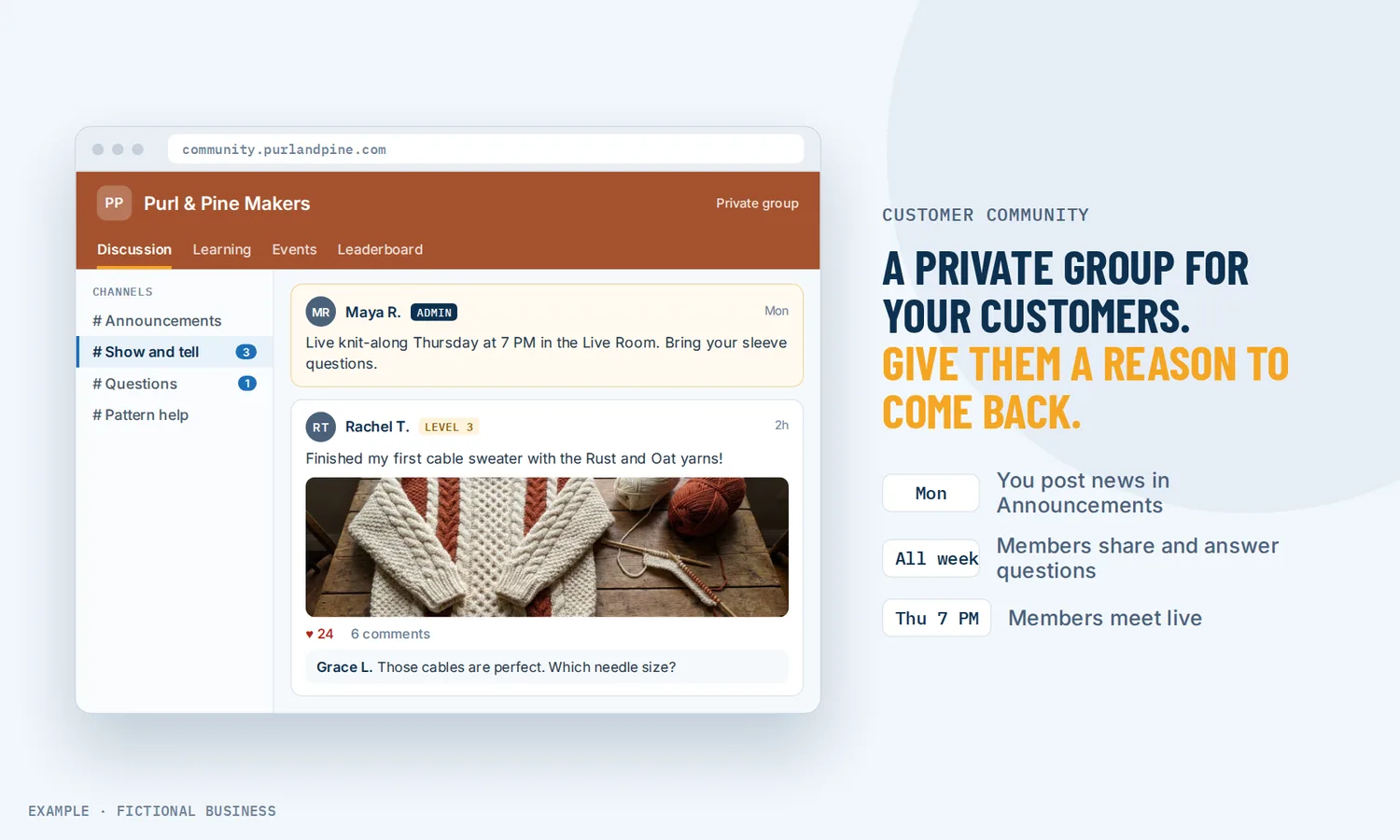
Online community platform: a private place for your customers to talk, learn and come back.
An online community platform gives your customers a private group of their own, with discussion channels, live sessions, events and member levels, on your brand and your web address. For small business owners, a community turns one-time buyers into people who return, ask questions in the open and help each other between visits.
Choose 3 setups for us to build
What an online community platform is and how it works
An online community platform is software for running a group your business owns: a members-only space where people post, comment and meet live, instead of a page on someone else's social network. On Revenue Growth HQ, the community sits in the same account as your contacts, email and courses.
Here is how it works:
- You create a group. Give it a name, a web address and a description, add your logo and cover image, and choose public or private. A private group asks you to approve each person who requests to join.
- You add channels. Each channel is a topic, such as Announcements, Questions or Wins. A channel can be private, so only some members see it.
- Members post and reply. They write posts, comment, like and tag each other, and they can message another member one-to-one. Email notices tell them when someone replies or tags them.
- You meet live. Schedule an event, then run it as a video room inside the community or broadcast into a channel. The recording can stay behind as a post.
- Activity earns points. A member earns a point each time someone likes their post, comment or reply. Points raise their level, and courses can unlock at a level.
What a customer community changes for a small business
A reason to come back between purchases
Most small businesses only hear from a customer when they buy or when something goes wrong. A community gives people a reason to show up in between: a weekly live Q&A, a channel where they share results, a question someone else answers before you see it.
There is research behind the idea, though it is old and small in number. One University of Michigan working paper followed a large North American media retailer and found members' spending rose an average of 19% after they joined the company's online community. That is a single company's result, not a promise for yours.
Questions answered once, in public
When a customer emails a question, you answer it for one person. When they ask it in the community, the answer stays where the next member can find it. Over time, experienced members start answering newcomers themselves.
Trust that grows by talking
People trust a business more when they can see other customers using it and talking about it. In a 2006 study of 2,196 members across 20 private customer communities, 82% said they were more likely to recommend the sponsor's products since joining, and 63% said their trust in the company had increased. Those numbers are members describing themselves, so read them as a direction rather than a measured effect.
A paid offer you can add
Some businesses sell the community itself. A group can charge to join, once or by monthly or yearly subscription, with optional trial days on a subscription.
How a customer community plays out
A fitness or yoga studio. Let's suppose you run a studio with a few hundred regulars. You open a private group with an Announcements channel, a Questions channel and a channel for class schedules. Once a week you host a live stretch session in the community's video room, and the recording stays as a post for members who missed it. Members who post and get likes climb levels, and a beginner course on form unlocks at Level 2.
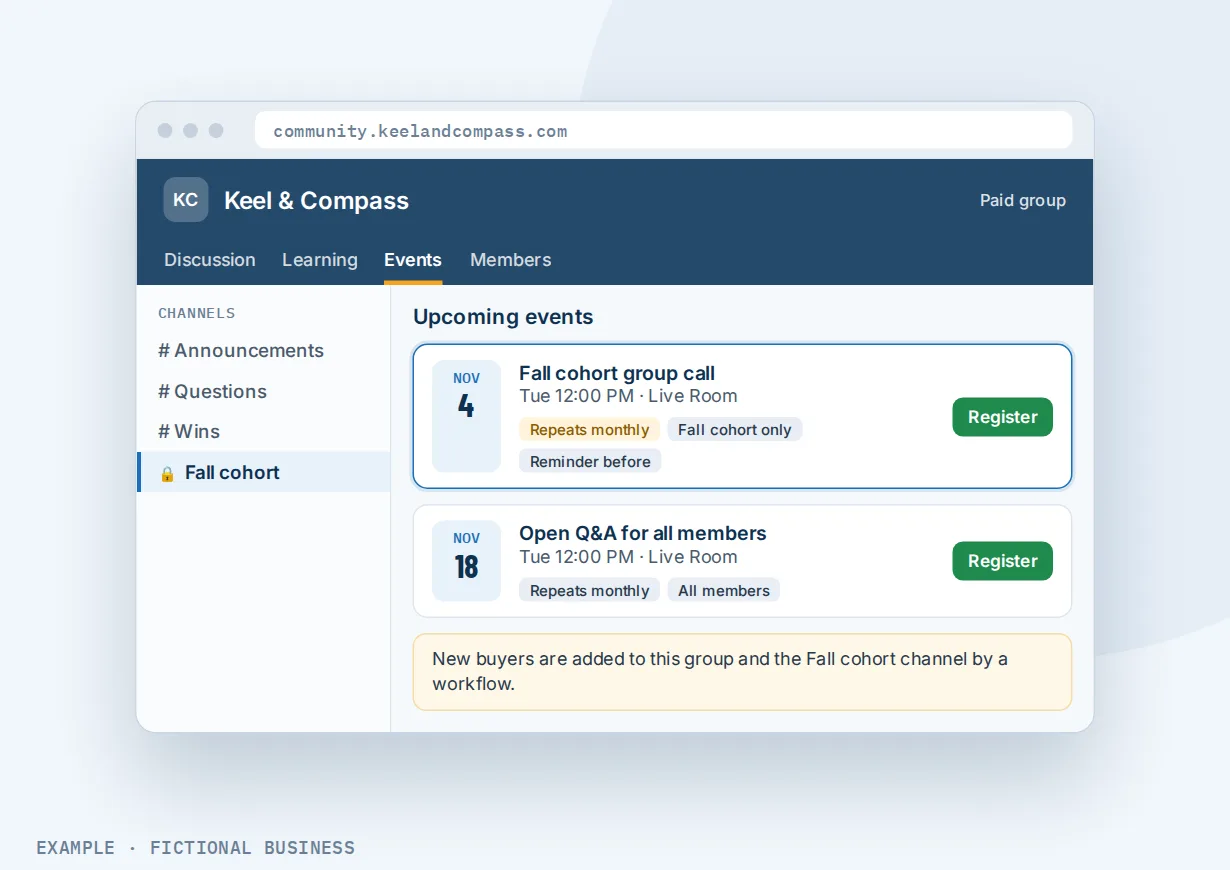
A coach or consultant. Let's suppose you sell a six-week program to business clients. When someone buys, a workflow adds them to a paid group with a private channel for their cohort. Monthly group calls go on the Events tab and repeat on their own, with a reminder before each one. When the program ends, they keep their place in the wider group, and the cohort channel can be closed to them.
A retailer or product brand. Let's suppose you sell a hobby product with a loyal following. You start a free public group where customers share what they made, ask how-to questions and see new releases first in the Announcements channel. You hand out rewards to the most helpful members, such as early access to a new product, and the leaderboard shows who they are.
What to look for in an online community platform
Questions to ask before you choose one:
- Is it yours? Look for your own logo, your own web address and member emails sent from your business, not the platform's name in front of every message.
- Can you keep parts private? Private groups with join approval, and private channels inside a group, let you separate customers from prospects or one cohort from another.
- Can you meet live inside it? Built-in video rooms and broadcasts keep members in the community instead of sending them to a separate meeting app, and recordings that stay as posts serve people who missed the live session.
- Can you schedule events? One-time and repeating events, with reminders, keep regulars coming back on a rhythm.
- Does it reward taking part? Points, levels, badges and a leaderboard give members a reason to post and reply, not only read.
- Can you charge for it? Paid groups with one-time or subscription pricing, trial days and automatic removal when someone cancels.
- Does it connect to the rest of your business? Joining, posting and leveling up should be able to start automatic follow-up, and a purchase should be able to add someone to the right group.
- Can members use it on their phone? A members' app with notifications makes it easier for people to check in.
A customer community works better with courses, email and automation
Community plus courses. Courses you already have can sit on the community's Learning tab, shown only inside the community. Each course gets its own unlock rule: open to all members, unlocked at a member level, sold one time or by subscription, or released a set number of days after someone joins. See video courses you can sell or include with membership.
Community plus email. Members get email notices for replies, tags and new events, from templates you can edit. For anything bigger, such as a monthly roundup or an invitation to a paid group, a workflow can tag people as they join so you can send them a campaign. See email campaigns sent to a tag or saved list.
Community plus workflow automation. Community activity can start a workflow: someone gets access to a group, asks to join, is turned down, writes a post or comment, registers for an event or reaches a new level. A workflow can also grant or remove group access and give points, so a purchase can add the buyer to the right group. See automatic follow-up across your business.
Your options: from free to done-for-you
A free group on a social network. No cost, and your customers may already be there. The tradeoffs: the network decides who sees each post, members see ads and competitors in the same feed, and you have little to connect to your own sales or follow-up.
A chat app group. Quick to start and easy for members to join. It works for a small group, but conversations scroll away, nothing is organized by topic, and there are no courses, levels or paid access.
Standalone community software. A dedicated platform gives you channels, events and paid memberships, often for a monthly fee that rises with features or members. It is one more app, though: your contacts, email, booking and payments live elsewhere, and you connect them with integrations that have to keep working.
All-in-one platforms. Here, the community sits in the same system as your contacts, email, courses, payments and automation. A purchase can add someone to a group, and community activity can start follow-up, without a connector. The tradeoffs: more to set up, and more features than a business that only wants a discussion board may need.
Hiring someone. A community manager can plan events, welcome new members and keep conversations going. That has real value, and it costs wages or a monthly retainer.
Here's our solution
Revenue Growth HQ is an all-in-one platform with the community inside it, alongside your website, contacts, inbox, email, courses, payments, reviews, automation and AI assistants. The community comes with the plan. The plan is $97 a month (or $970 a year) and includes $30 of usage credit each month for your phone number, calls, texts, email and most AI features. Use beyond $30 in a month is billed by use, at the same rates as buying the software directly, and you see the rates before setup. Paid groups also need your own Stripe account, which charges its own fees.
Setup is a one-time $197. The setups on our list don't build a community; your community tools come with the plan, ready for you to shape. The $197 buys 3 jobs from our list that bring in and keep the customers who join it, such as new-lead follow-up, appointment reminders and online booking, or review requests. With any choice we build your knowledge base from your website, and when a choice calls or texts, we set up your business phone number and its texting registration. See the setups and choose your 3.
Limits to know
- The members' app is in beta. Members can use a phone app for the community, courses, events and messages, but it is an early-access app and not under your brand yet.
- Levels are preset. Each group has up to 9 levels with fixed point thresholds; you can rename them but not change the thresholds. Points come from likes (plus any a workflow grants), and a member starts at Level 1 in each new group.
- Rewards are by hand. You can list up to three rewards on the leaderboard, but you hand them out yourself; they are not tied to levels. To unlock something at a level on its own, use a level-locked course.
- Direct messages are one-to-one. For group conversation, use a private channel.
Customer community features included
- Groups with your logo, cover image and web address
- Public or private groups, with join approval for private ones
- Discussion channels, including private channels
- Posts, comments, replies, likes and @tags
- One-to-one direct messages between members
- Admin, Contributor and Member roles
- Built-in live video rooms and broadcasts from streaming tools
- Optional recording, saved as a post
- Scheduled events, one time or repeating weekly or monthly, with reminders
- Points, up to 9 member levels per group, badges and a leaderboard
- Courses on a Learning tab with unlock rules
- Paid groups: one time, monthly or yearly, with optional trial days
- Content reports and moderation tools
- Editable member email templates
- Workflow triggers and actions for group access, posts, events and levels
- A members' phone app, in beta
Frequently asked questions
What is an online community platform?
An online community platform is software for running a private group for your customers or members. It gives you discussion channels, posts and comments, member messaging, live sessions and events in one place under your brand. Unlike a group on a social network, the space and the member list belong to your business, and they can connect to your email, courses and sales.
How do I build an online community for my business?
Start small and specific. Pick one group of customers, such as people who bought a program or regulars at your studio, and give them one clear reason to join, like a weekly live Q&A. Open two or three channels, post first yourself, and invite a few members you know will take part. Points and levels help once people start posting.
Can I charge for my community?
Yes. A group can charge to join, either one time for permanent access or by monthly or yearly subscription, with optional trial days. Payments run through your own Stripe account, which charges its own fees. When a member cancels a subscription, they are removed from the group automatically and both of you get an email.
Can I run live sessions and events in the community?
Yes. You can host a video room where members join with video, chat, reactions and screen sharing, or broadcast into a channel from a streaming tool. Events can be one time or repeating weekly or monthly, held in the built-in room or on another video link, with a reminder before each session.
Is there an app for members?
There is a members' phone app, currently in beta, with tabs for communities, courses, events and chats, and notifications members can adjust. It is not under your brand yet. Members can also use the community in a web browser.
How do I get members to take part?
Post a question each week, hold a regular live session and welcome each new member by name. Points and levels reward members whose posts get likes, a leaderboard shows the most active, and courses can unlock when someone reaches a level.
What does an online community platform cost?
Free groups on social networks cost nothing, and standalone community software usually charges a monthly fee. On Revenue Growth HQ, the community is included in the $97-a-month plan with $30 of usage credit each month; email sending beyond that is billed by use, and paid groups need your own Stripe account. Setup is a one-time $197 for 3 setups of your choice.
Give your customers a place to come back to.
The community comes with your Revenue Growth HQ plan, ready for you to set up. For a one-time $197 setup, we build 3 jobs of your choice that bring customers in and keep them coming back, such as following up with new leads, booking with reminders, or asking for reviews. Pick them below. We also build your knowledge base from your website. The plan is then $97 a month.
Sources
- Manchanda, P., Packard, G. and Pattabhiramaiah, A. "Social Dollars: The Economic Impact of Customer Participation in a Firm-Sponsored Online Community." University of Michigan working paper, 2012, as reported by strategy+business. https://www.strategy-business.com/article/re00184 (checked 2026-10-25)
- Communispace. "What Companies Gain from Listening," 2006, as reported by The Wise Marketer. https://thewisemarketer.com/?p=19488 (checked 2026-10-25)