
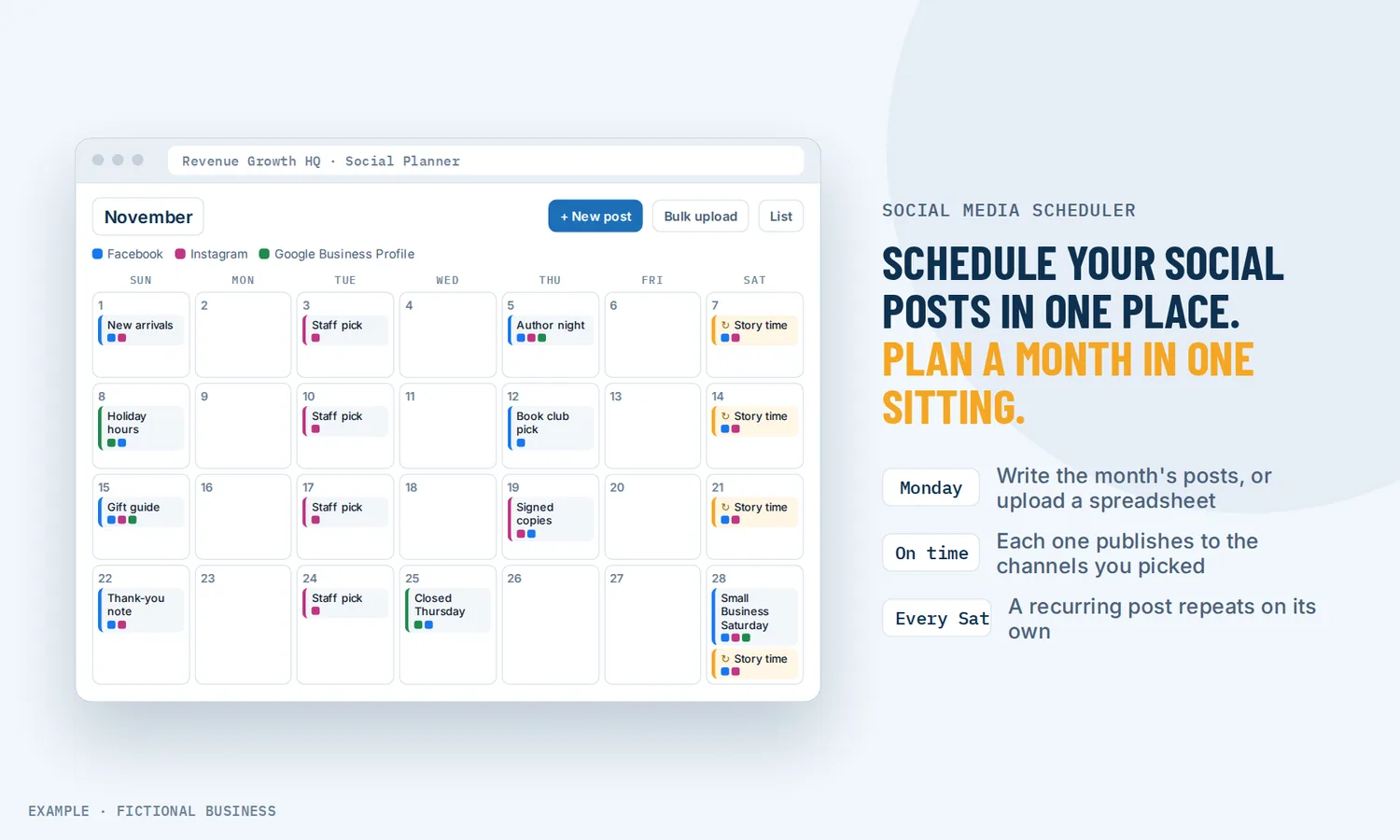
Social media scheduler for small business: a month of posts planned in one sitting.
A social media scheduler for small business lets you write posts once, pick the day and time, and have them publish on their own to Facebook, Instagram, Threads, Google Business Profile, LinkedIn, TikTok, YouTube, Pinterest and Bluesky. For small business owners, that means one planning session instead of logging into each app every day.
The planner comes with the plan, and you connect your own accounts. Choose 3 setups for us to build, such as new-lead follow-up or review requests.
What a social media scheduler is and how it works
A social media scheduler is a tool that holds your posts on a calendar and publishes each one at the time you set. Instead of posting by hand from each app, you plan a batch of posts ahead and let the schedule do the publishing.
On the Revenue Growth HQ platform, these channels connect today: Facebook Pages, Instagram (Business and Creator accounts), Threads, Google Business Profile, LinkedIn profiles and company pages, TikTok, YouTube, Pinterest, Bluesky, and community groups you run on the platform. X (Twitter) and Reddit are not supported, and Facebook Groups can't be posted to.
Here is how it works:
- You connect your accounts. Sign in to each channel once. Pages and company accounts need admin access.
- You write the post. Add your text and images or video, then pick the channels it goes to. You can adjust the caption for each channel and check a preview of how it will look on each one.
- You pick a time. Post now, schedule it, save it as a draft, or set it to repeat daily, weekly, monthly or yearly.
- You plan in bulk. Upload a spreadsheet of up to 90 posts in one file, and the planner flags errors before it imports them.
- It publishes. Posts go out at their times, and every post sits on one content calendar you can review and reschedule.
What a social media scheduler changes for a small business
One sitting instead of every day
Posting by hand means stopping work at the right time, opening each app, and posting the same thing several times over. A scheduler turns that into a planning job. You can sit down once a month, write the posts, load them into the calendar and get back to paid work. The posts keep going out on the days you were busy with customers.
Showing up where your customers already are
Your customers are spread across several networks. In a 2026 Pew Research Center survey of 5,511 US adults, 84% said they ever use YouTube, 70% Facebook and 51% Instagram. Posting to more than one channel used to mean more than one app. With one scheduler, one post can go to Facebook, Instagram, LinkedIn and your Google Business Profile at once, with the wording adjusted for each.
A steady calendar, even in busy weeks
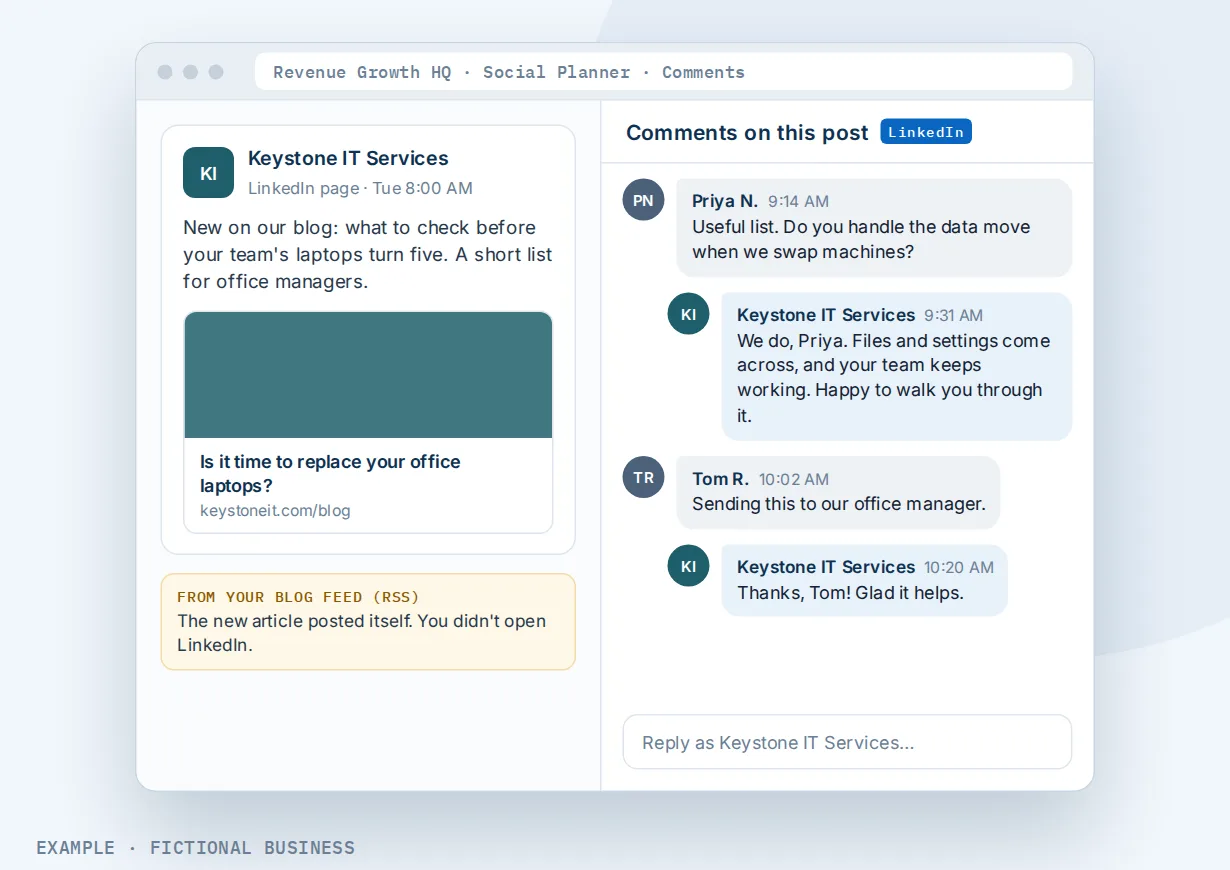
Social accounts often go quiet during a business's busiest weeks, which is exactly when a stream of fresh posts would help. Recurring posts and an evergreen queue of posts you can reuse keep the calendar filled. A blog's RSS feed can also post each new article automatically, so new content reaches your followers without a second step.
Replies in the same place
Posting is half of social. The Sprout Social Index 2025, a survey of 4,044 consumers in September 2024, reported that 73% say they will buy from a competitor if a brand doesn't respond on social. The planner shows comments on posts you published through it, on Facebook, Instagram, LinkedIn pages, TikTok business profiles, Threads, Bluesky and your community groups, and you can reply from there.
How a social media scheduler plays out
A restaurant or cafe. Let's suppose you run a neighborhood cafe. On the first Monday of the month, you write the month's posts in one sitting: the weekly special, a new pastry, holiday hours. You upload them in one spreadsheet, and they go to Facebook, Instagram and your Google Business Profile. A recurring post every Friday reminds followers about weekend brunch, and you drag one instance to Saturday when a holiday moves your schedule.
A consultant or B2B service. Let's suppose you sell consulting to other businesses. Your audience is on LinkedIn, so you schedule two posts a week to your personal profile and your company page, with a different caption on each. Each new article on your blog posts itself through the RSS feed. When someone comments on a post, you reply from the planner without opening LinkedIn.
A small team with an assistant. Let's suppose you run a home service business, and a part-time assistant drafts your social posts. Instead of posting directly, the assistant sends each post to you for approval. You get an email, then approve, edit, reschedule or reject it with a comment. Approved posts go on the calendar and publish on time.
What to look for in a social media scheduler for small business
Questions to ask before you commit:
- Does it cover your channels? Check the exact list. Some networks have limited what outside tools can do, so a scheduler may not reach X or Facebook Groups.
- Can you change the caption per channel? A post that works on Instagram may need different wording for LinkedIn or Google.
- Can you see a preview? You want to check how each version looks before it goes out.
- Does it handle the formats you use? Reels, Stories, carousels, YouTube Shorts and Pinterest pins each have their own rules.
- Can you plan in bulk? A spreadsheet upload saves hours when you plan a month at a time.
- Does it repeat posts? Recurring posts and a reusable queue keep the calendar filled without rewriting.
- Can someone approve posts first? Useful when an assistant or a team member drafts for you.
- Can you reply to comments in the same tool? Otherwise you are back to opening each app.
- Does it show results? Followers, reach, engagement and top posts tell you what to post more of.
- Can it help you write? An AI writing tool inside the planner saves time on captions and images.
A free tool that covers the first three suits a business posting to one or two channels. The more of the list you need, the more it pays to have the scheduler in the same system as your website, blog and customer records.
A social media scheduler works better with AI writing and a blog
A scheduler saves the posting time. Writing the posts is the other half of the work.
Scheduling plus an AI writing tool. Content AI sits inside the planner. You answer a few guided questions about the platform, the post type and your brand voice, and it writes a draft caption you can edit. It can also make images from a description, in up to five variations and a style you choose. AI writing and images are billed by use; the scheduler itself is included. See AI that writes your posts, blogs and emails.
Scheduling plus a blog. A blog post on your own site gives your social posts somewhere to point. Connect your blog's RSS feed, and each new article becomes a post on the channels you choose, checked as often as every five minutes. Followers see the new article, and the visit lands on your website instead of someone else's. See blog posts published on your own website.
Your options: from free to done-for-you
The right choice depends on how many channels you post to, how far ahead you plan and how much of the writing you want help with.
Posting by hand from each app. Free, and it works for one or two channels and a few posts a week. It also means posting during your workday and repeating each post in every app.
Each network's own scheduling. Some networks let you schedule posts for their own platform. It costs nothing, but you schedule each network separately and your plan lives in several places.
Standalone social media scheduling tools. A dedicated scheduler covers many channels on one calendar, often with a free tier and paid plans that rise with more channels or users. The catch is that it is one more app, apart from your website, blog, customer records and messages.
All-in-one platforms. Here, the social planner sits in the same system as your website, blog, inbox and customer records. Your blog's feed can post itself to your social channels. The tradeoffs: more to set up, and more features than a business that only wants to schedule posts may need.
Hiring someone. A freelancer or social media manager can write, design and post for you. That has real value, but it costs fees each month, and your accounts depend on their schedule. You can also hire someone to set up any of the options above.
Here's our solution
Revenue Growth HQ is an all-in-one platform with a social media planner built in, alongside your website, blog, forms, inbox, calendar, payments, reviews, automation and AI assistants. Scheduling and publishing come with the plan. The plan is $97 a month (or $970 a year) and includes $30 of usage credit each month for your phone number, calls, texts, email and most AI features. AI captions and images are billed by use, and use beyond $30 in a month is billed at the same rates as buying the software directly. You see the rates before setup.
Setup is a one-time $197. You choose 3 jobs from our list for us to build in your account, such as new-lead follow-up, appointment reminders and online booking, or review requests. Social posting is not on the setup list: once your account is open, you connect your own social accounts and plan your posts in the planner. With any choice we build your knowledge base from your website, and when a choice calls or texts, we set up your business phone number and its texting registration. See the setups and choose your 3.
Limits to know
- No X, Reddit or Facebook Groups. X and Reddit are not supported, and Facebook posting is for Pages only.
- Account type matters. Instagram must be a Business or Creator account. Comment replies and analytics work only for LinkedIn company pages and TikTok business profiles, and LinkedIn asks you to reconnect about every 60 days.
- Disconnected accounts stop posting. Scheduled posts wait until you reconnect the account.
- Analytics are weekly and stay in the planner. There is a weekly view and no export, and some platforms report with a delay of a day or two.
Social media scheduler features included
- Posting to Facebook, Instagram, Threads, Google Business Profile, LinkedIn, TikTok, YouTube, Pinterest and Bluesky
- Posts to your own community groups on the platform
- One post to several channels, with the caption adjusted per channel
- Preview of each channel's version before publishing
- Post now, schedule, or save as a draft
- Facebook and Instagram Reels and Stories, carousels, YouTube Shorts and Pinterest pins
- Bulk upload by spreadsheet, up to 90 posts per file
- Recurring posts and an evergreen queue
- Automatic posts from an RSS feed
- Approval before posting for team members
- Comment replies inside the planner
- Analytics for posts, followers, reach and engagement
- Create and schedule posts from the mobile app
- Content AI for captions and images (billed by use)
Frequently asked questions
What is a social media scheduler?
A social media scheduler is a tool that publishes your posts at times you set, to one or more social networks. You write posts ahead, place them on a content calendar, and the scheduler posts them for you. Many also let you adjust each post per channel, repeat posts and see how they perform afterward.
Can I schedule posts to Instagram and Facebook at the same time?
Yes. Write one post, select your Facebook Page and Instagram account, and adjust the caption for each if you like. A preview shows both versions before it goes out. Instagram must be a Business or Creator account; personal Instagram accounts can't connect. Facebook posting is for Pages, not Groups.
Which social media platforms does it support?
Facebook Pages, Instagram, Threads, Google Business Profile, LinkedIn profiles and company pages, TikTok, YouTube, Pinterest, Bluesky, and community groups you run on the platform. X (Twitter) and Reddit are not supported. If one of those is your main channel, plan to post there by hand.
Can I plan a whole month of posts at once?
Yes. Upload a CSV or Excel file with up to 90 posts, spread across the channels you choose. The planner flags errors before importing, and the posts land on your content calendar. You can also set recurring posts and keep an evergreen queue of posts you reuse.
Can AI write my social media posts?
Yes, with Content AI. You answer guided questions about the platform, post type and your brand voice, and it writes a draft caption you edit before scheduling. It can also make images from a description. AI writing and images are billed by use, separate from the included scheduler.
Can someone on my team approve posts before they go live?
Yes. A post can be sent to a chosen team member for approval. They get an email and can approve, edit, reschedule or reject it with a comment, and approved posts go on the calendar. Approvals work for team members with access to the account.
What does a social media scheduler cost?
Free schedulers tend to cover a few channels, and paid tools often charge more as you add channels or users. On Revenue Growth HQ, scheduling and publishing are included in the $97-a-month plan, with $30 of usage credit each month. AI captions and images are billed by use. Setup is a one-time $197 for 3 jobs you choose for us to build, such as lead follow-up or review requests; social posting is not one of them.
Plan your posts in one place.
The social planner comes with your Revenue Growth HQ plan, and you connect your accounts once your account is open. For a one-time $197 setup, we build 3 jobs of your choice in your account, such as following up with new leads, booking with reminders, or asking for reviews. We also build your knowledge base from your website. The plan is then $97 a month.
Sources
- Pew Research Center. "Social Media Fact Sheet." Survey conducted Jan 30 - June 18, 2026. https://www.pewresearch.org/internet/fact-sheet/social-media/ (checked 2026-10-25)
- Sprout Social. "The Sprout Social Index 2025." Released 2025-01-07. https://sproutsocial.com/insights/press/the-days-of-trend-chasing-are-over-new-research-from-sprout-social-reveals-a-third-of-consumers-think-jumping-on-viral-trends-is-embarrassing-for-brands/ (checked 2026-10-25)